Categories
How to create an Administrative Ticket
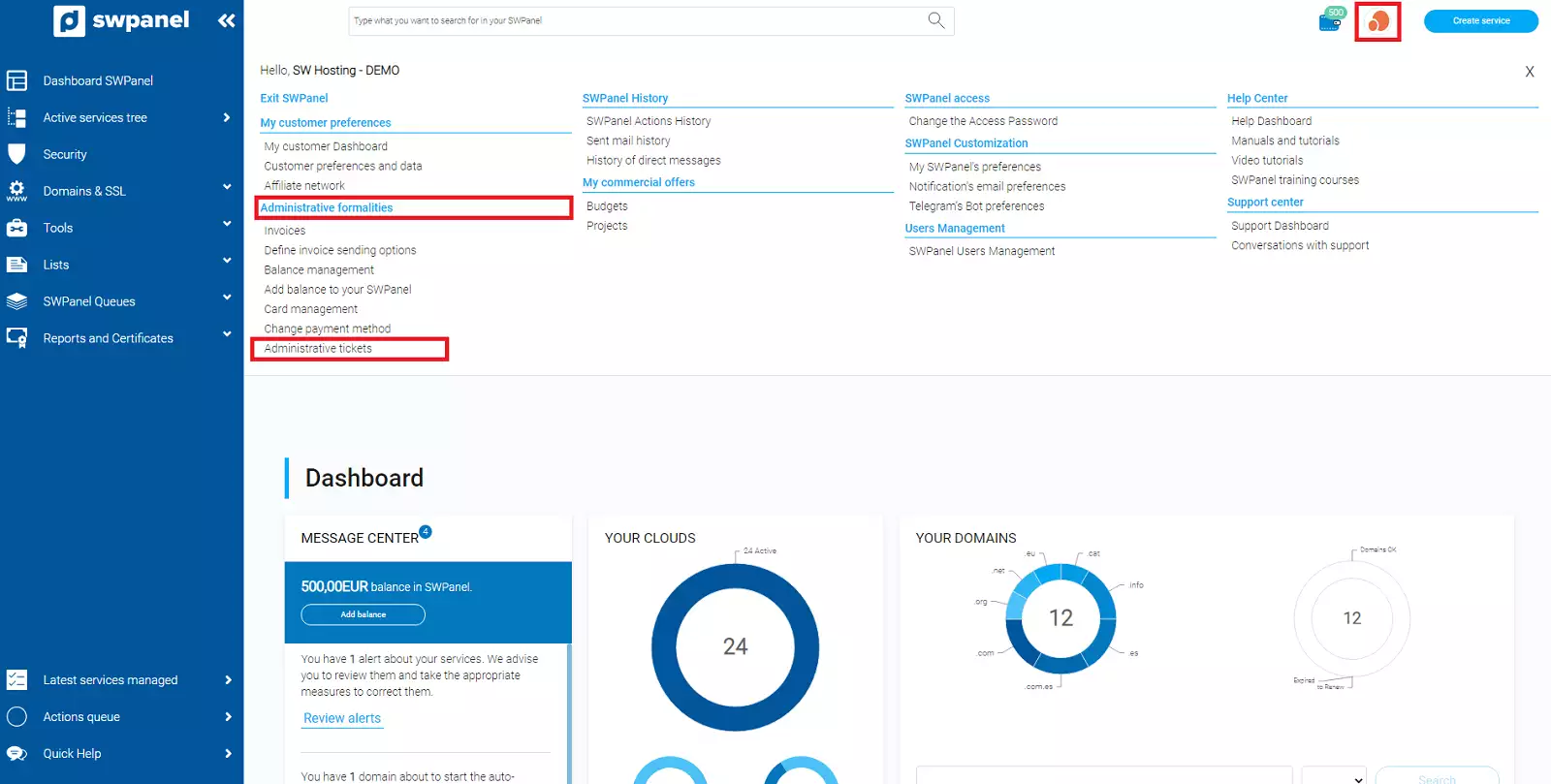
To create an administrative ticket, go to the top right corner of your SWPanel, click on the logo of your customer account -> "My account" -> Administrative tickets, which is located in the Administrative formalities section.
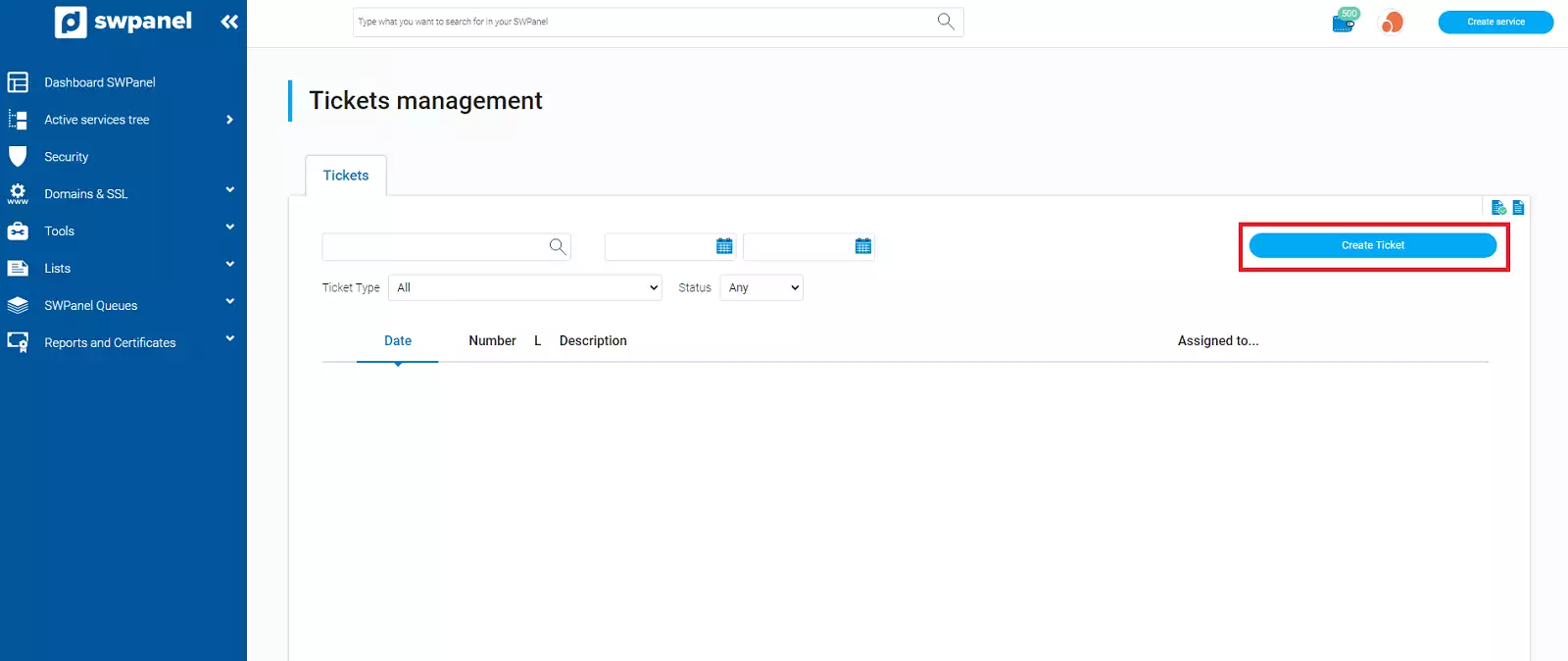
Once in the "Tickets" section, you must click on the blue button "Create ticket".
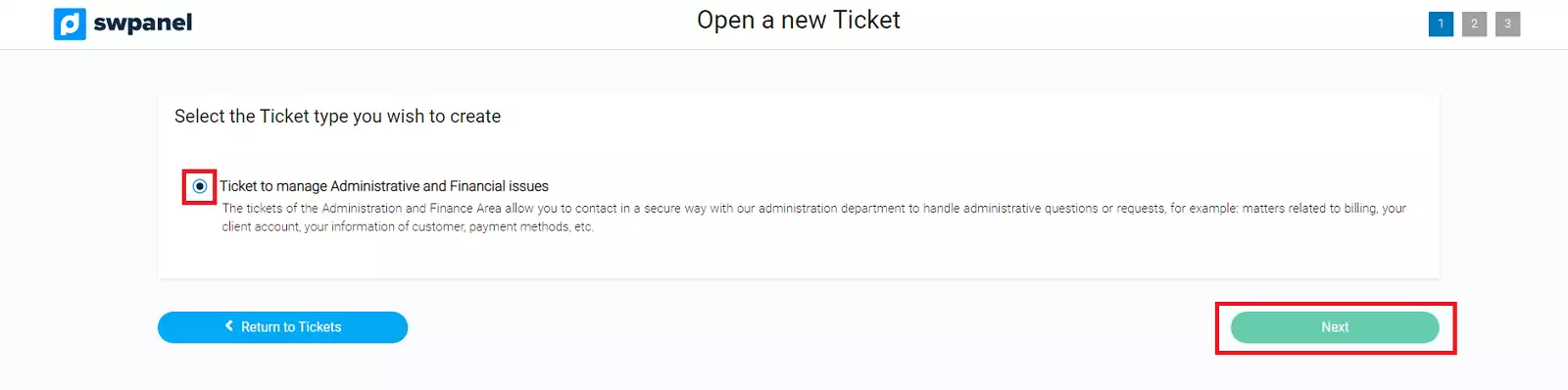
Indicate the type of ticket "Ticket to manage Administrative and Financial issues", and select Next.
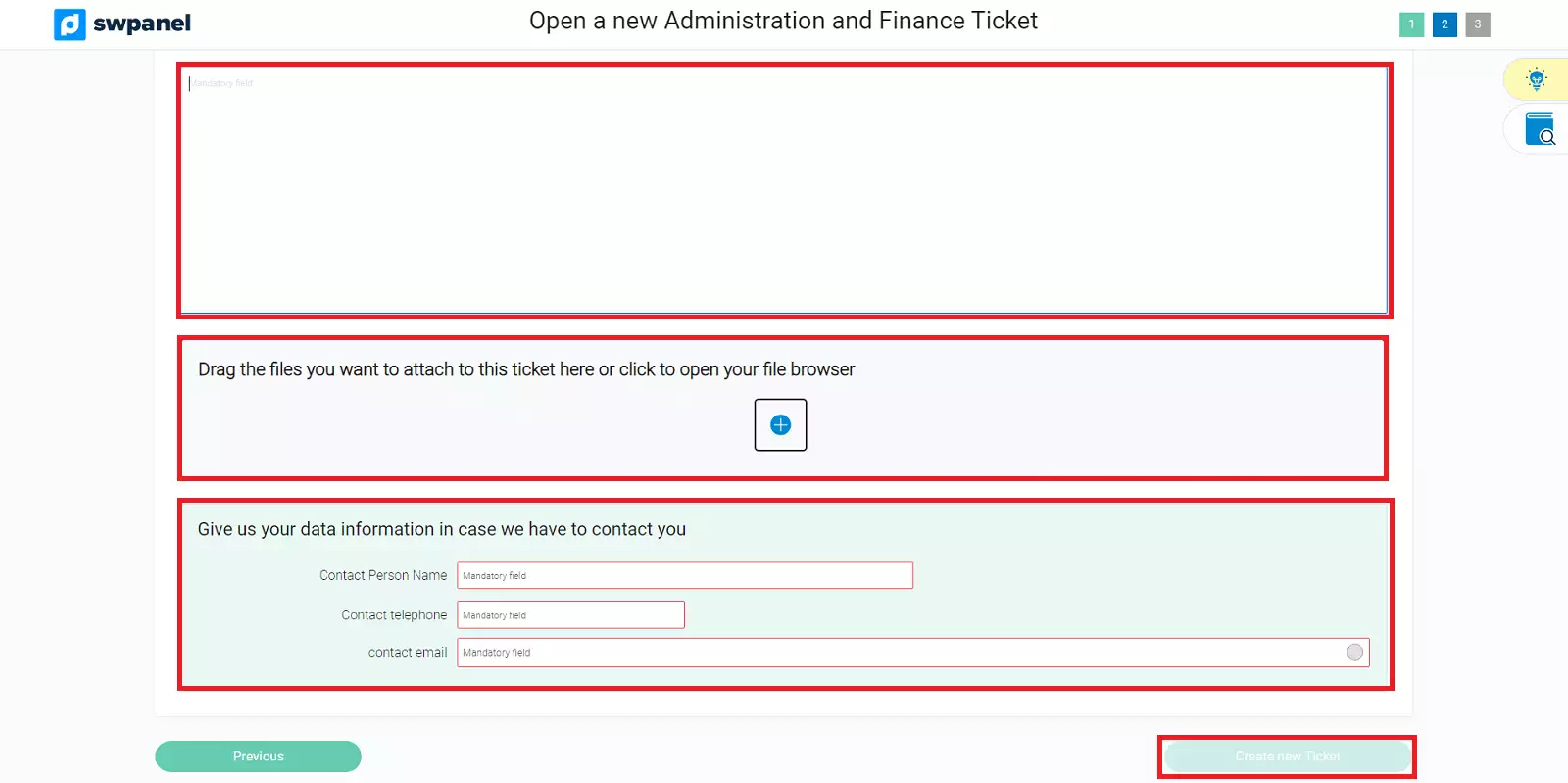
Next, you must indicate the incident or problem that you are reporting. You can attach files to facilitate the understanding of the incident and you must provide us with some contact information, so that in case of doubt, we can contact you.