How to install Moodle on my Hosting
One of the most widely used learning platforms in educational sites, offices, and schools is Moodle. To install Moodle on your Hosting, you must first access the dashboard of your service:

info_capture The screenshot is for reference only. It was taken from version 2025.02.0002 on 11/03/2025. It may differ from what the current version of SWPanel displays.
Once inside the service dashboard, from the CMS management section, you must enable the button to install Moodle:
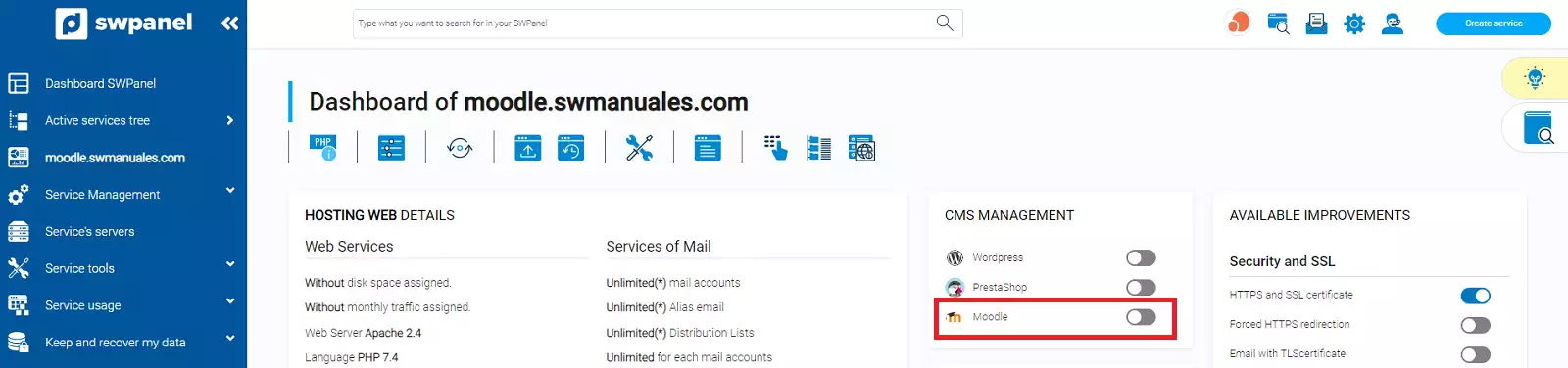
info_capture The screenshot is for reference only. It was taken from version 2025.02.0002 on 11/03/2025. It may differ from what the current version of SWPanel displays.
To finish, you must confirm the creation of your Moodle CMS:
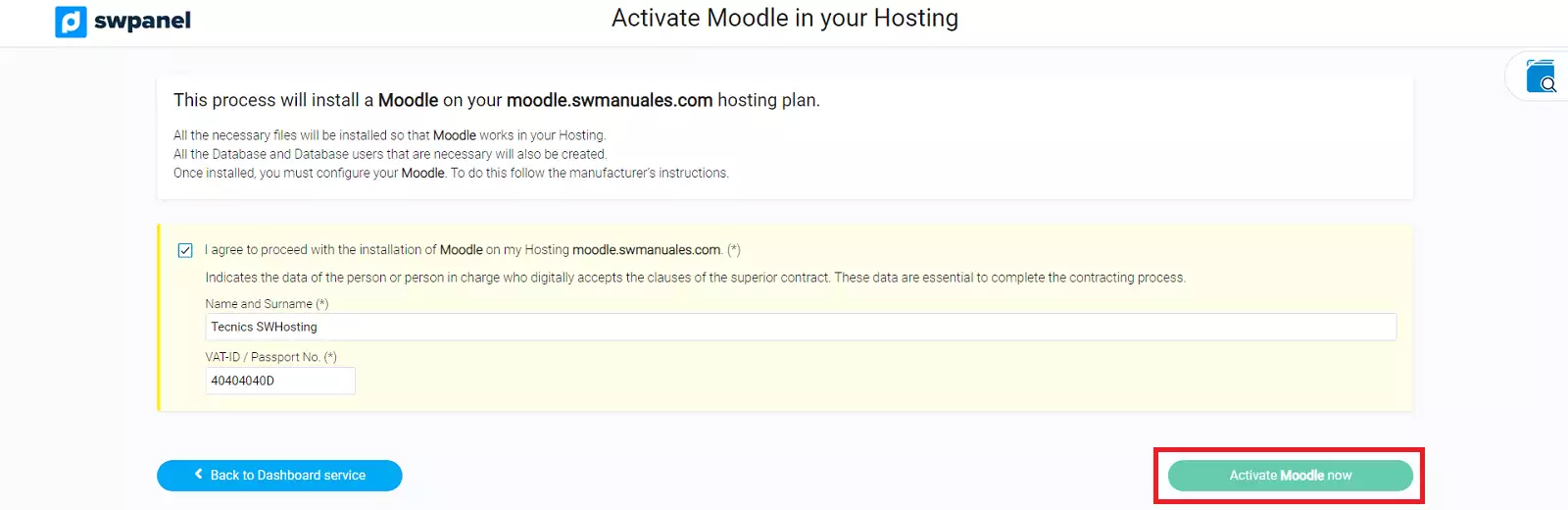
info_capture The screenshot is for reference only. It was taken from version 2025.02.0002 on 11/03/2025. It may differ from what the current version of SWPanel displays.