How to modify the values of PHP variables in your Private Hosting
To modify the PHP variables of a Cloud Hosting plan, first, you must locate from the "Tree of active services", the service where you want to modify, or you can use the general search engine of the SWPanel to find it:

info_capture The screenshot is for illustrative purposes only. It was taken from version 2025.004.0002 dated 26/05/2025. It may differ from what is shown in the current version of SWPanel.
Once in the Dashboard of the service, you must click on the icon "Settings of the basic parameters of the service":
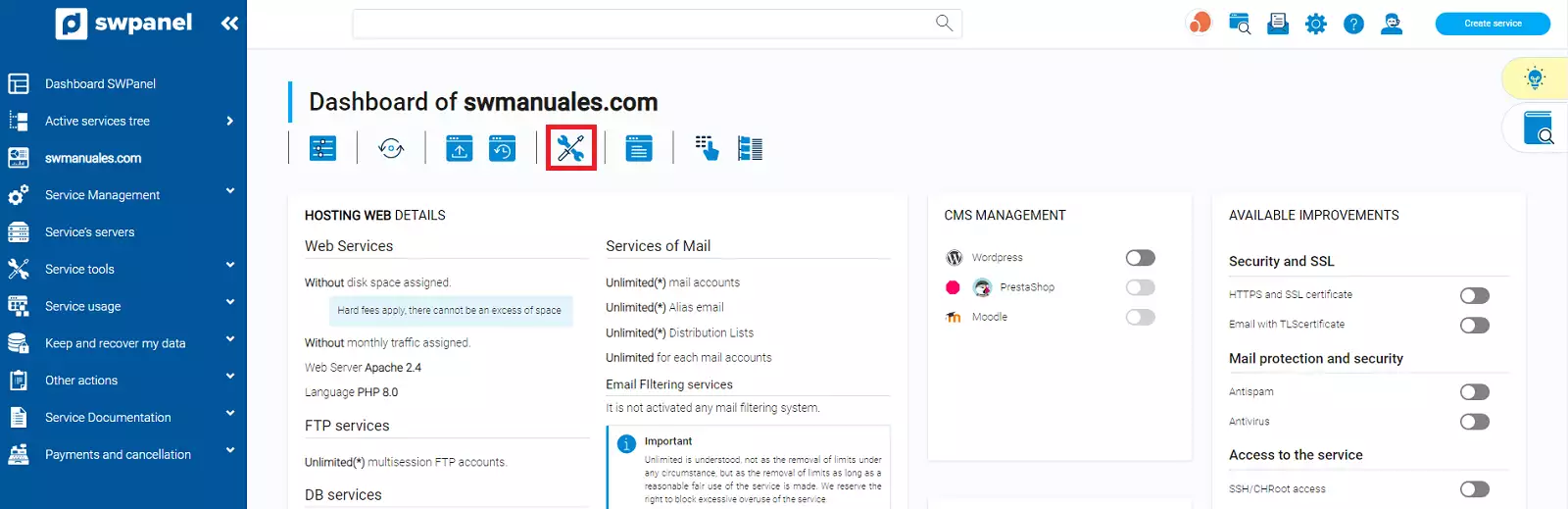
info_capture The screenshot is for illustrative purposes only. It was taken from version 2025.004.0002 dated 26/05/2025. It may differ from what is shown in the current version of SWPanel.
From the settings you will be able to modify, within a set range, the values of the PHP variables of your Hosting plan:
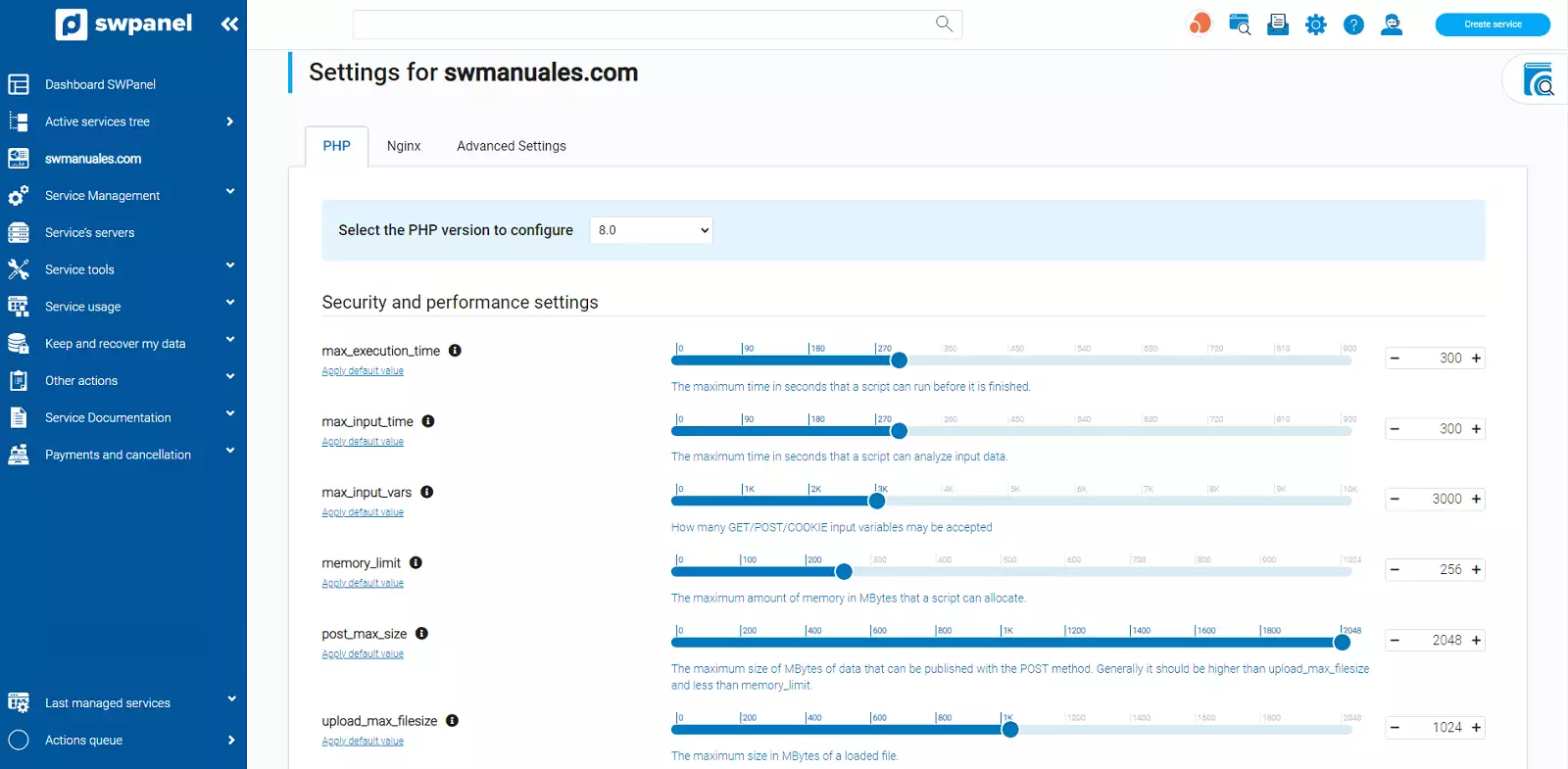
info_capture The screenshot is for illustrative purposes only. It was taken from version 2025.004.0002 dated 26/05/2025. It may differ from what is shown in the current version of SWPanel.
Also, you will be able to modify the values of the PHP functions.
Finally, you must save the changes made with the "Save changes" button:
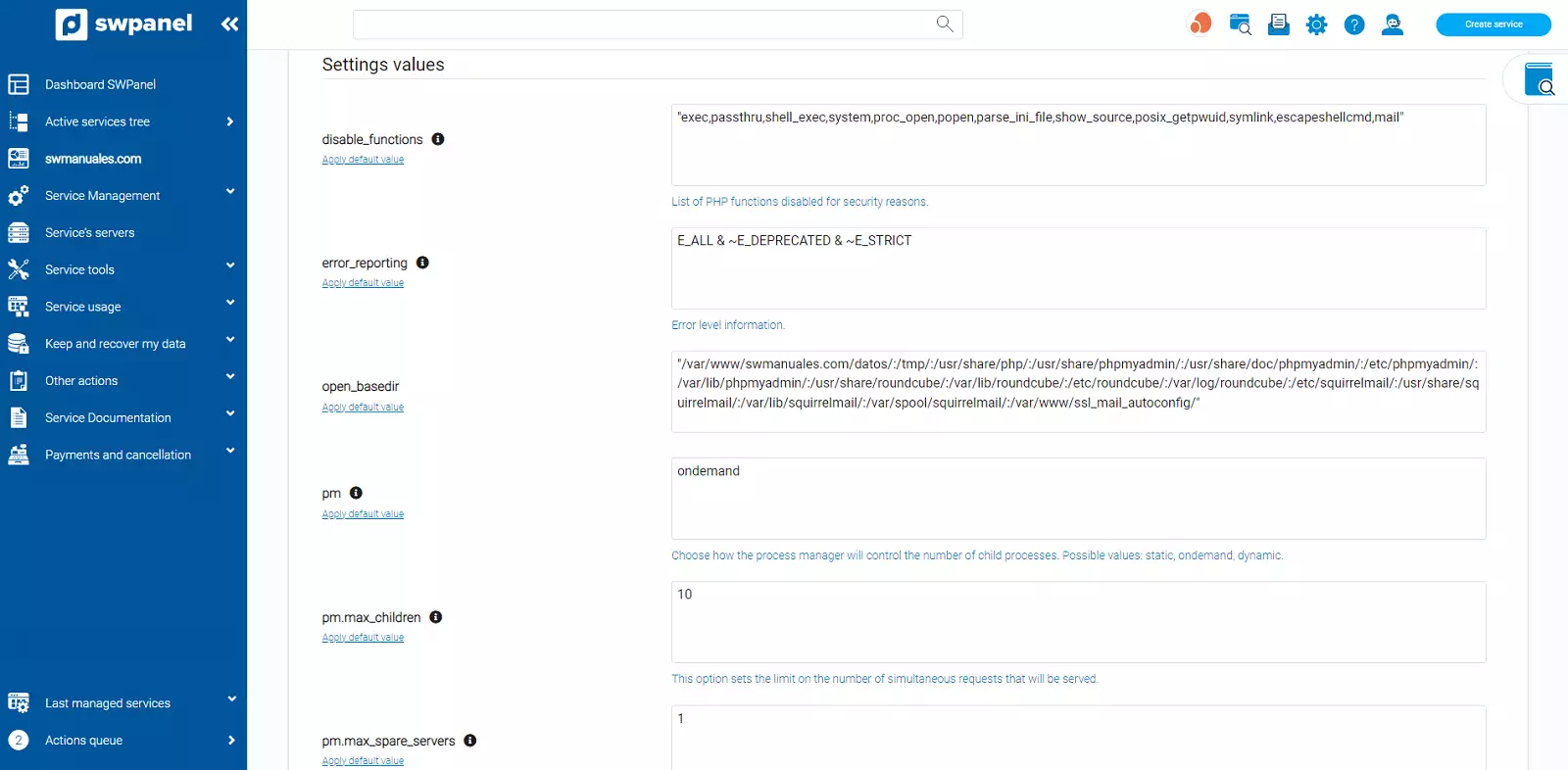
info_capture The screenshot is for illustrative purposes only. It was taken from version 2025.004.0002 dated 26/05/2025. It may differ from what is shown in the current version of SWPanel.
Additionally, from the "Advanced Settings" tab, you can modify the configuration file without any restriction on the maximum values of the variables.
Also, you have a file modification history from where you can restore the configuration to a previous point:
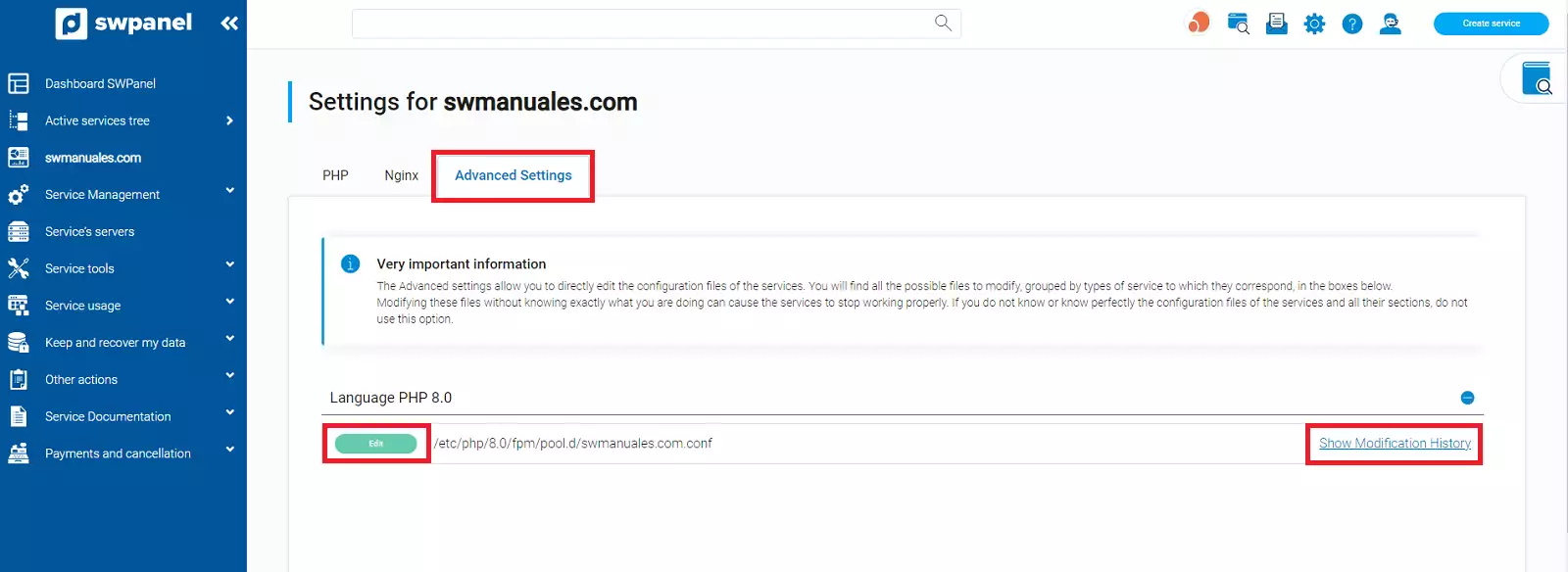
info_capture The screenshot is for illustrative purposes only. It was taken from version 2025.004.0002 dated 26/05/2025. It may differ from what is shown in the current version of SWPanel.