How to activate Smart Hosting + for your website
The Smart Hosting + is a tool based on Memcached that substantially improves the speed of a website, allowing it to load faster.
Smart Hosting + saves the most visited elements of your website in the RAM memory of your Cloud server, thus reducing the need to access an external data source such as a database or an API.
In this way your website first checks if they can access the data through the Smart Hosting + system before resorting to a slower data storage, such as a database.
All new Cloud servers with SWPanel and Linux OS version Debian v.11 or higher have the possibility to activate the Smart Hosting + system for your website.
To activate it on your website you must follow the following steps:
1. In the general Dashboard of your SWPanel look for the hosting service of your Cloud on which you want to activate the Smart Hosting + system and once located click on its name.

info_capture The screenshot is for reference purposes only. It was taken from version 2025.01.0003 on 20/02/2024 and may differ from the current version of SWPanel.
2. Once located in the Dashboard of your Hosting service activate the Smart Hosting + option.
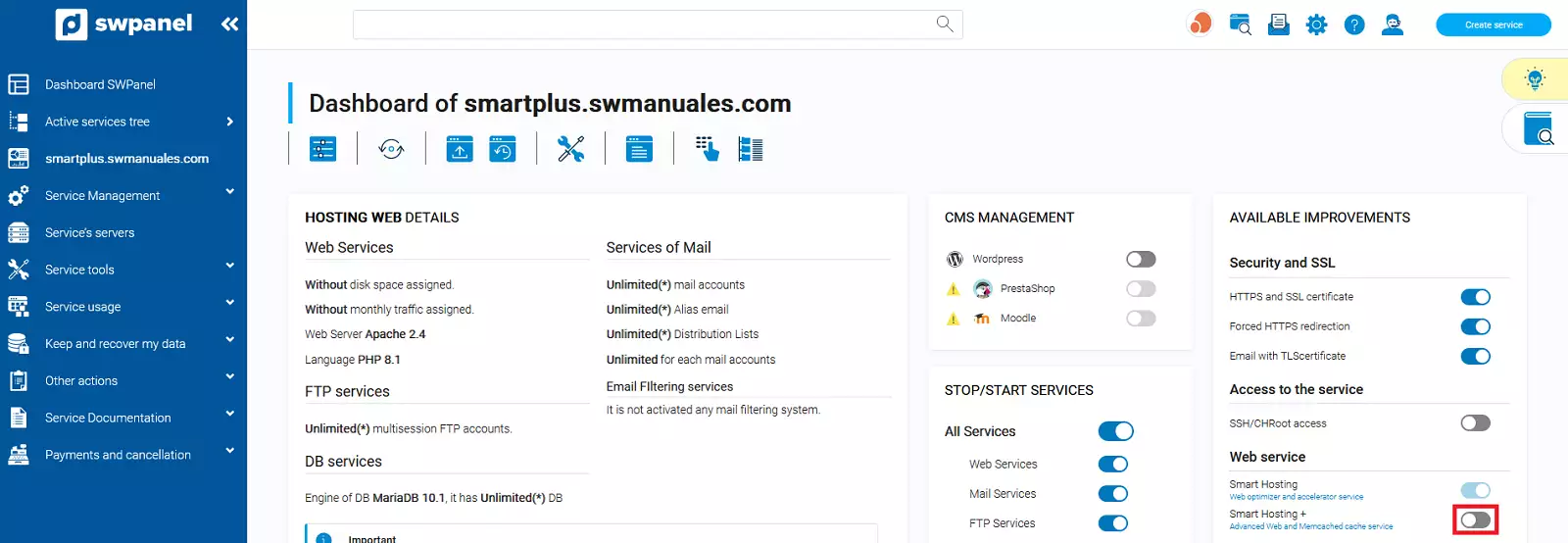
info_capture The screenshot is for reference purposes only. It was taken from version 2025.01.0003 on 20/02/2024 and may differ from the current version of SWPanel.
3. In the next popup window click on the Yes, activate button
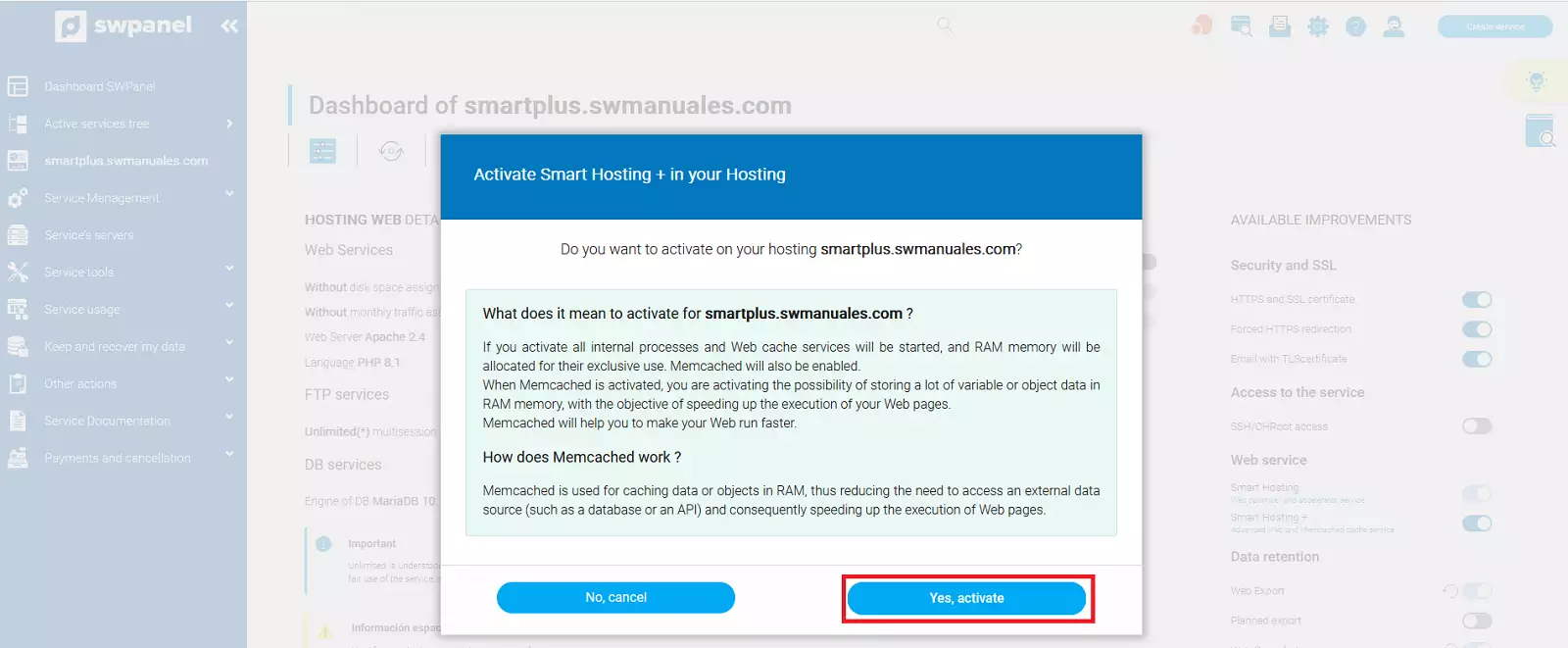
info_capture The screenshot is for reference purposes only. It was taken from version 2025.01.0003 on 20/02/2024 and may differ from the current version of SWPanel.