How can I activate reseller mode in my SWPanel account?
Activar el formato Reseller en tu cuenta de SWPanel te ofrece múltiples ventajas, entre las que destacan:
- Gestión de plantillas de Hosting, servicios, DNS y control de recursos.
- Acceso a herramientas de control de servicios.
- Acceso a herramientas de comunidad.
- Visualización de listados genéricos de servicios en el Dashboard principal de SWPanel.
- Posibilidad de activar el módulo RHA.
- Gestión de usuarios de SWPanel.
- Creación de servicios MultiHost.
- Durante la creación de nuevos servicios, permite:
- Activar login por servicios.
- Asignar un servicio a un usuario.
- Asignar una plantilla de control.
Activar el formato Reseller es muy sencillo desde las preferencias de tu SWPanel:
- Inicia sesión en tu cuenta de SWPanel.
- Dirígete a la esquina superior derecha y sitúate sobre tu perfil.
- Haz clic en "Mi SWPanel".
- Selecciona la opción "Preferencias de mi SWPanel".
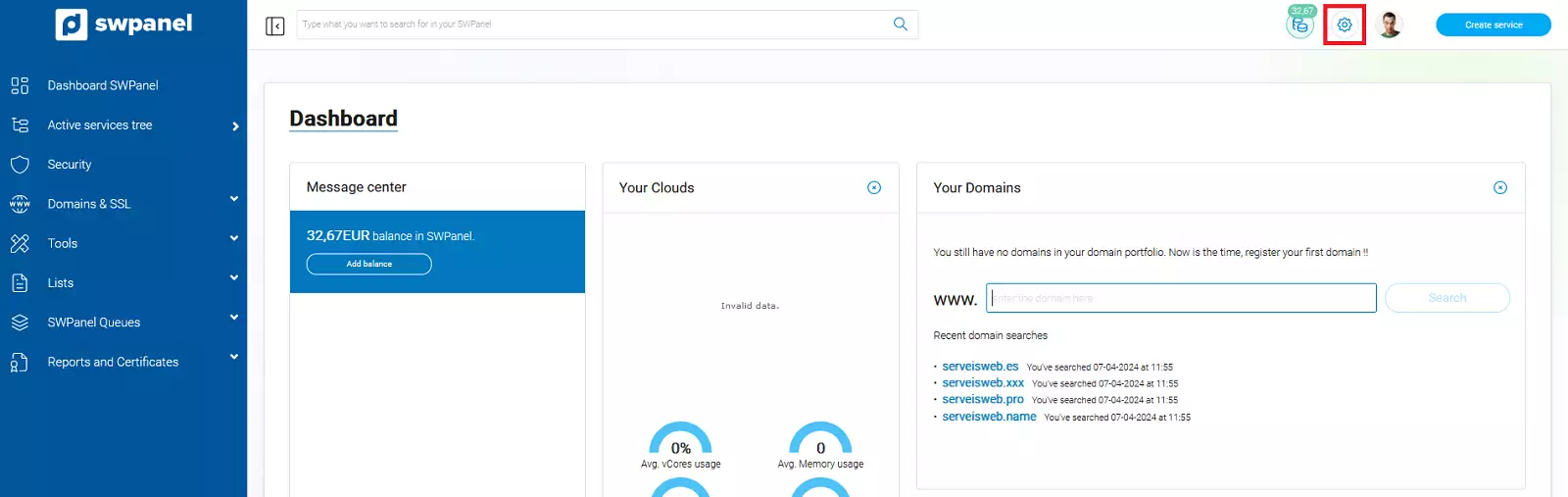
info_capture ℹ️ Nota: La captura es orientativa, tomada sobre la versión 2026.000.0001 con fecha 07/03/2026. Puede diferir de la versión actual de SWPanel.
A continuación, haz clic en el apartado Funcionamiento. Desde allí, podrás seleccionar el formato Reseller.
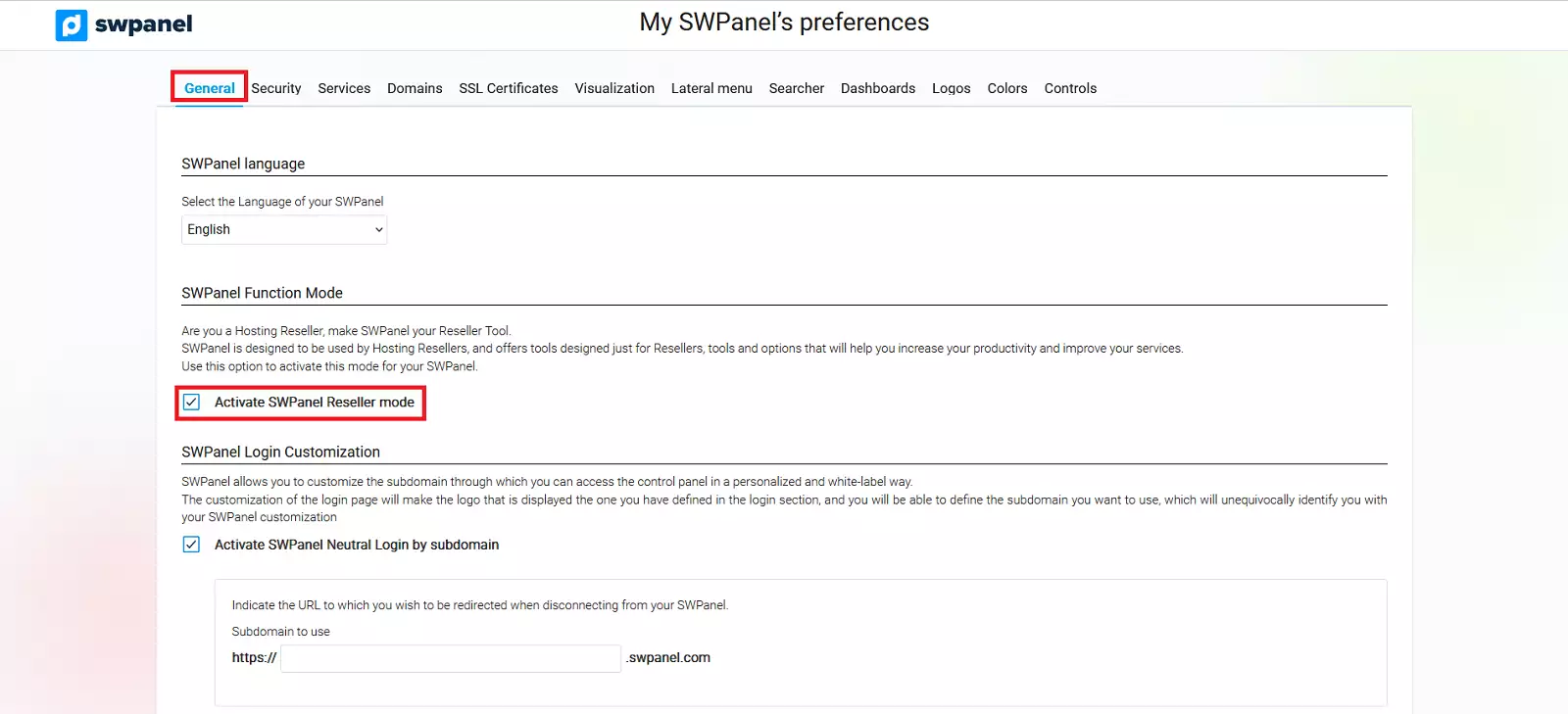
info_capture ℹ️ Nota: La captura es orientativa, tomada sobre la versión 2026.000.0001 con fecha 07/03/2026. Puede diferir de la versión actual de SWPanel.
Finalmente, desplázate hasta el final de la página y haz clic en Guardar para aplicar las nuevas preferencias.
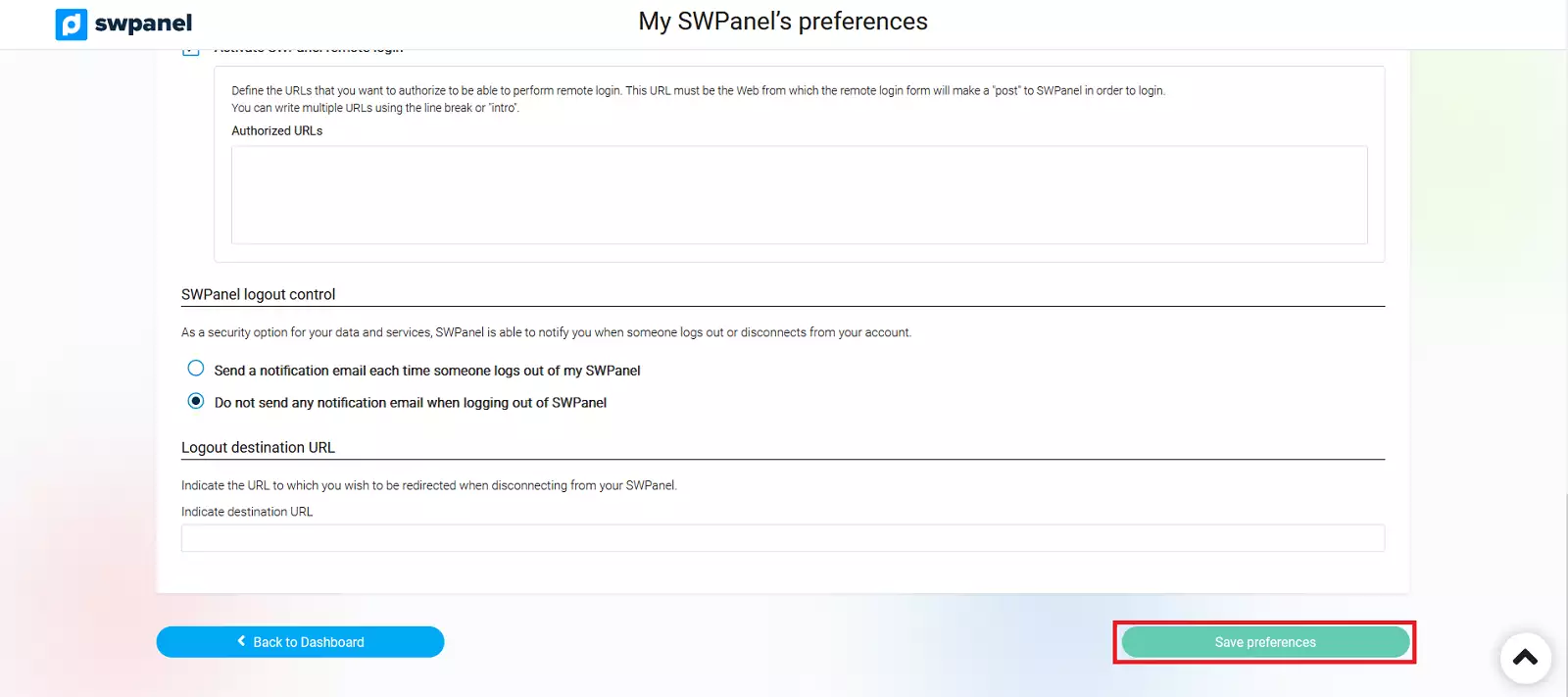
info_capture ℹ️ Nota: La captura es orientativa, tomada sobre la versión 2026.000.0001 con fecha 07/03/2026. Puede diferir de la versión actual de SWPanel.
Una vez realizados y aplicados los cambios, comenzarás a disfrutar de inmediato de todas las ventajas de una cuenta en formato Reseller, incluyendo todos los extras de gestión mencionados anteriormente.
Para más información sobre los modos de SWPanel, consulta el manual 📃 Manual: SWPanel Modes of Operation.