How can I change the mailbox size of my e-mail account?
To change the mailbox size of an email account you must first access the Hosting service dashboard:
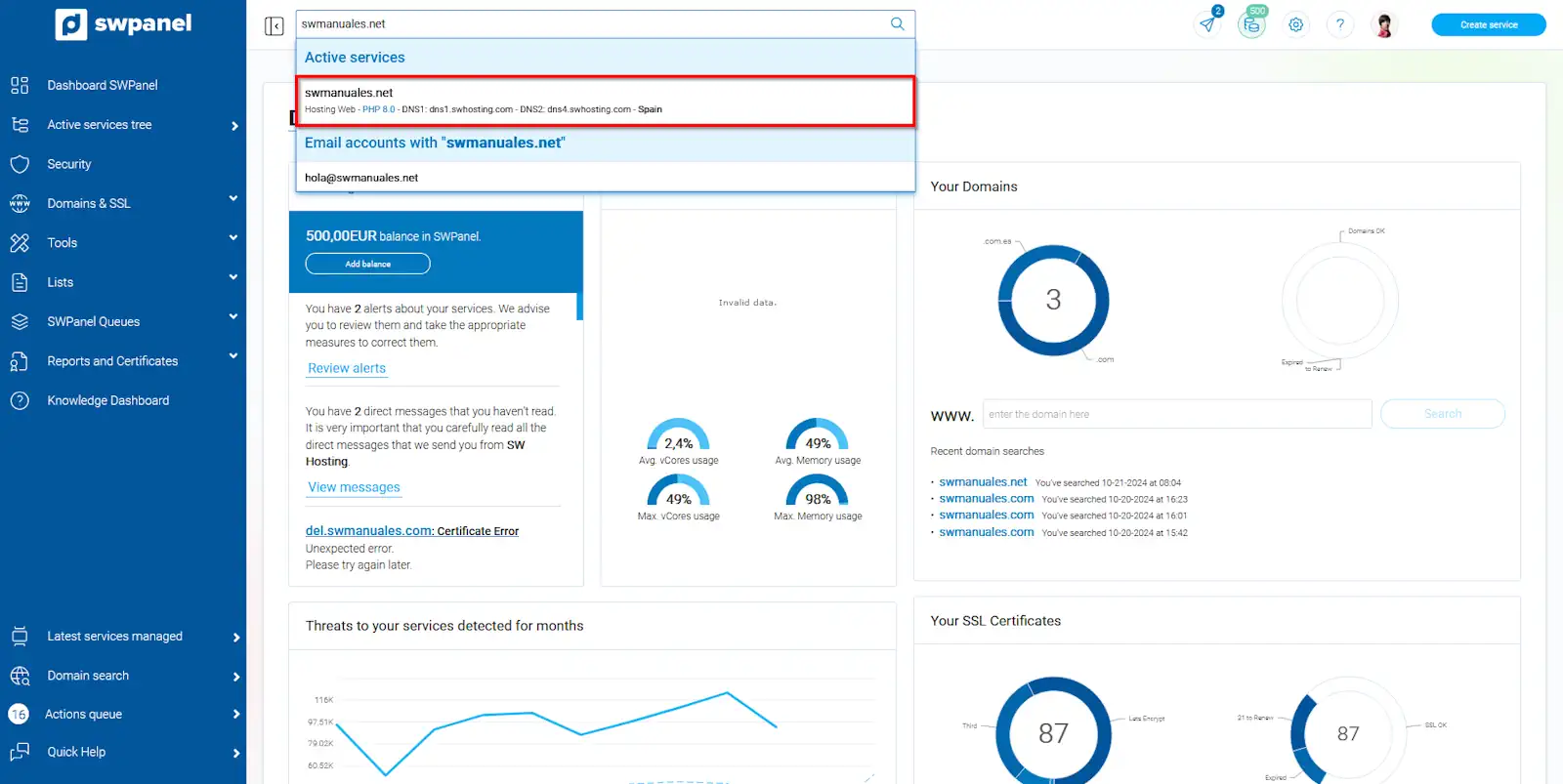
info_capture The screenshot is for guidance only. It was taken on version 2024.07.0123 with date 24/10/2024. It may differ from what the current version of SWPanel displays.
From the blue side menu, go to Service management → Mail management:
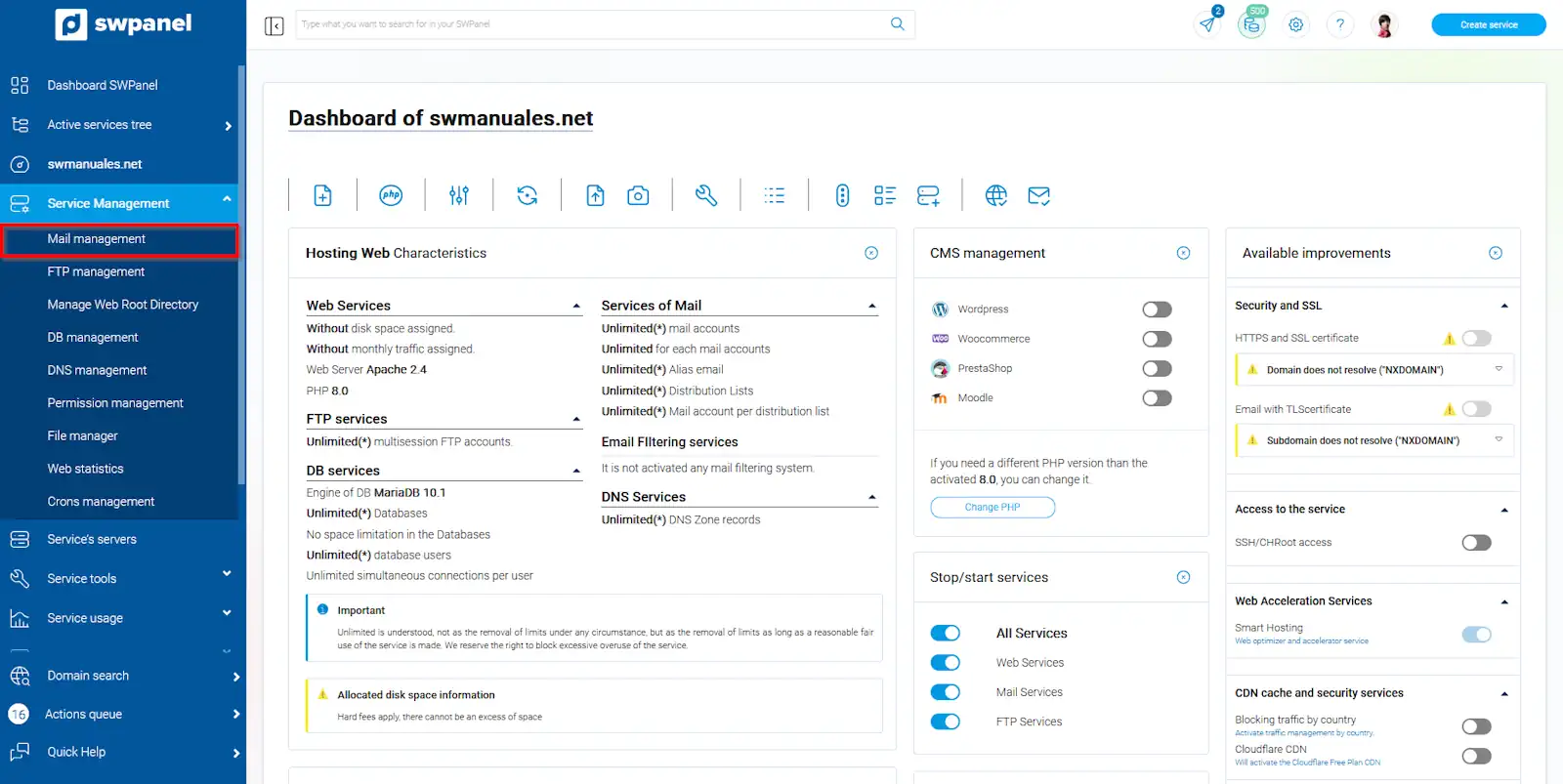
info_capture The screenshot is for guidance only. It was taken on version 2024.07.0123 with date 24/10/2024. It may differ from what the current version of SWPanel displays.
Locate your email account. Using the menu [...] click on Modify this email account:
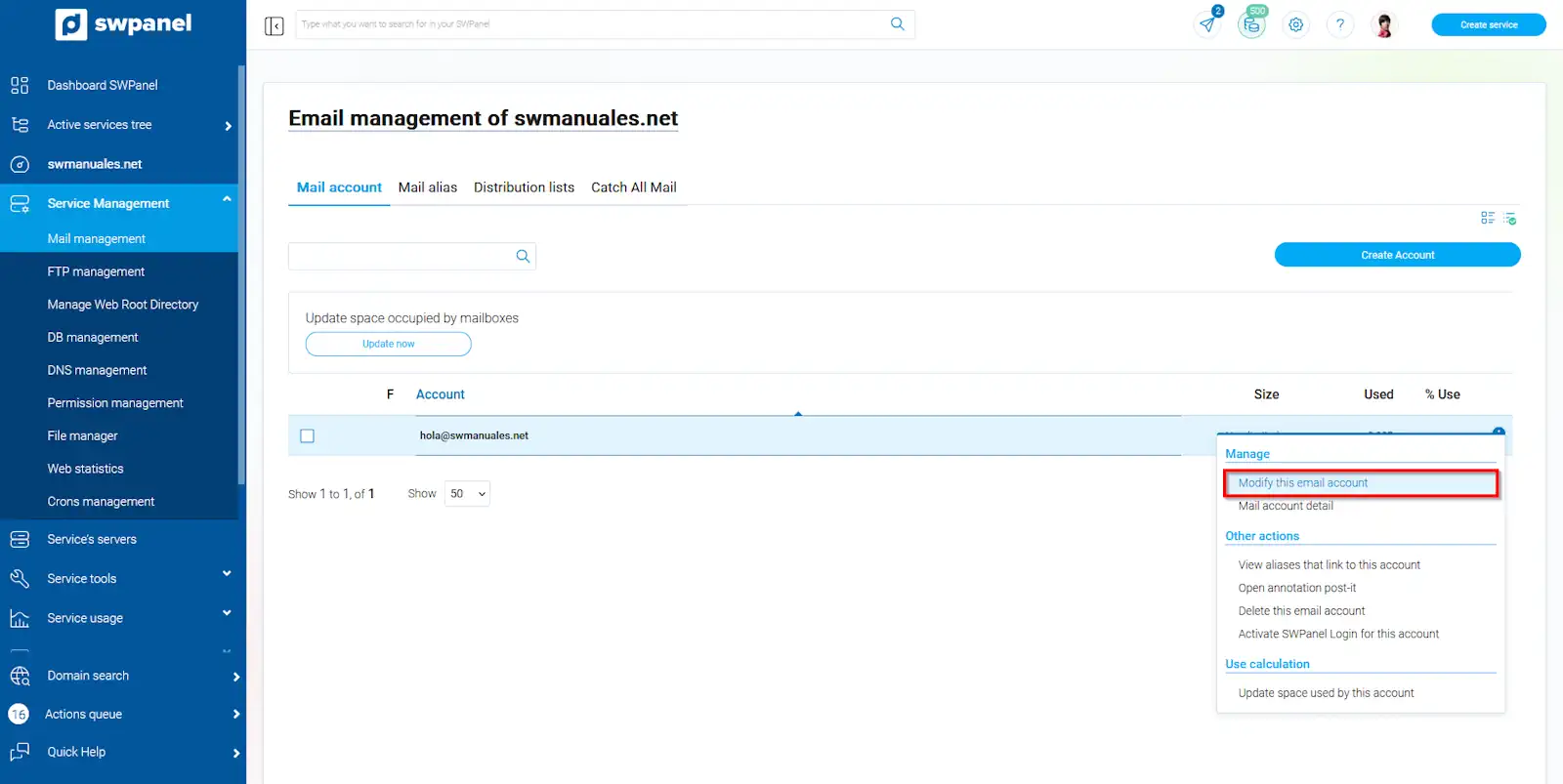
info_capture The screenshot is for guidance only. It was taken on version 2024.07.0123 with date 24/10/2024. It may differ from what the current version of SWPanel displays.
You will be able to modify the space limitation of your email account:
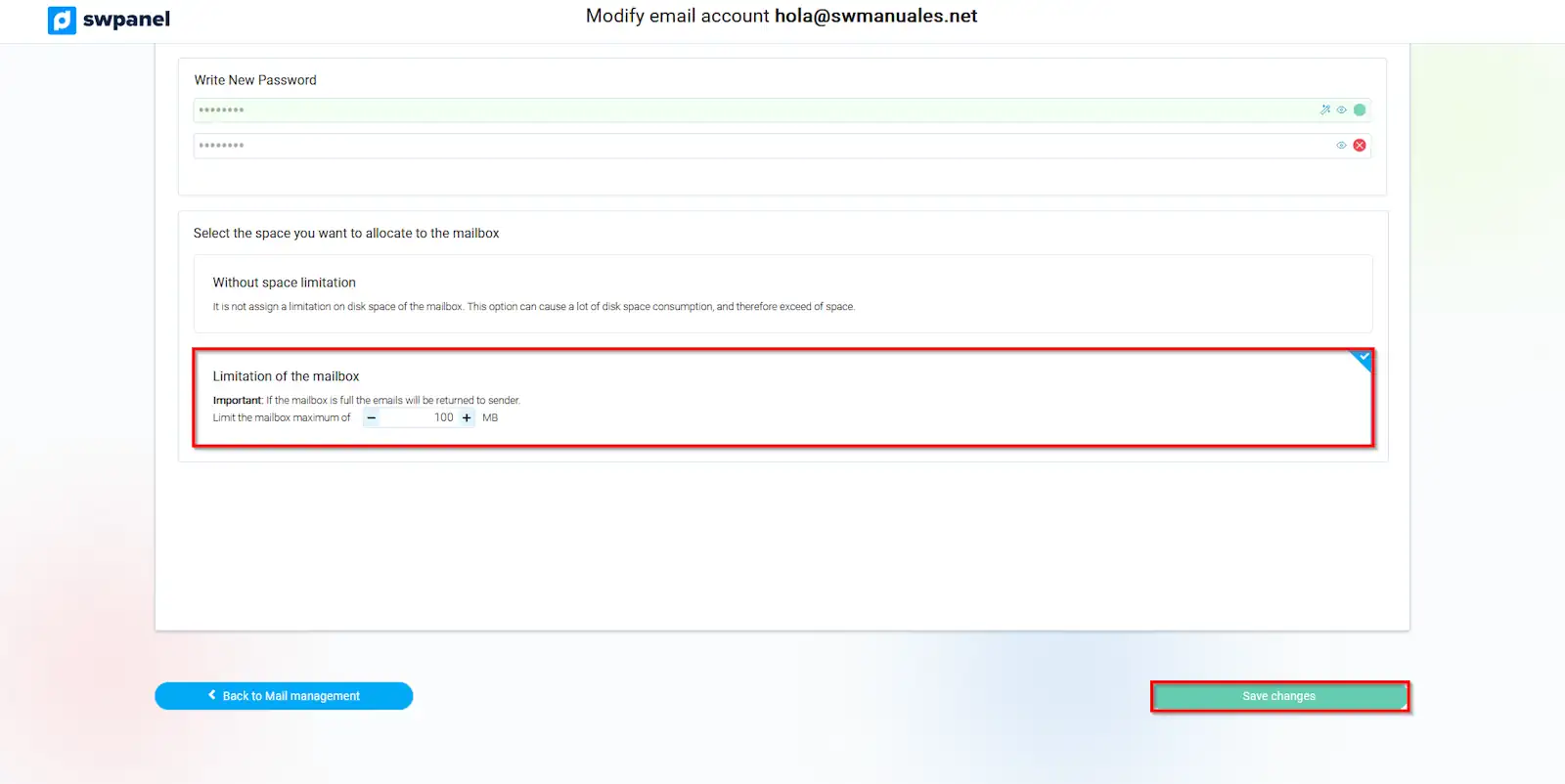
info_capture The screenshot is for guidance only. It was taken on version 2024.07.0123 with date 24/10/2024. It may differ from what the current version of SWPanel displays.
If the mailbox is full, mail will be returned to the sender