Change of contact for a .es domain
As noted in the manual 📃 Manual: Change of domain contact, changing the registrant or owner of a .ES domain differs from other domains, as it cannot be done directly through SWPanel. This change requires a special procedure through NIC.es. In this manual, we will explain step by step how to update the registrant of a .ES domain.
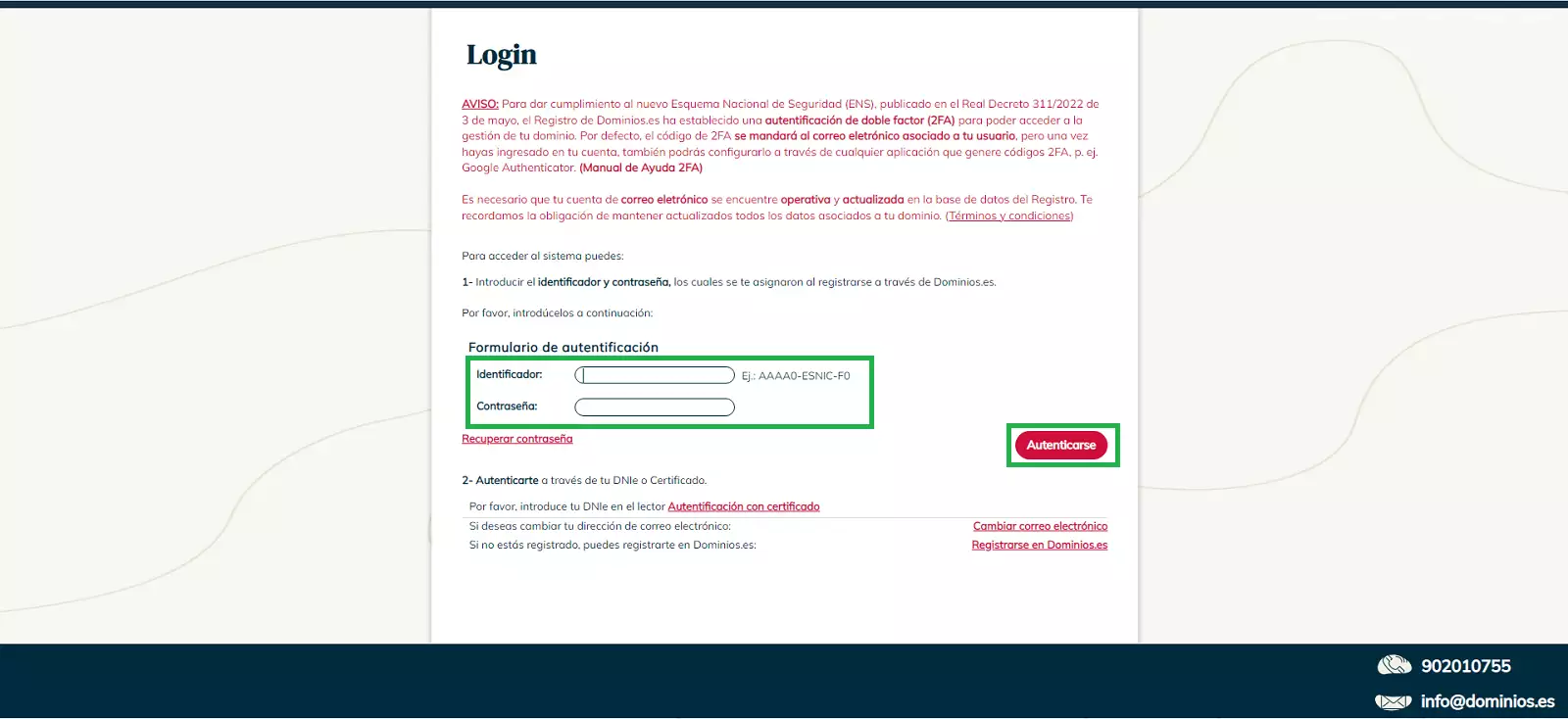
To begin the process, go to ESNIC to update the domain's contact information. To do this, you will need:
- Username: The username format is
AAAA0-ESNIC-F0. - Password: The password associated with your NIC.es account.
- Verification code: this will be sent to the email address linked to the account.
Note: If you haven't previously registered with Dominios.es, you'll need to go to register your domain and complete the initial registration before proceeding with the change of registrant.
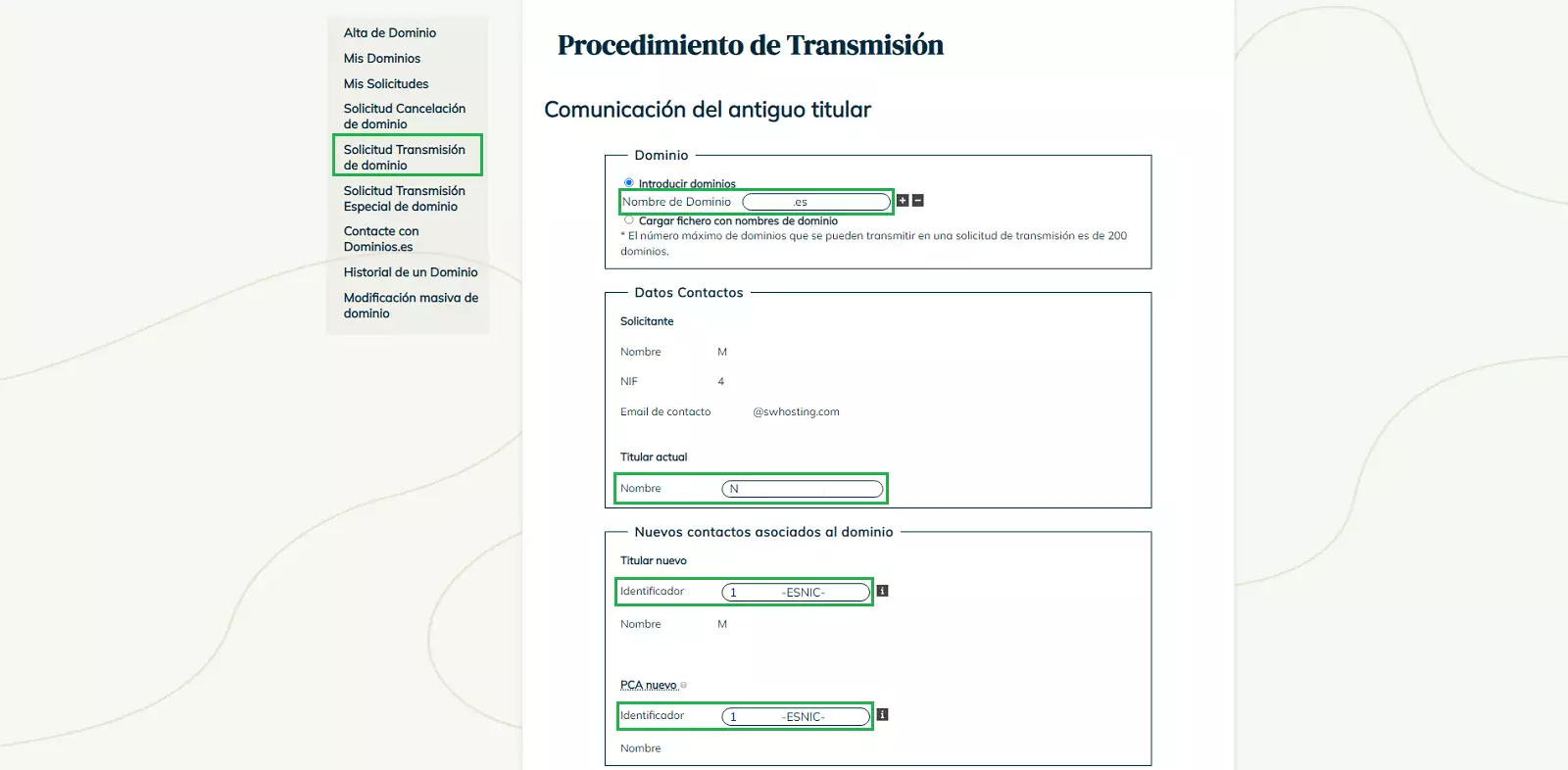
In the side menu, select "Domain Transfer Request". Then, fill in the following information:
- Domain details for the domain to be transferred.
- New owner details and PCA details using their Nic-Handle.
Important: If the new contact does not have a Nic-Handle, you will need to create a Nic-Handle for the new contact before continuing.
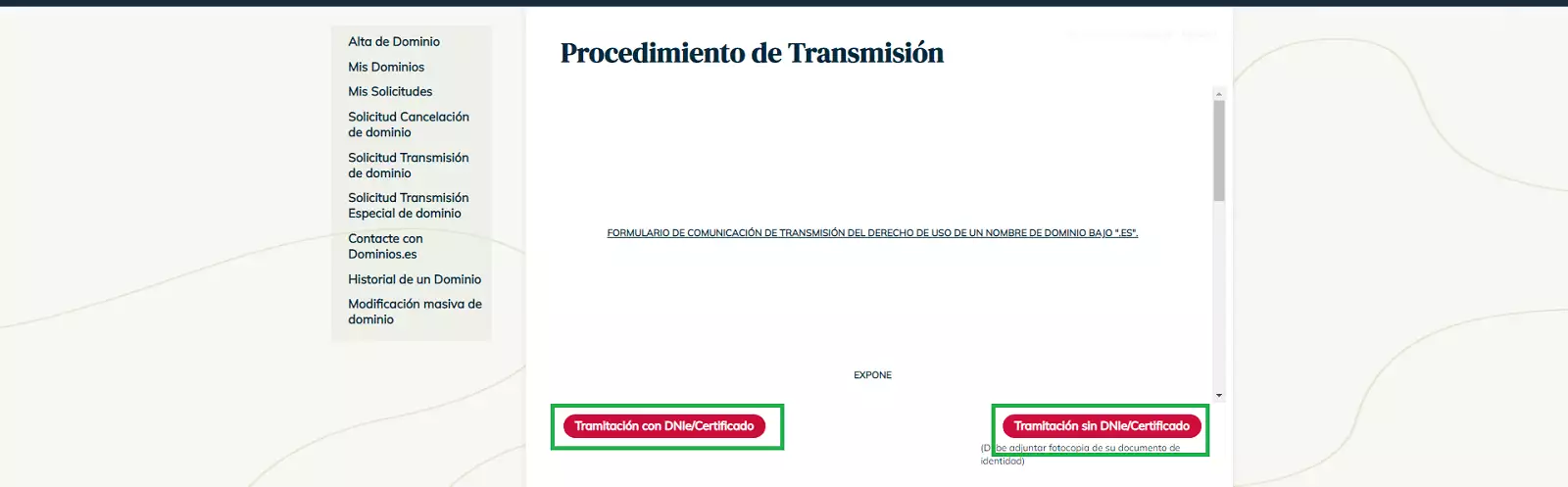
Next, to complete the application process, you must verify the identity of the account holder in one of the following ways:
- ID card or electronic certificate: using official authentication methods.
- Copy of ID card: must be a digital image with a maximum width of 600 px.
Once the request has been submitted, NIC.es will ask the current registrant or the administrative contact to approve the change by sending an email to both contacts.
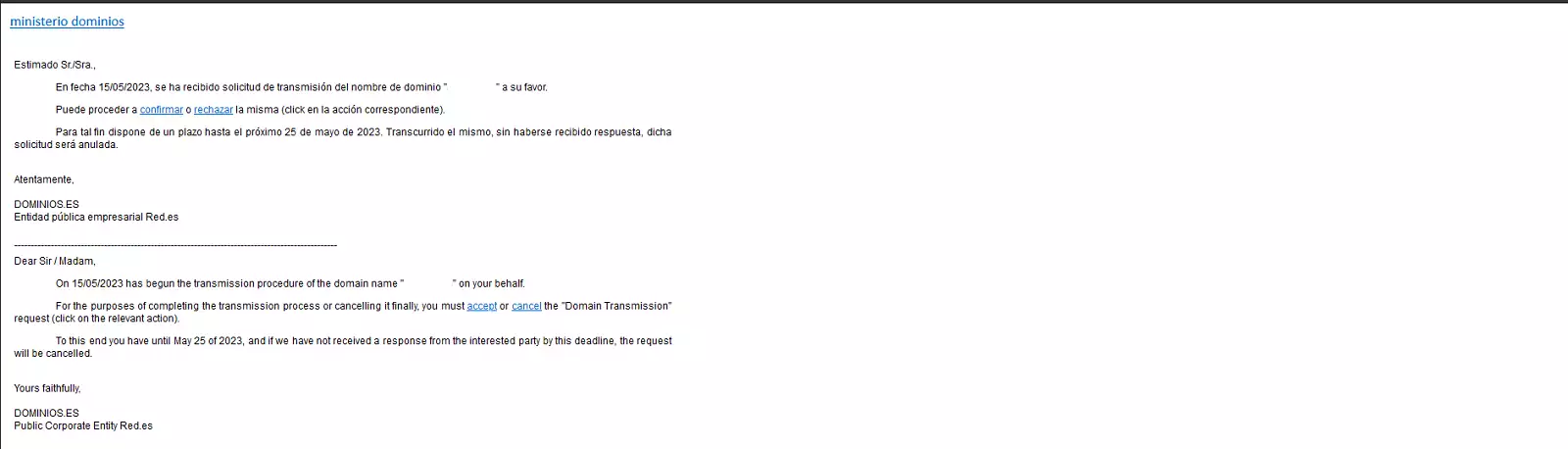
When you accept the transfer, you will be redirected to the ESNIC page to continue the process. On this page, you will be asked again to confirm whether you wish to accept the transfer:
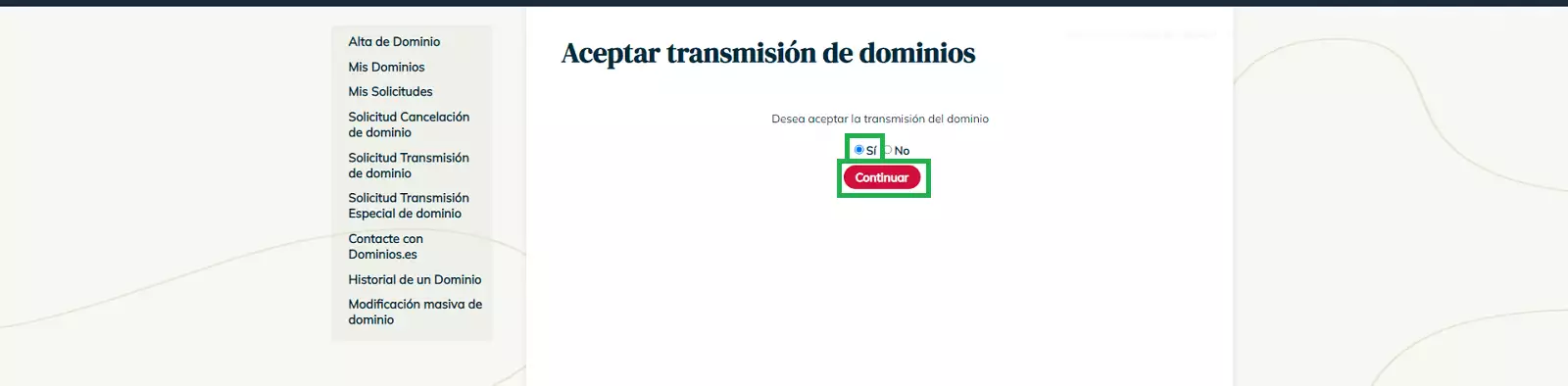
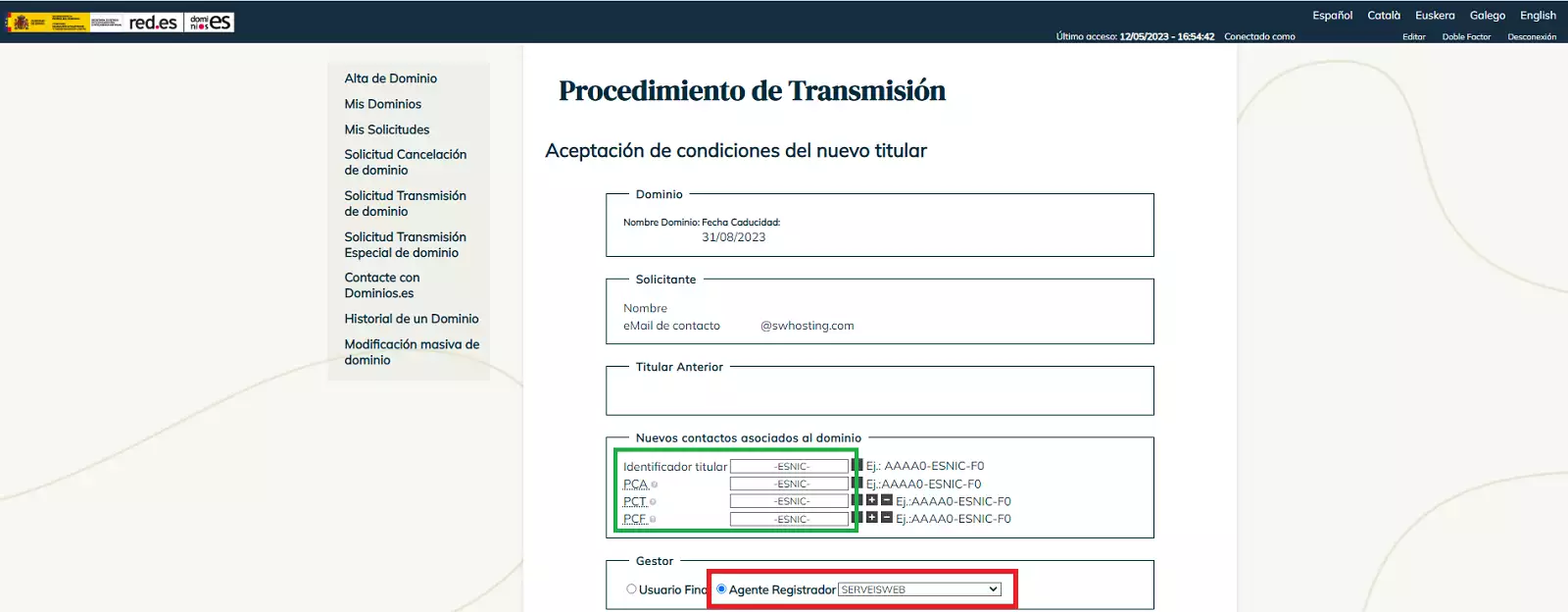
On the next screen, pay special attention to the domain contacts and the final settings:
- Domain contacts: Specify the different contacts to be assigned to the domain:
- PCA (Domain owner)
- PCT (Technical Contact)
- PCF (Administrative Contact)
- Registrar Agent: be sure to select SERVEISWEB.
- If you do not specify this, the domain will be registered directly by ESNIC and will disappear from your SWPanel.
- Nameservers: Optionally, you can specify which Nameservers you want to configure once the transfer is complete.
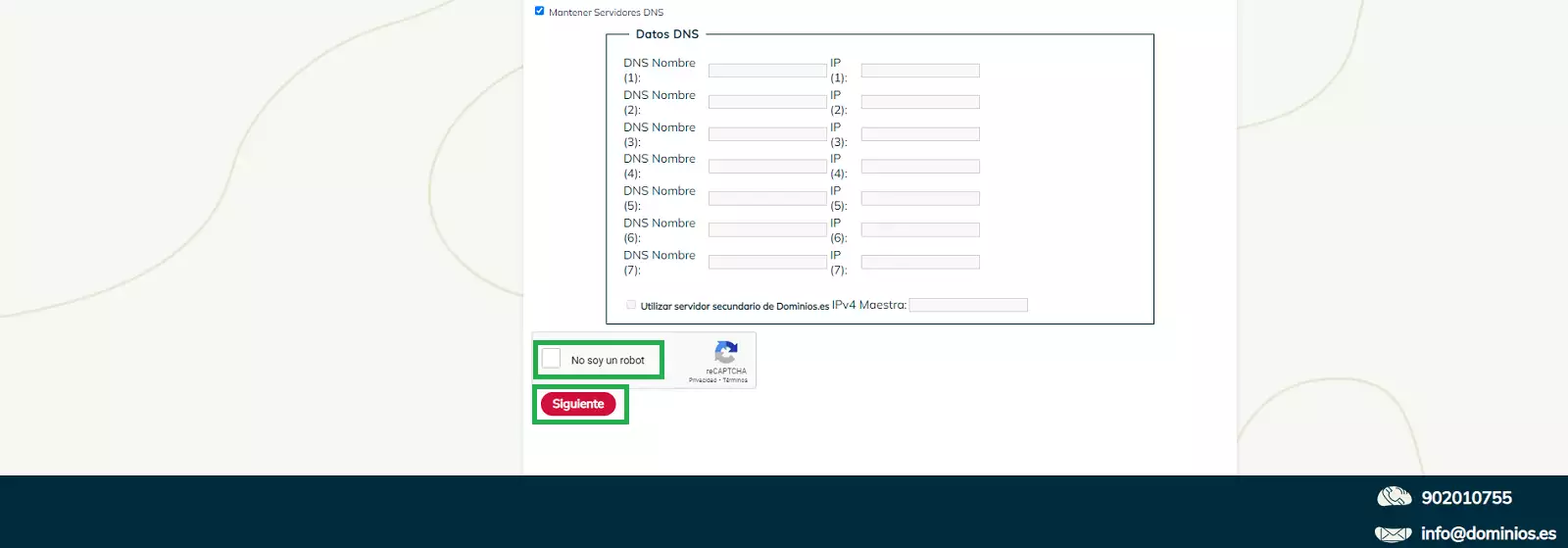
To confirm your acceptance, you will need to verify your identity again using one of the following methods:
- ID card or electronic certificate: using official authentication methods.
- Copy of your ID card: this must be a digital image with a maximum width of 600 px.
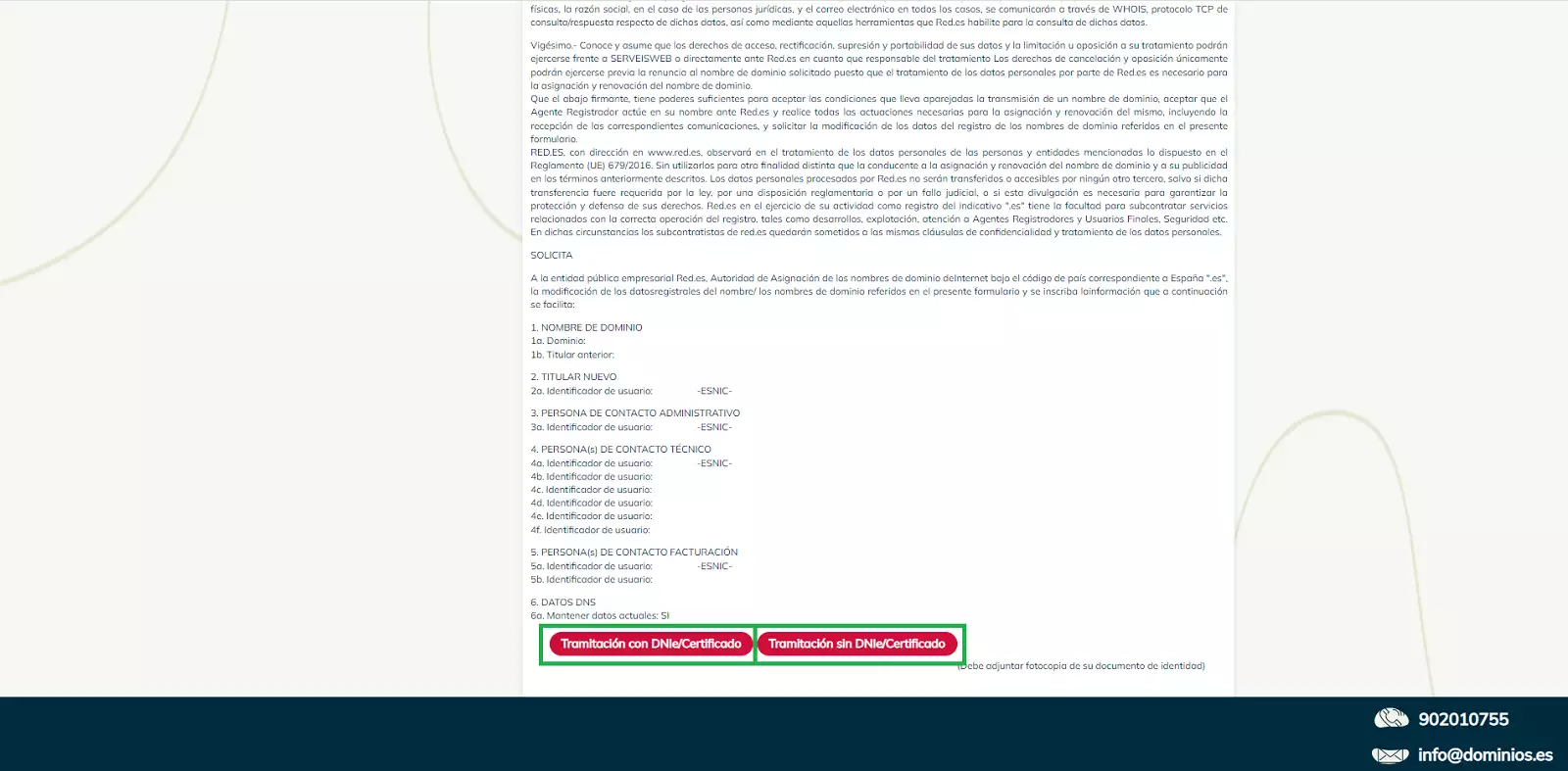
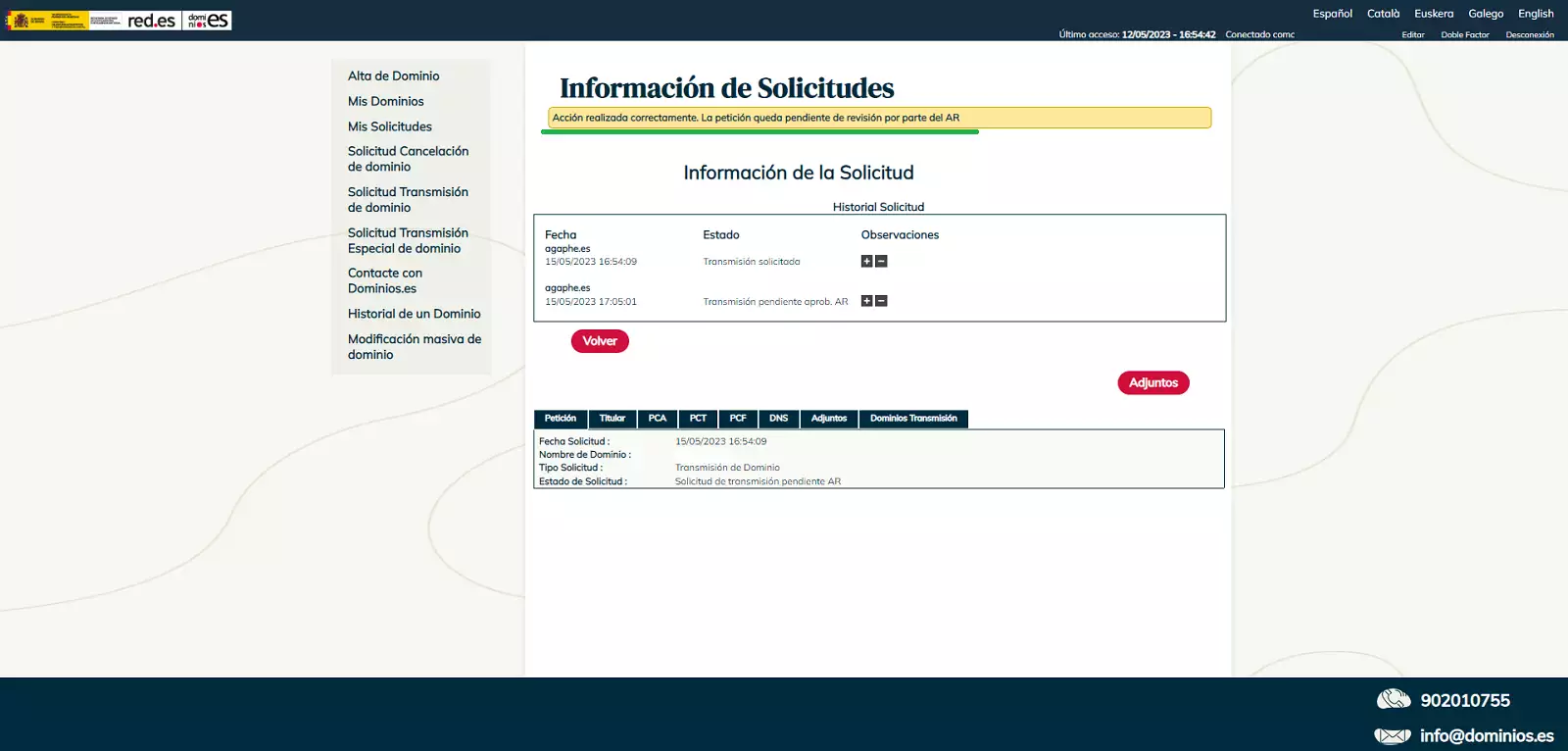
Finally, if everything has been done correctly, a confirmation window will appear indicating that the request to transfer ownership has been submitted.
Note: ESNIC will review the request and, if all the information is correct, will approve the transfer of ownership.
Processing time: It may take up to 10 days to process the change of ownership.
Important: If the request is not approved within this timeframe, it will be automatically canceled.