Categories
How to export an SSL certificate ?
To export an SSL certificate from SWPanel, you must first access your SSL certificate portfolio from the blue side menu Domains & SSL → SSL Certificate Portfolio:
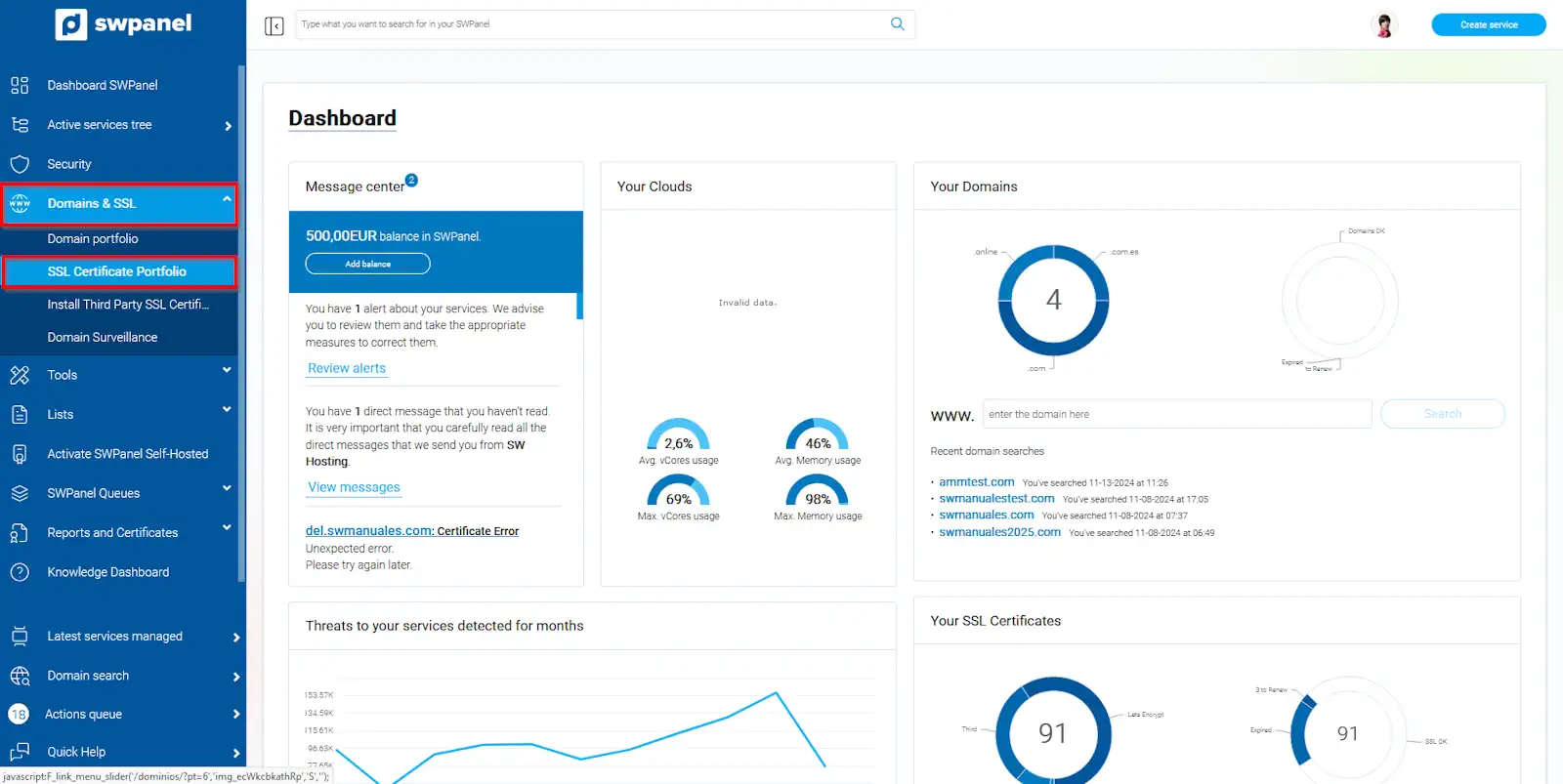
info_capture The screenshot is for guidance only. It was taken on version 2025.00.0006 with date 18/11/2024. It may differ from what the current version of SWPanel displays.
You must locate the SSL certificate to export and position the cursor over the [...] menu. Then, select the format in which you want to download the certificate:
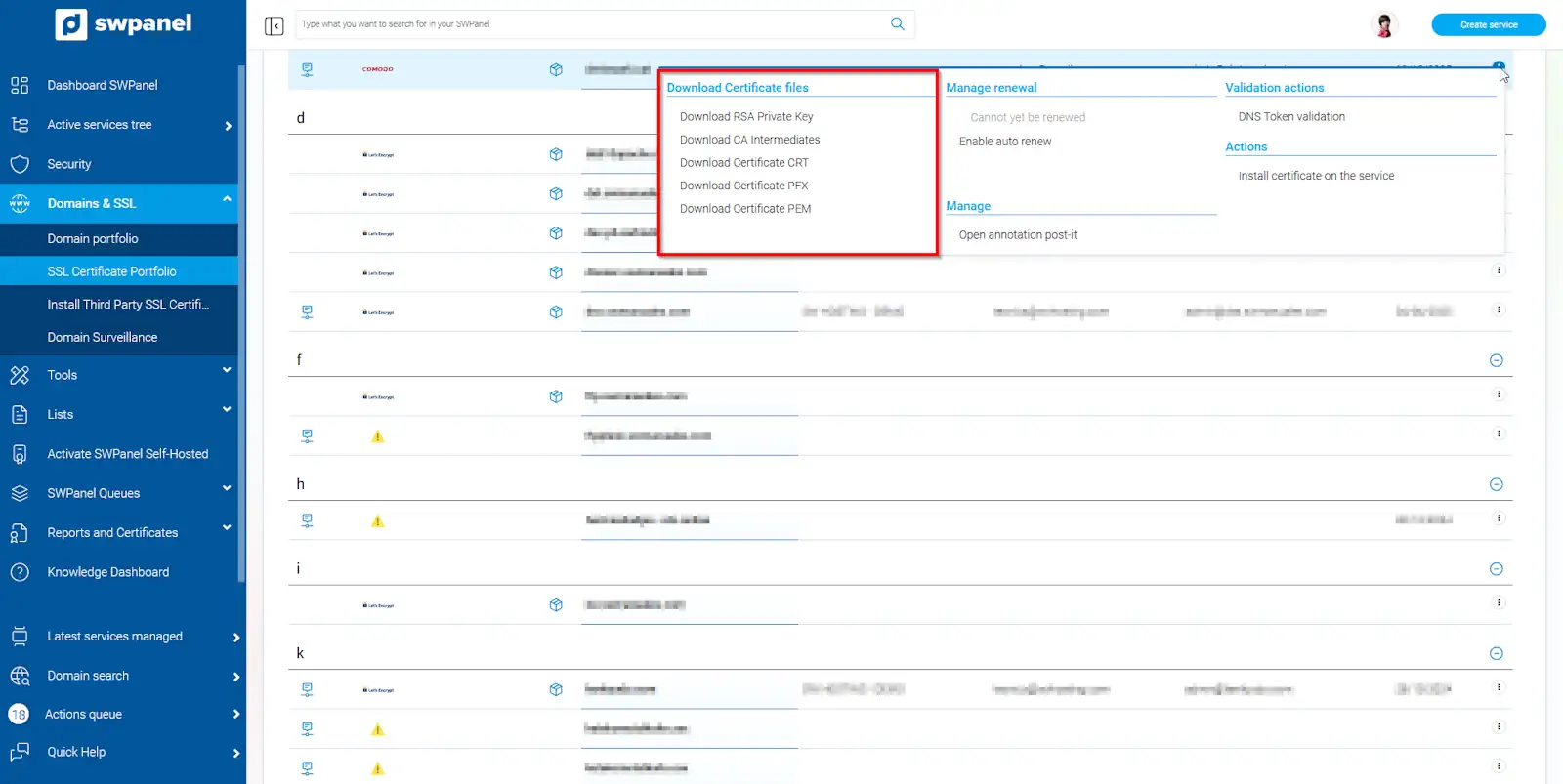
info_capture The screenshot is for guidance only. It was taken on version 2025.00.0006 with date 18/11/2024. It may differ from what the current version of SWPanel displays.
Free Let's Encrypt certificates cannot be downloaded