How to activate and configure the RHA module
What is the RHA module for Resellers?
RHA (Reseller Hosting Administration) is a module for SWPanel that automates the management of hosting and domain registration businesses. It facilitates customer administration, billing, technical support, and other key aspects of a web hosting business.
It integrates a module with customer service billing and payment gateway integration for service collection.
It allows the creation of users with access to their SWPanel customer account to perform routine actions on services; manage their hosting plan, create a website with a content manager, create email accounts, manage DNS records, etc.
In addition, the Professional version of RHA will integrate a fully customised public website so that hosting products can be presented to customers. This makes it easy to create a fully integrated eCommerce site with the SWPanel Reseller customer account for the sale of hosting and domain services
In detail, RHA offers:
- Automation: Automates tasks such as creating hosting services, suspending and cancelling hosting accounts, as well as recurring billing.
- Customer Management: Centralises customer information and management in one place, including support tickets and a knowledge base.
- Billing: Enables the creation of professional invoices, automated payment processing, and compatibility with multiple payment gateways.
- Technical Support: Offers an integrated ticketing system for managing customer queries and issues.
- Integration: Integrates with the hosting management system and SWPanel's domain registration platform.
In short, RHA simplifies and automates the administration of a web hosting business, allowing hosting resellers to focus on growing and improving their SWPanel-based services.
Prerequisites
Before activating the RHA module, you will need to enable Reseller Mode in your SWPanel. You can activate it by following the instructions in the manual: 📃 How can I activate the reseller option in my SWPanel account?
Activating the RHA module
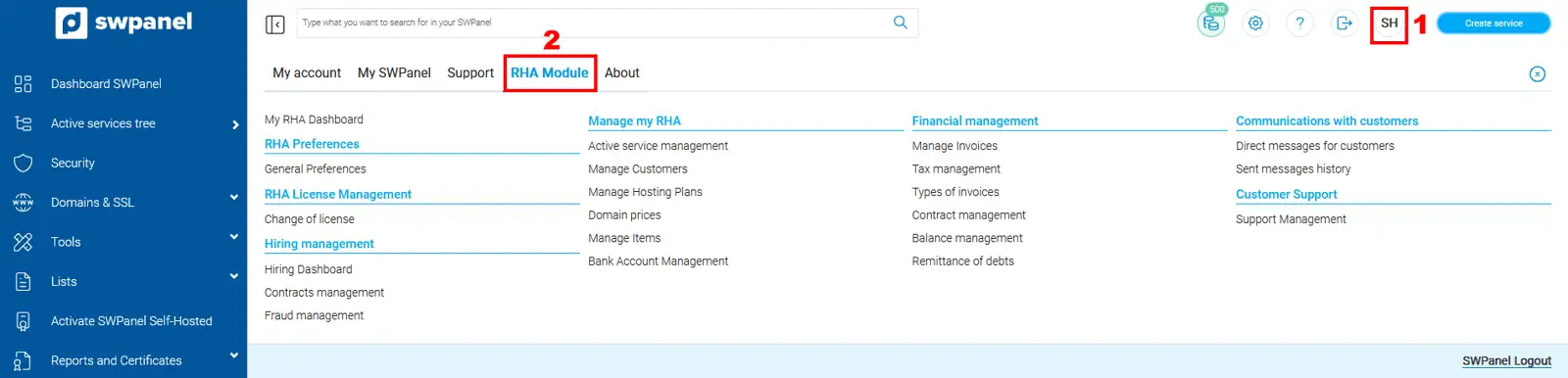
Once Reseller Mode has been activated in your SWPanel customer account, you can open the SWPanel general menu, go to the "RHA Module" tab and click on the "Activate RHA Module" option.

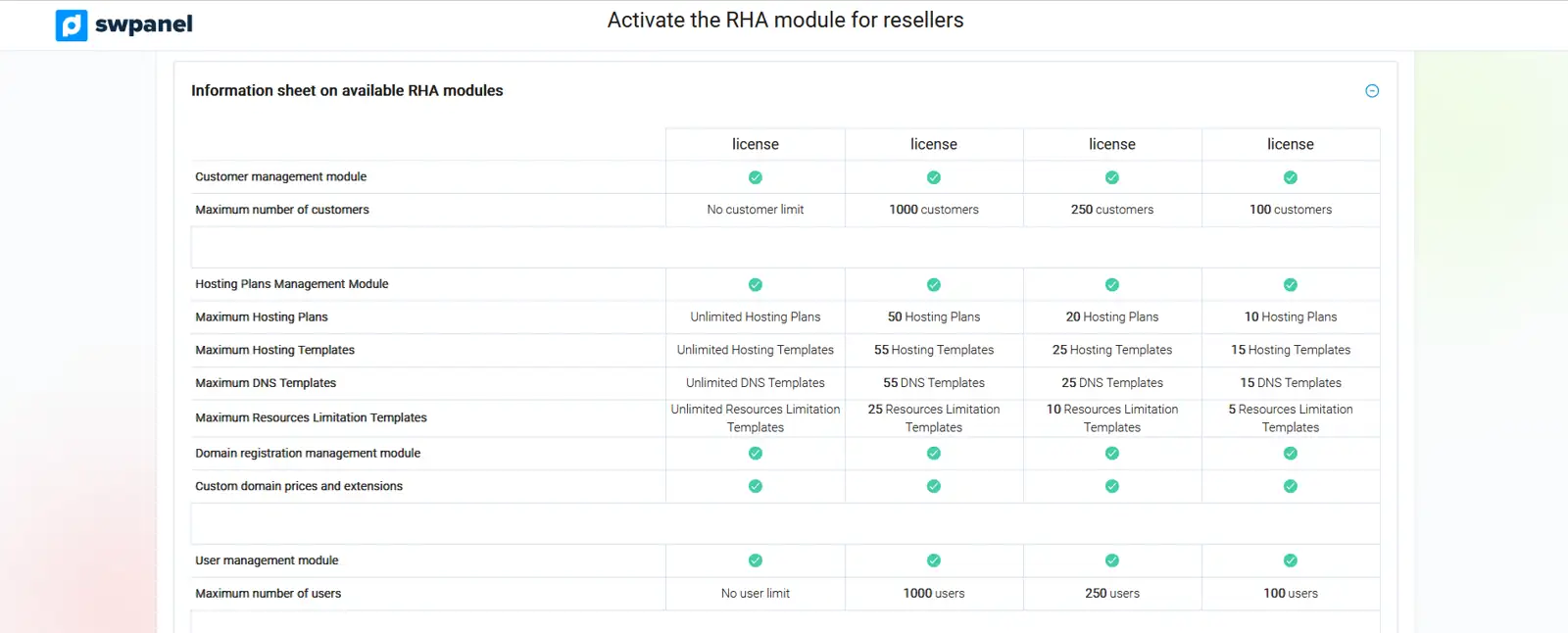
Below you can view the information sheet on the different types of RHA modules available, with their detailed features and corresponding monthly licence costs.
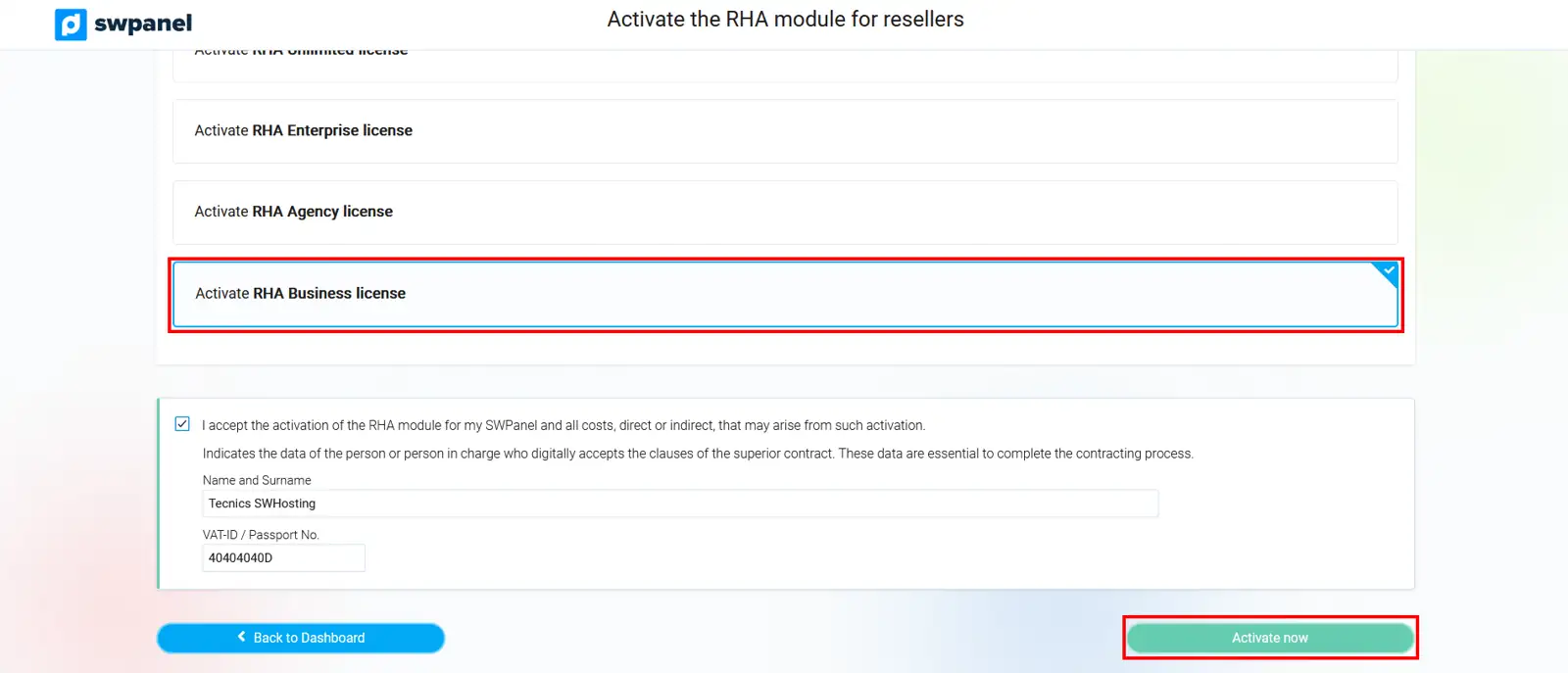
Once you have selected the RHA module you wish to use, the corresponding monthly licence cost will be displayed and you can activate it by clicking on the "Activate Now" button.
RHA module configuration
To access the management of your RHA module, open the SWPanel general menu, then go to the "RHA Module" tab.
RHA preferences
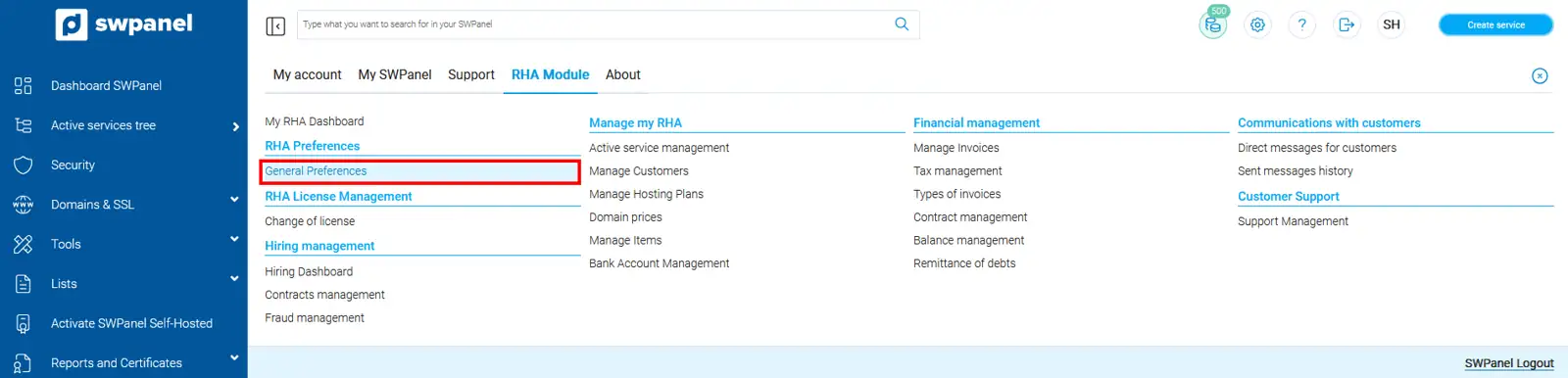
By accessing General Preferences, we can configure the following aspects of the RHA module
General - General preferences of the RHA module
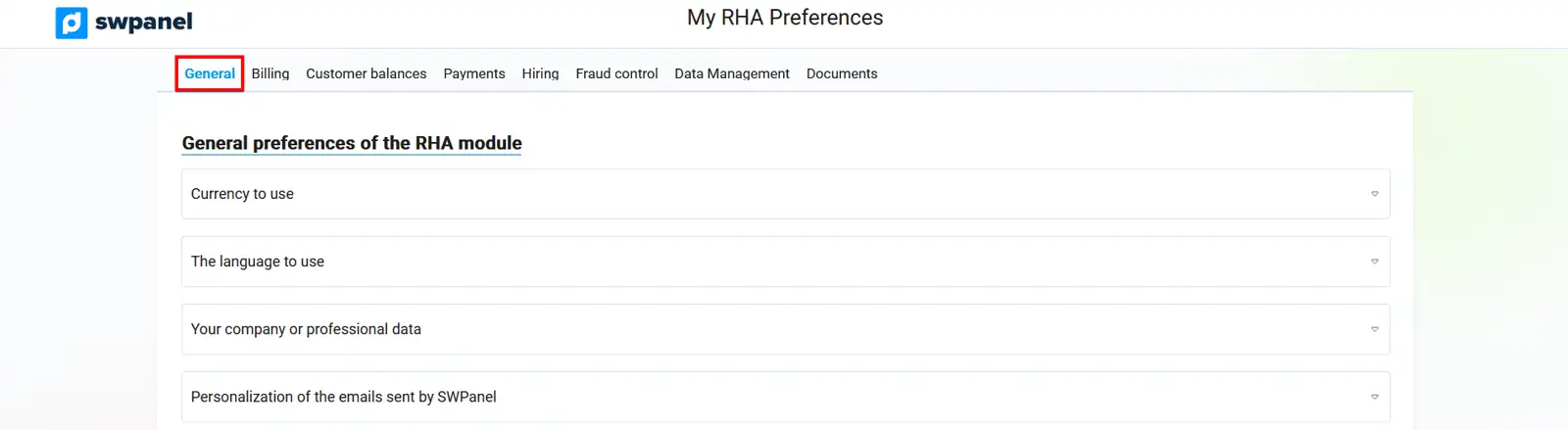
- Currency to use: Allows you to select which currency you will use to invoice and manage service prices for your customers.

- Language to use: Allows you to select the language you want SWPanel to use by default to communicate with your customers.

-
Your company or professional details: To indicate the tax or formal details of the company or business you will use to issue invoices for services to your customers.
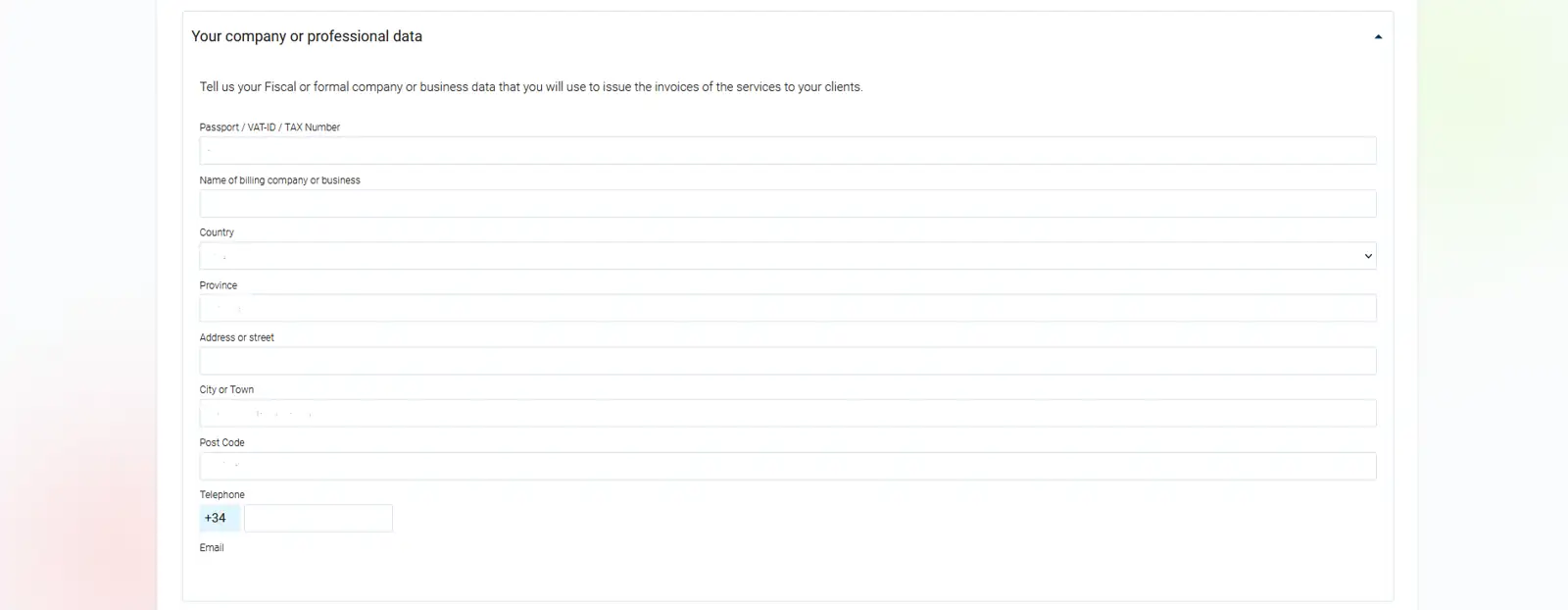
-
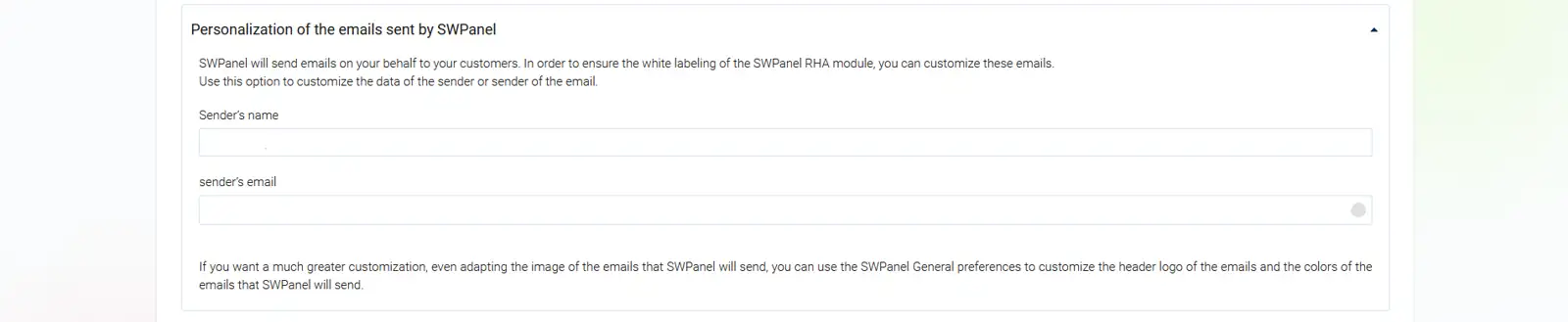
Customisation of emails sent by SWPanel: SWPanel will send emails on your behalf to your customers. In order to guarantee the white label of the SWPanel RHA module, you can customise these emails. Use this option to customise the sender or issuer details of the email.
Billing - General billing preferences
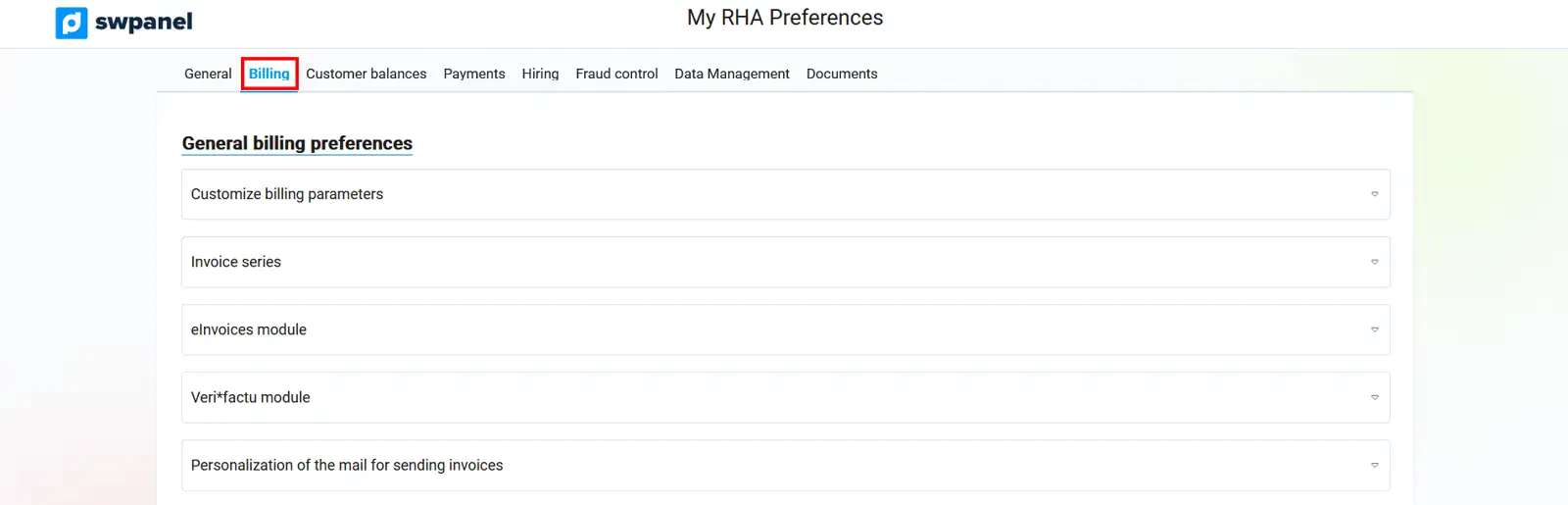
- Customise billing parameters: You can define the following options to specify how you want services to be billed to your customers: Enable automatic billing of services to your customers and, if you wish, automatically validate invoices when they are generated.

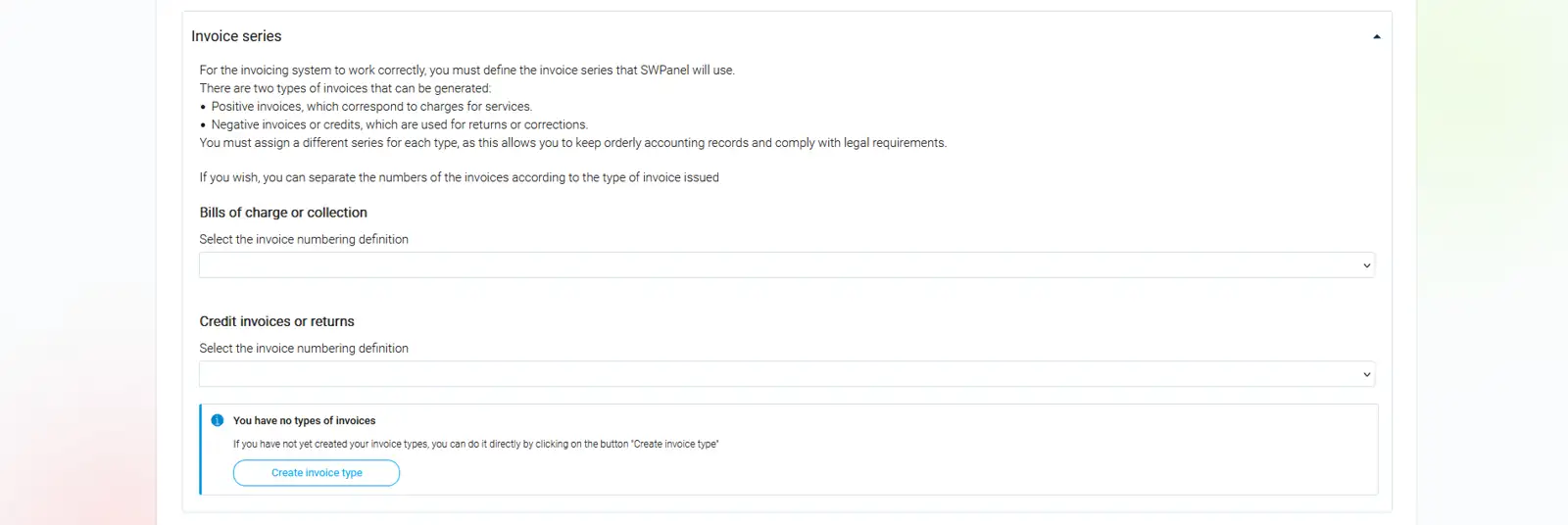
- Invoice series Allows you to separate invoice numbers according to the type of invoice issued into: a) Debit or collection invoices b) Credit or refund invoices
-
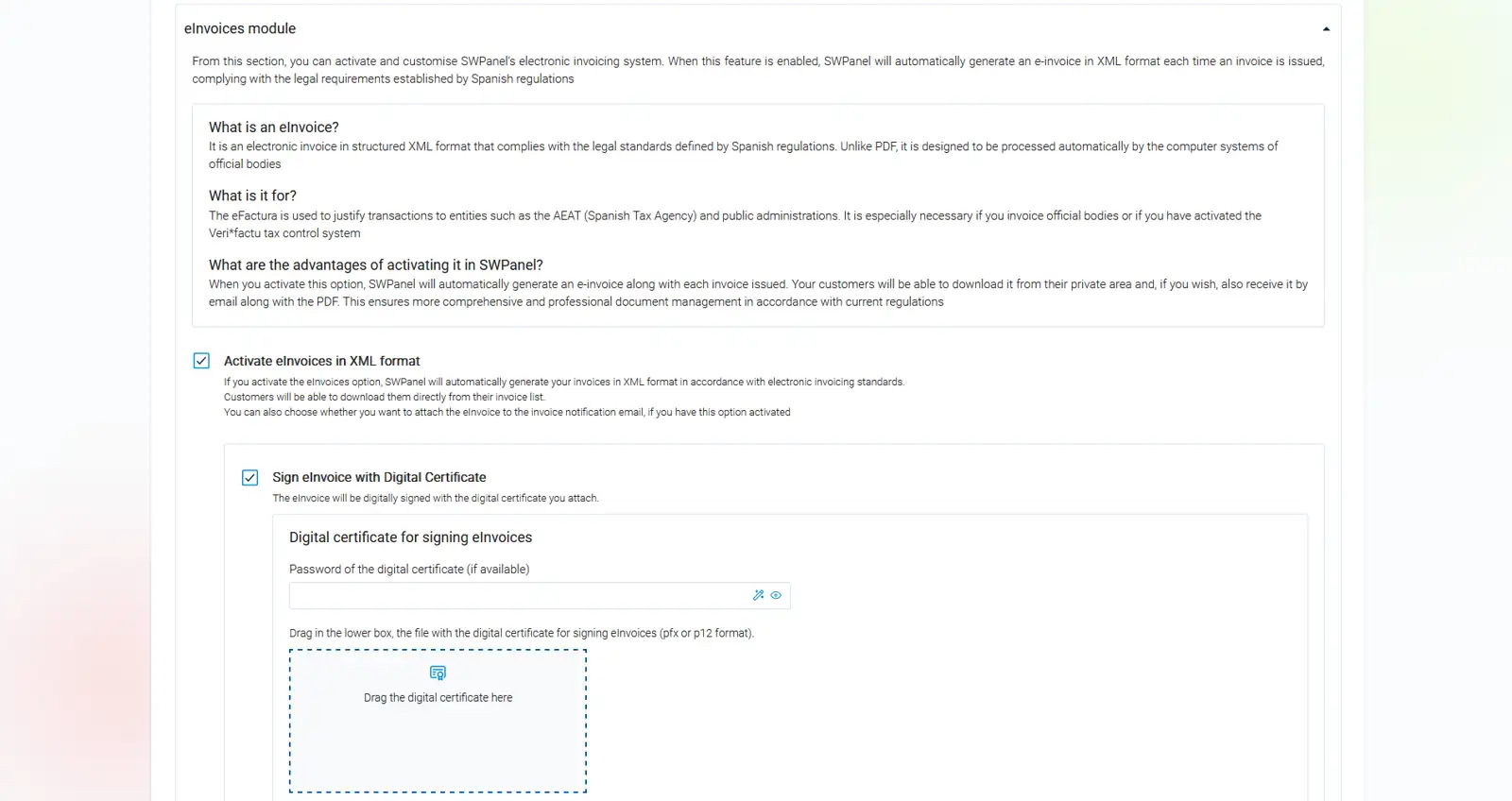
eInvoicing module: Allows you to activate and customise SWPanel's electronic invoicing system and sign invoices with a password-protected digital certificate.
-
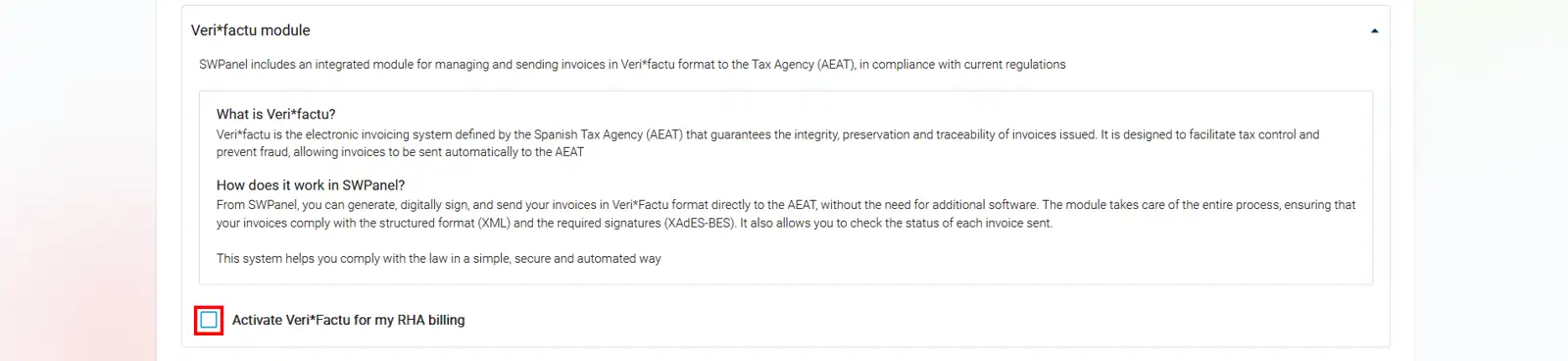
Veri*factu module: Allows invoices to be sent to the Tax Agency (AEAT) via the Veri*factu system and signed electronically using a digital certificate
-
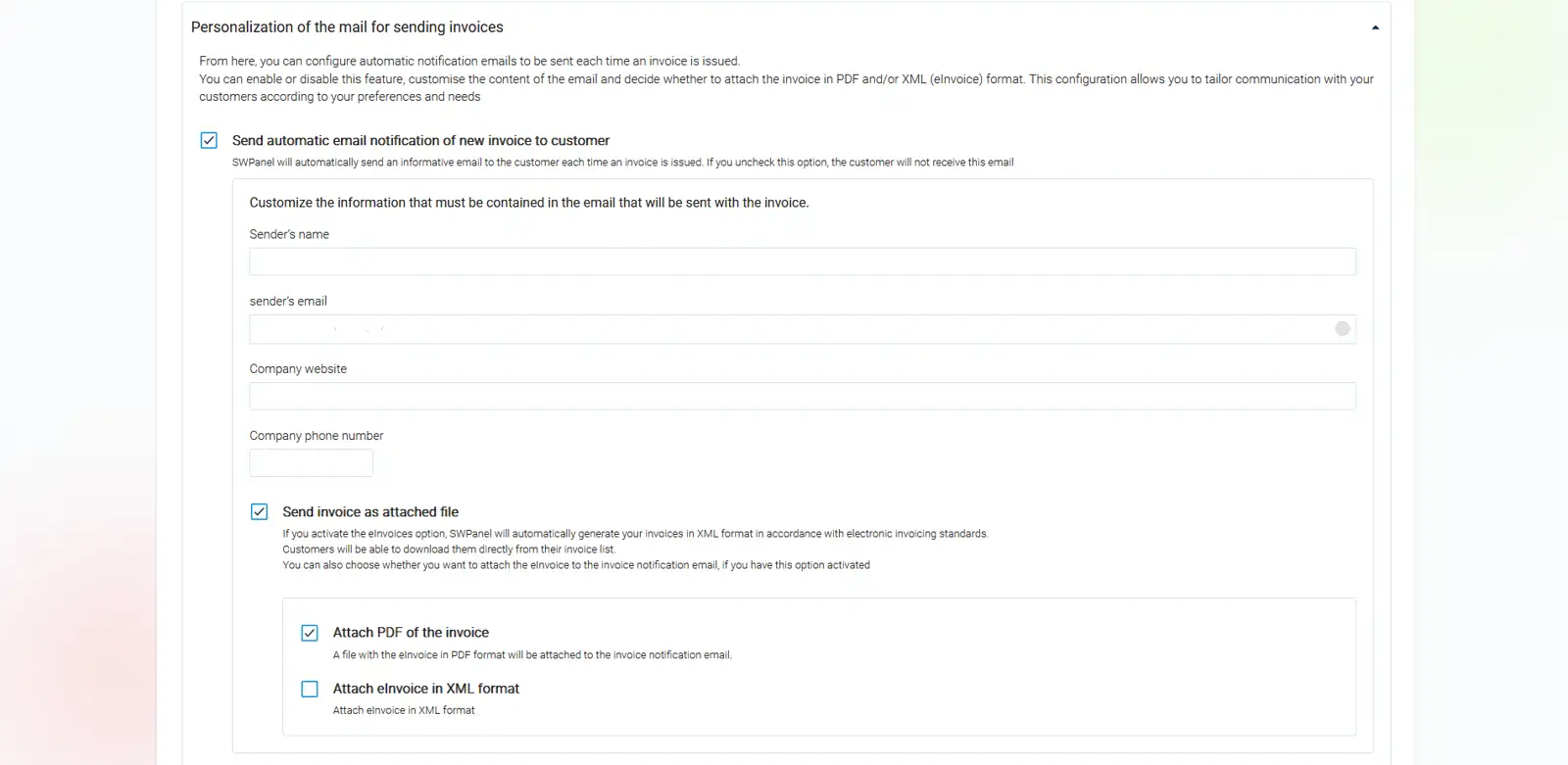
Customisation of invoice delivery emails: Allows you to define whether you want to automatically send the customer an informative email every time an invoice is generated and also include the invoice in the message as an attachment in PDF or XML format.
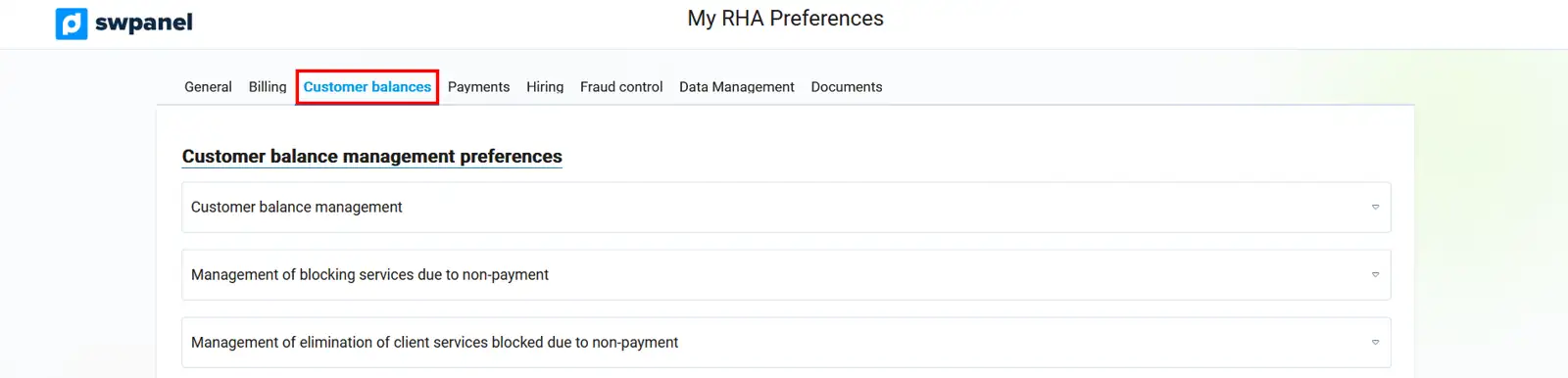
Customer balances - Customer balance management preferences
-
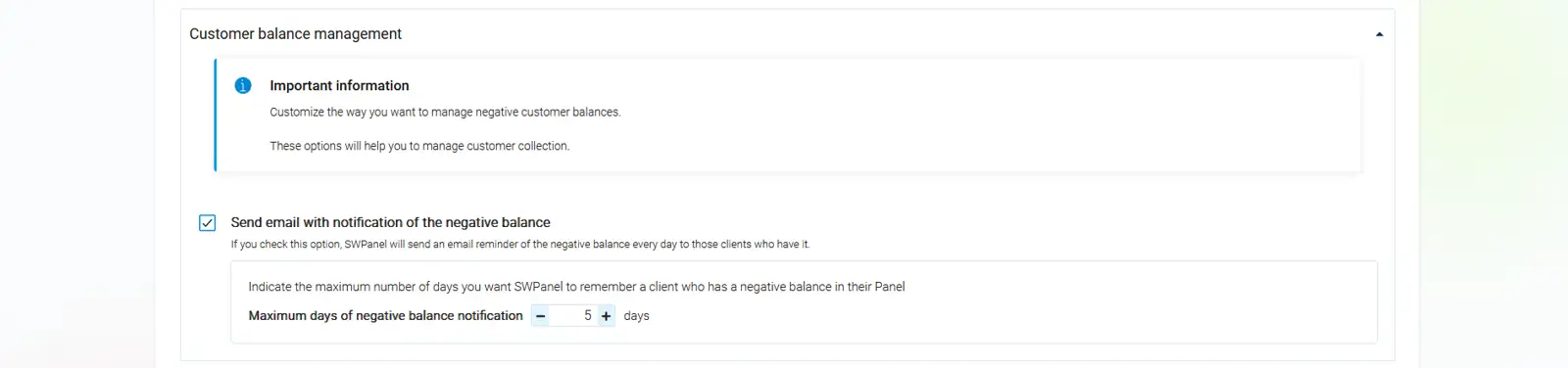
Customer balance management: Allows you to activate the option of sending a daily email to customers with a negative balance as a reminder.
-
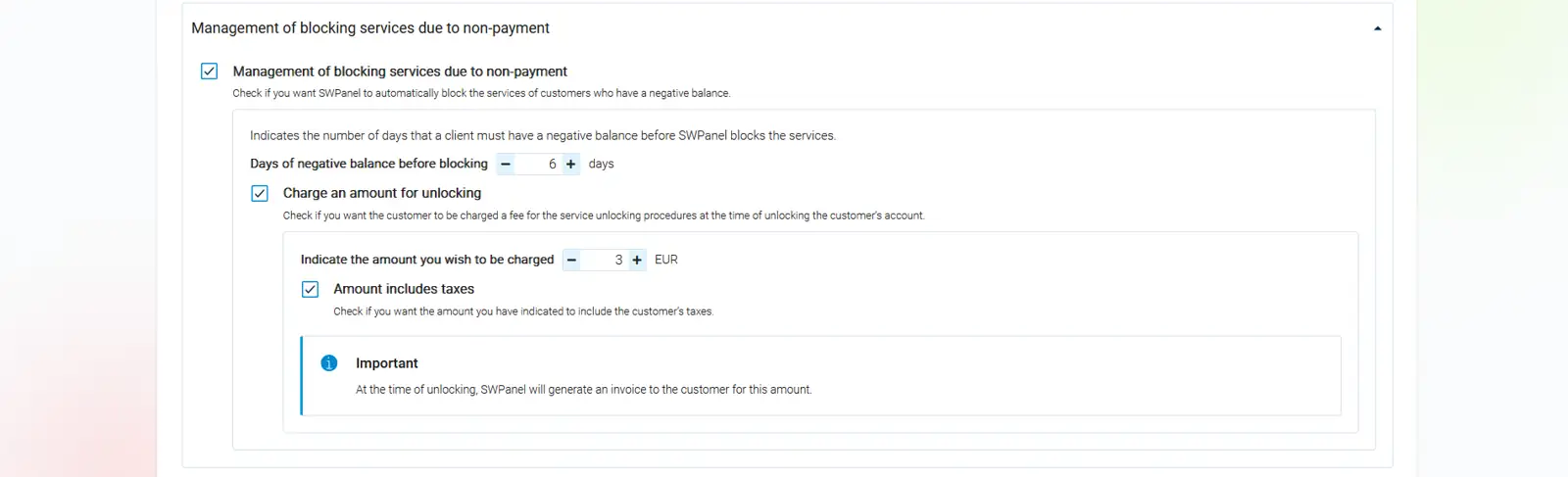
Management of service blocking due to non-payment: Allows you to activate the option to automatically block the services of customers with a negative balance, setting the date from which the block will be applied once the debt period has elapsed, as well as the amount that will be charged for unblocking the services.
- Management of removal of customer services blocked due to non-payment: Allows you to activate the option for SWPanel to automatically remove all of a customer's services once the number of days established from the date of blocking due to non-payment to the date of definitive removal of the services has elapsed.

Payments - Preferences for managing customer payments
- Customisation and activation of payment systems: Enables the option for customers to make payments directly from SWPanel using different payment methods:
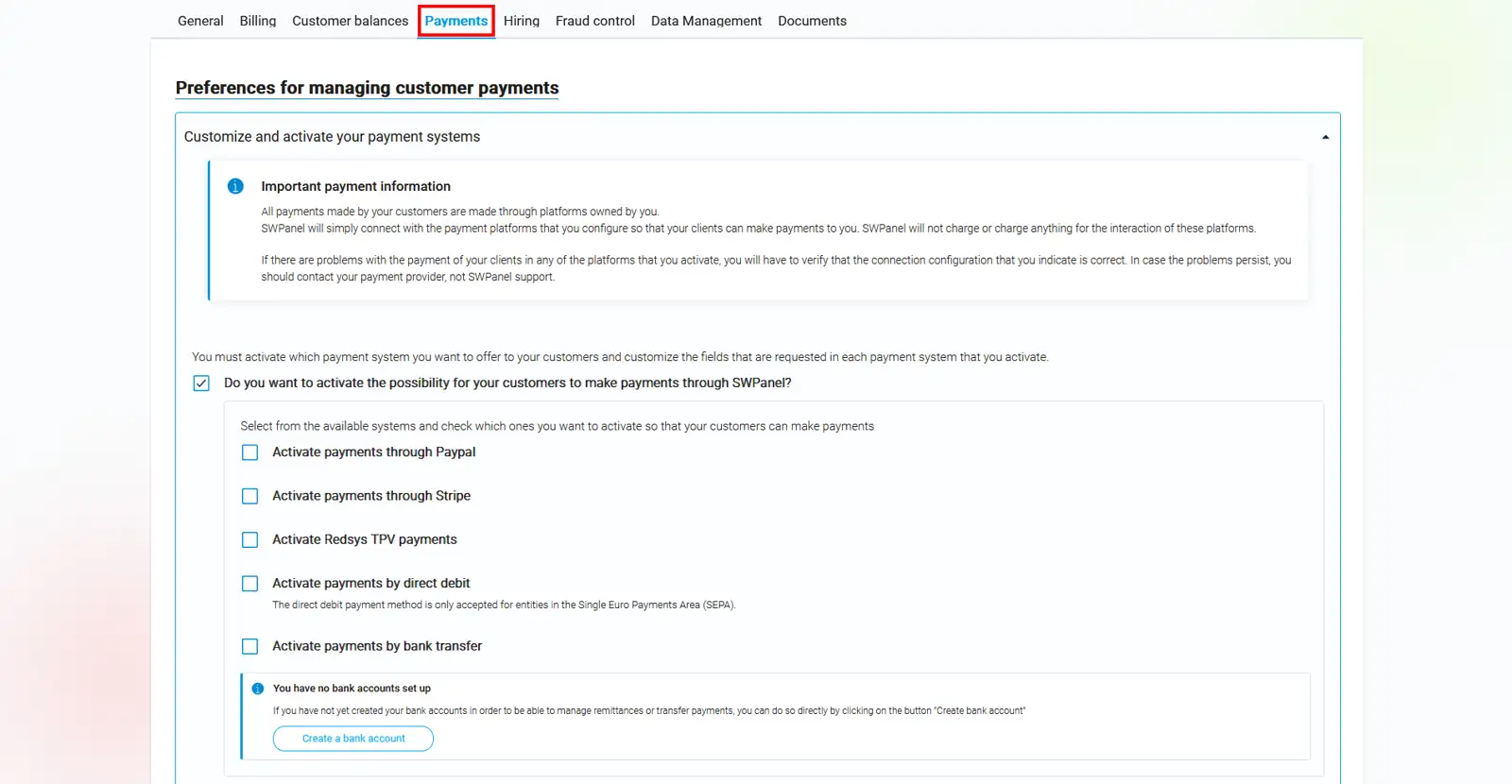
a) Activate and configure payments via PayPal
b) Activate and configure payments via Stripe
c) Activate and configure payments via Redsys POS
d) Activate and configure payments via direct debit
e) Activate and configure payments via bank transfer
Hiring - Hiring process
- Onboarding integrated into SWPanel Its activation automatically uses all the billing and payment settings defined in your RHA module, managing service registration, payment processing, billing, and renewals for your customers.
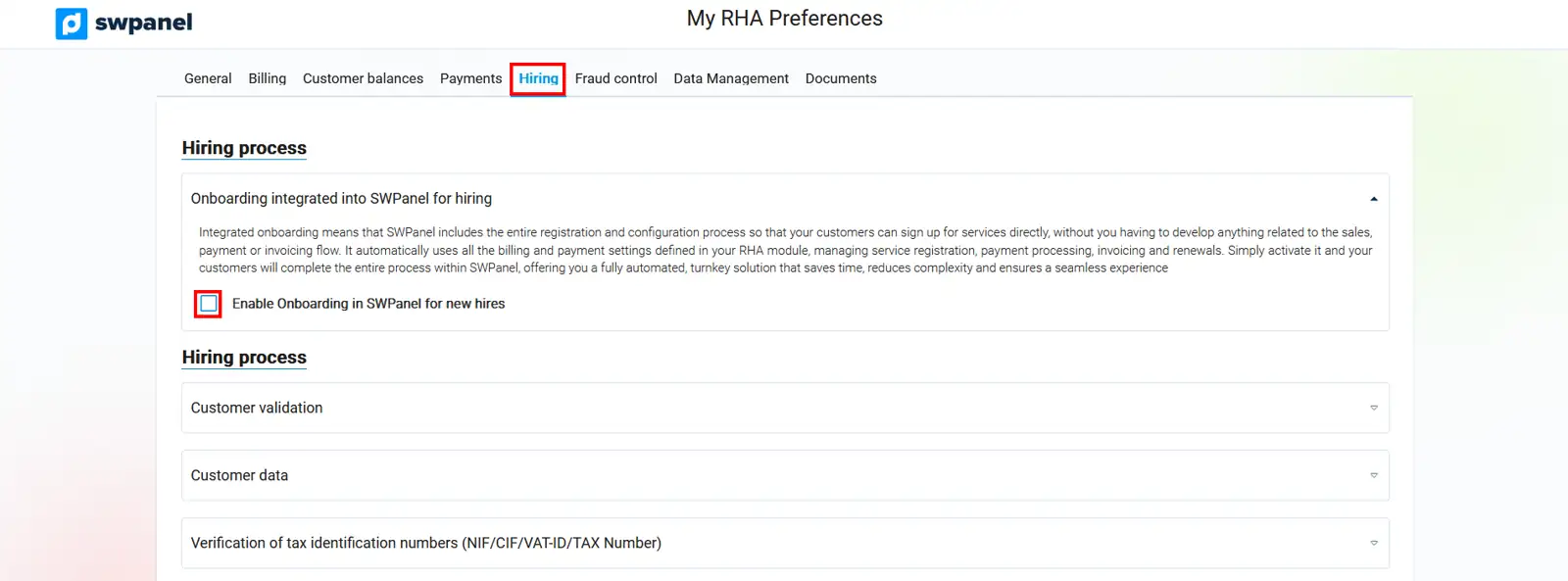
- Customer validation: Enables customer email validation via validation code.

-
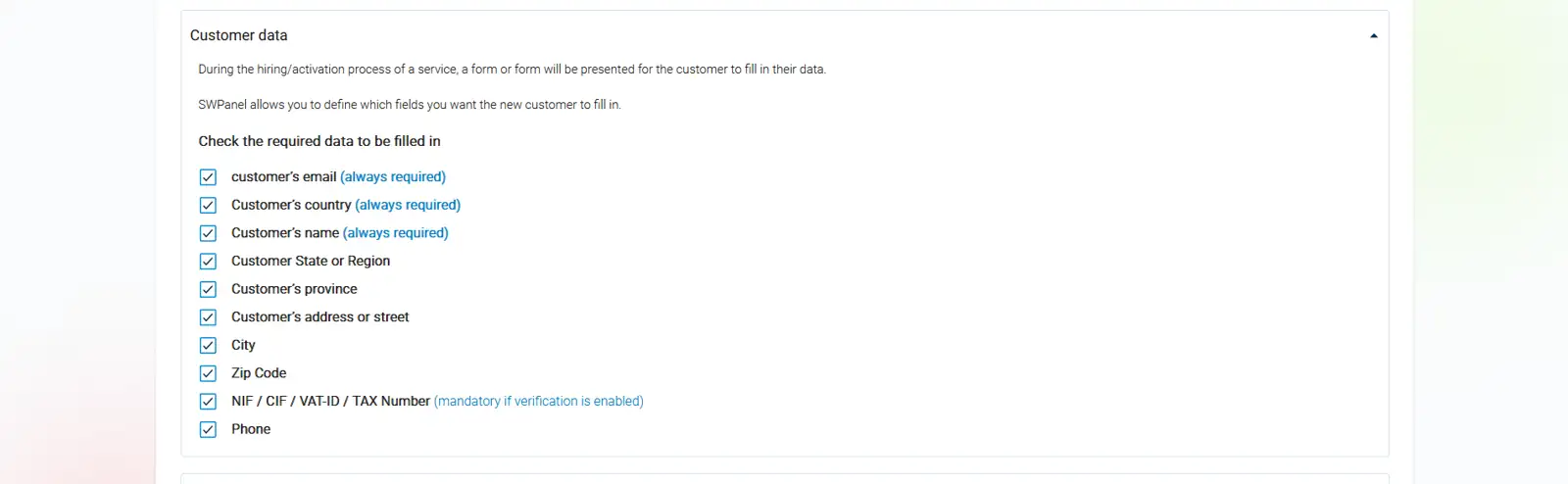
Customer data: Allows you to define which data fields you want new customers to fill in on the service contract/activation form.
-
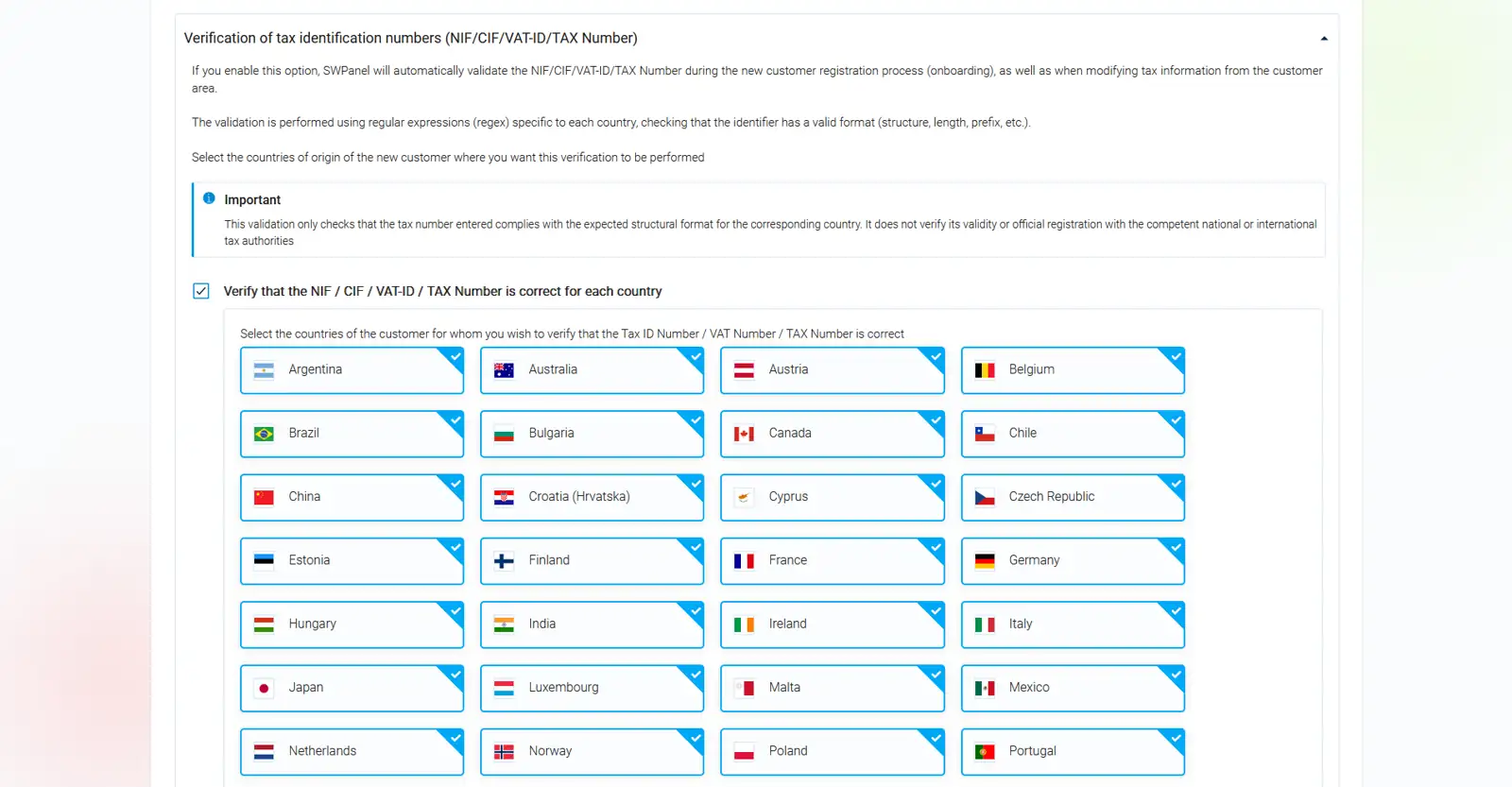
NIF/CIF/VAT-ID/TAX Number Verifications: Allows you to select the countries of origin of the new customer in which you wish to carry out this verification.
Fraud control - Fraud control
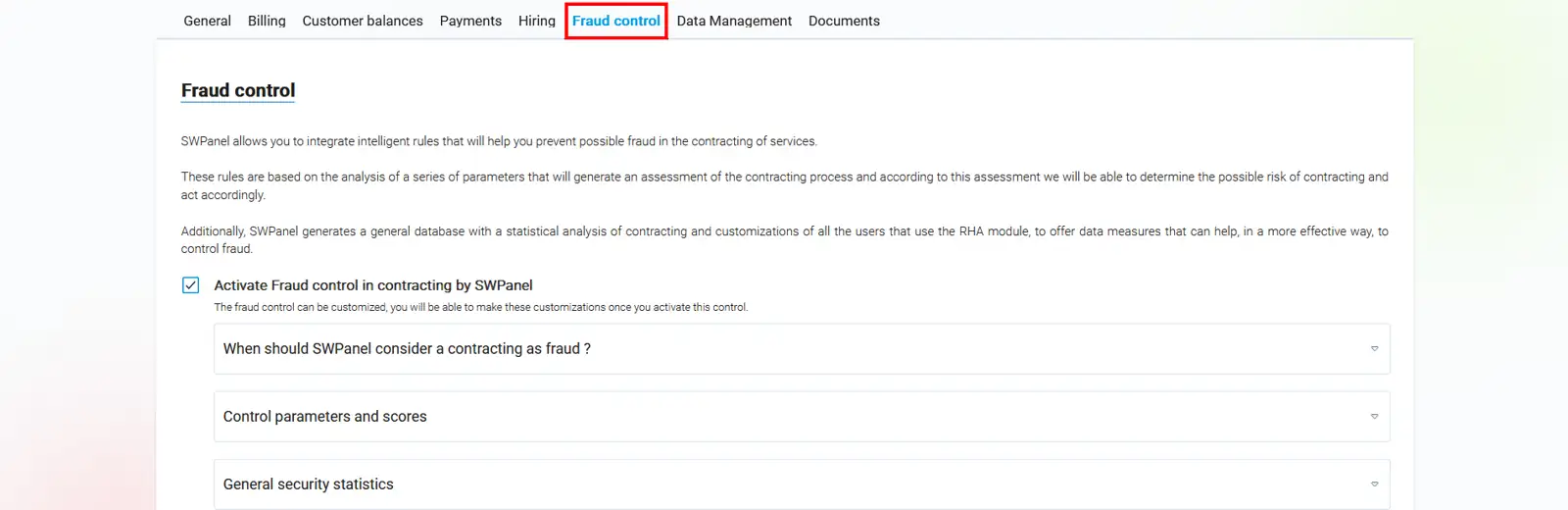
- Activate fraud control in contracts by SWPanel: Allows you to activate fraud control and customise it using intelligent rules to prevent possible fraud in service contracts.

-
When should SWPanel consider a recruitment as fraudulent?. Determine the maximum score value to consider a recruitment as valid.

-
Control parameters and scores
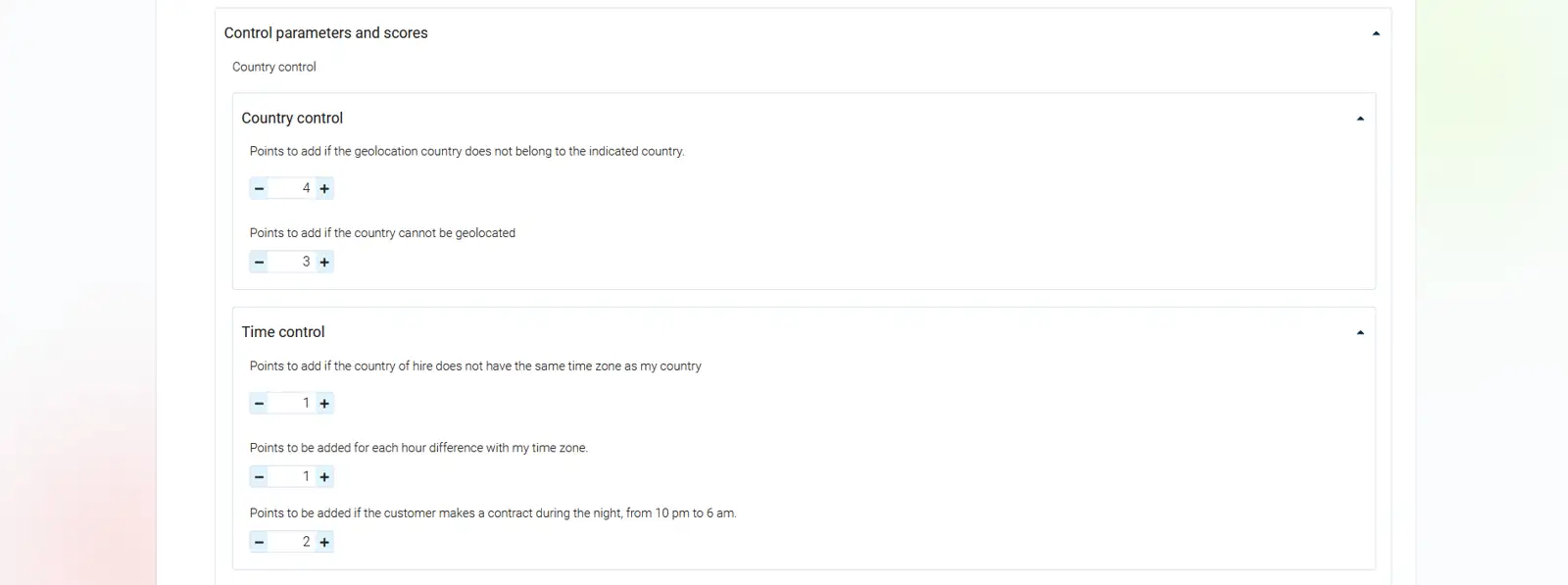
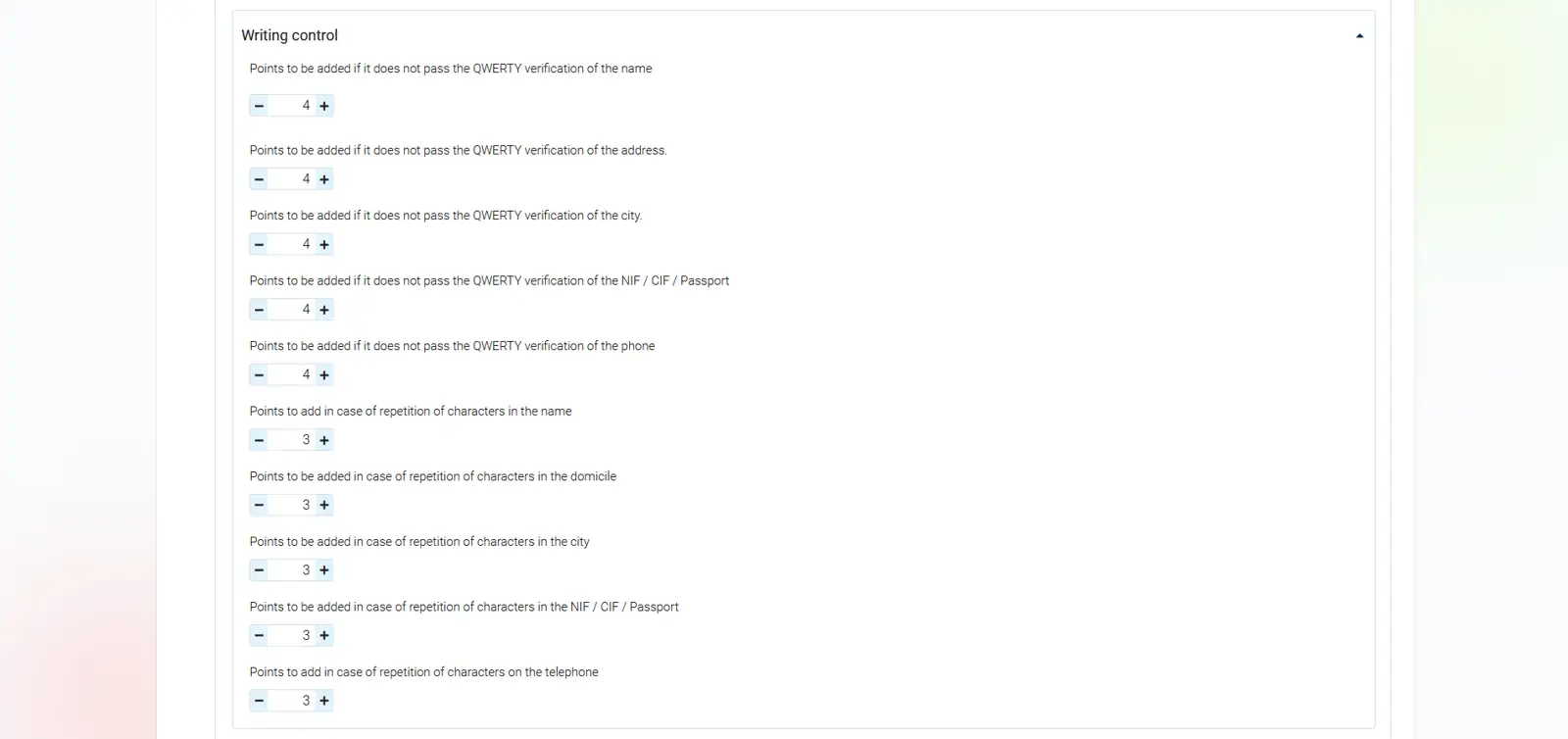

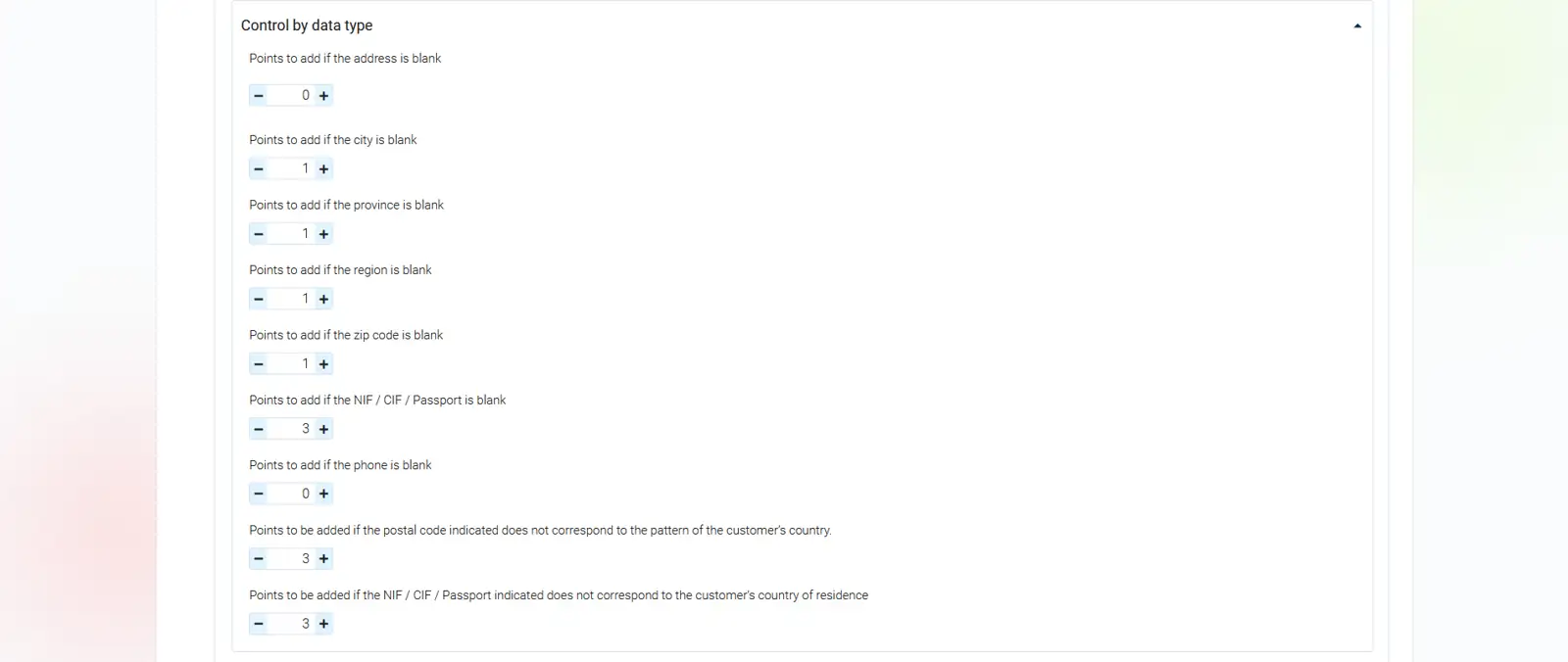
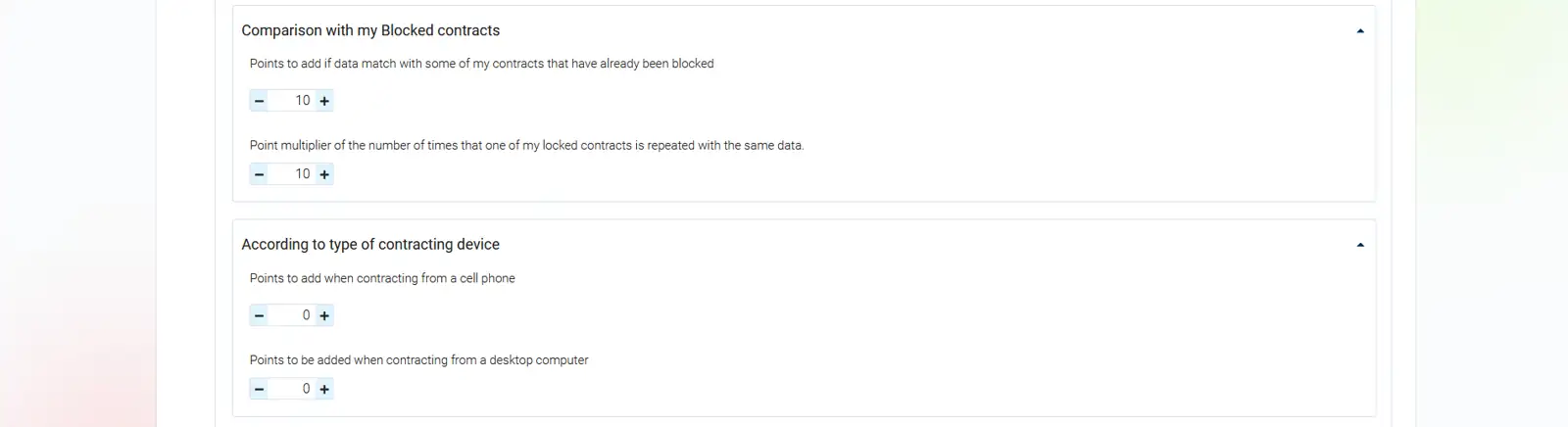
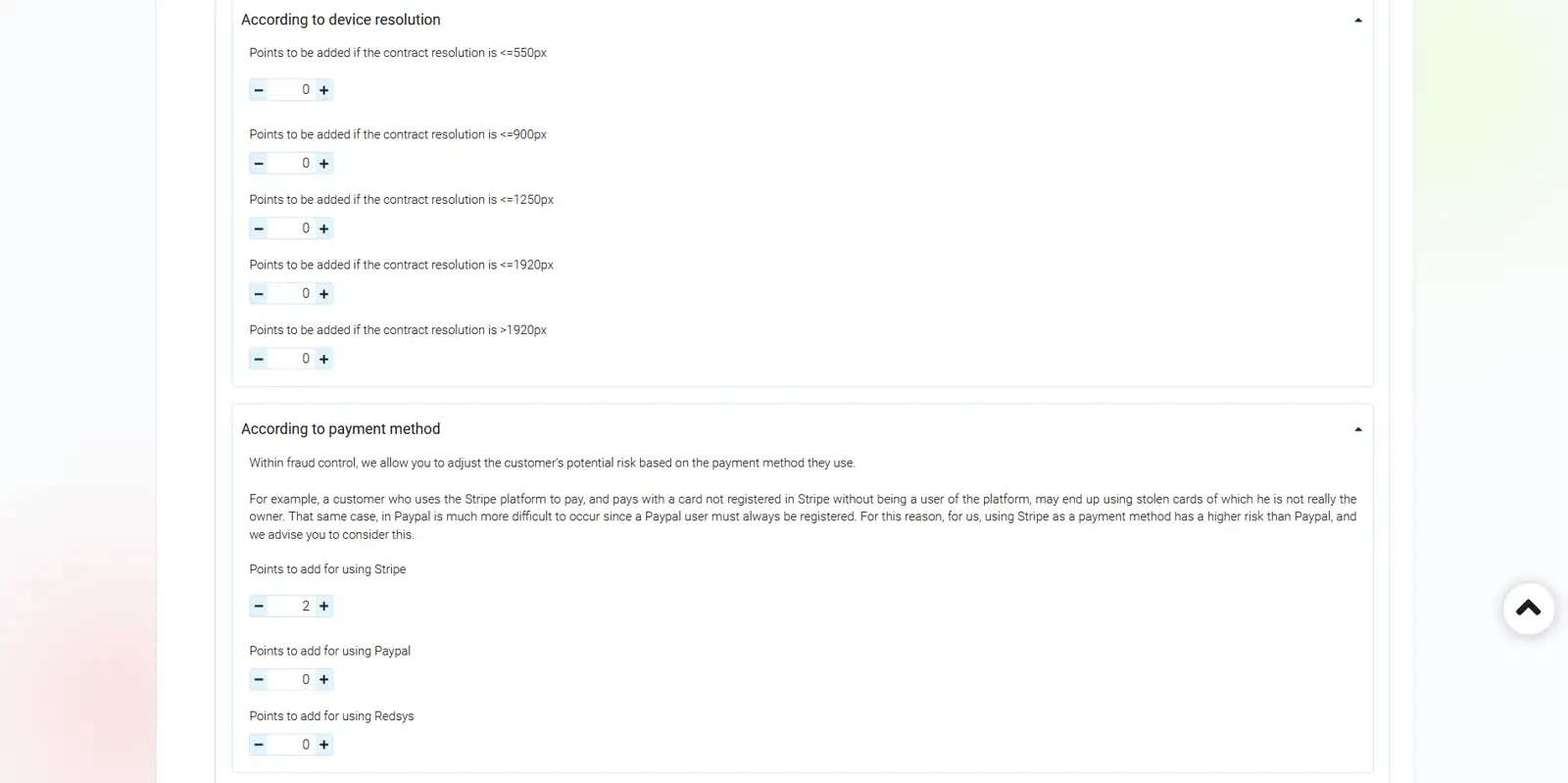
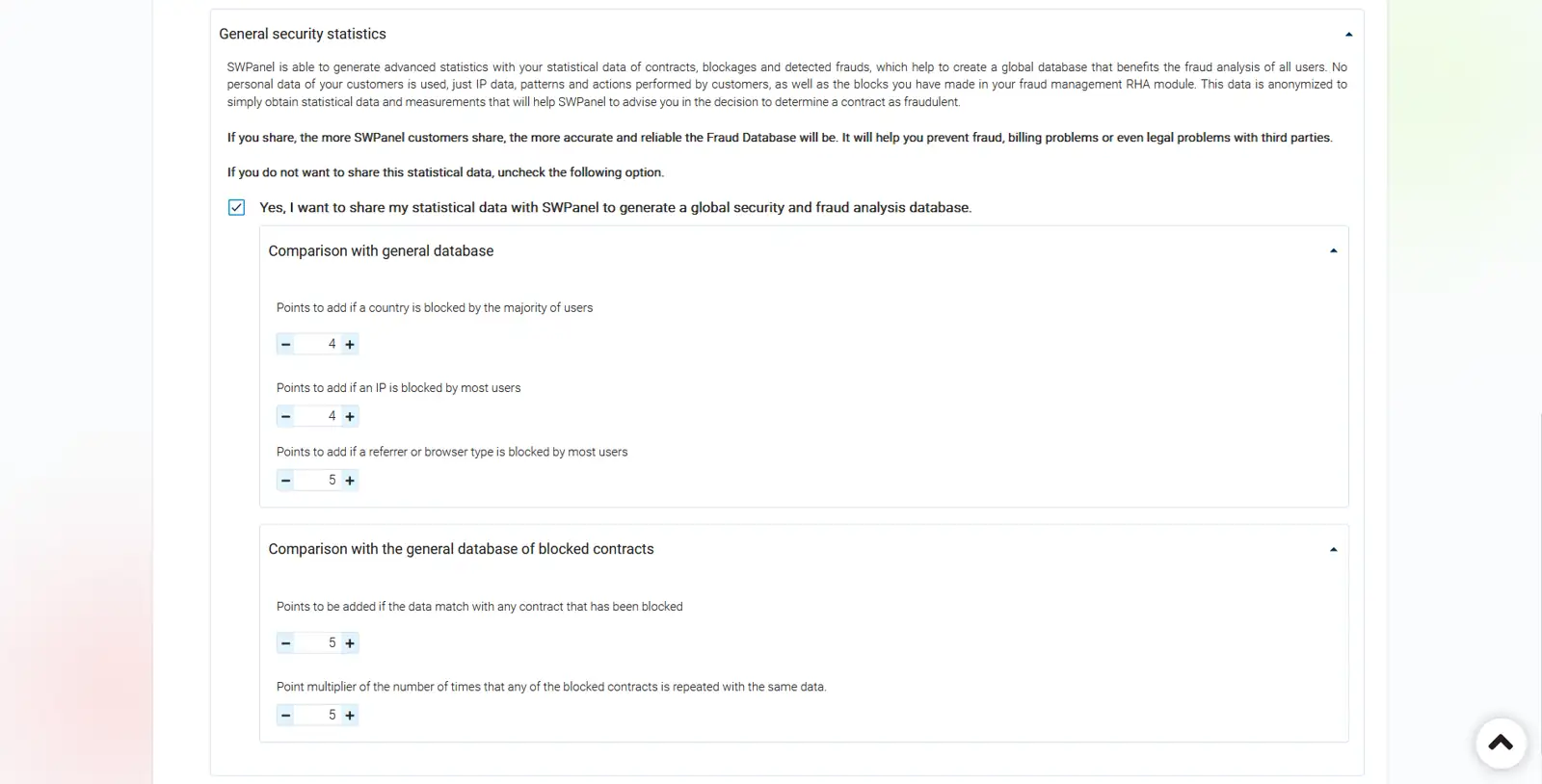
- General security statistics: Allows you to share your statistical data with SWPanel to generate a global security and fraud analysis database.
Data Management - Data Management and Location RHA Module
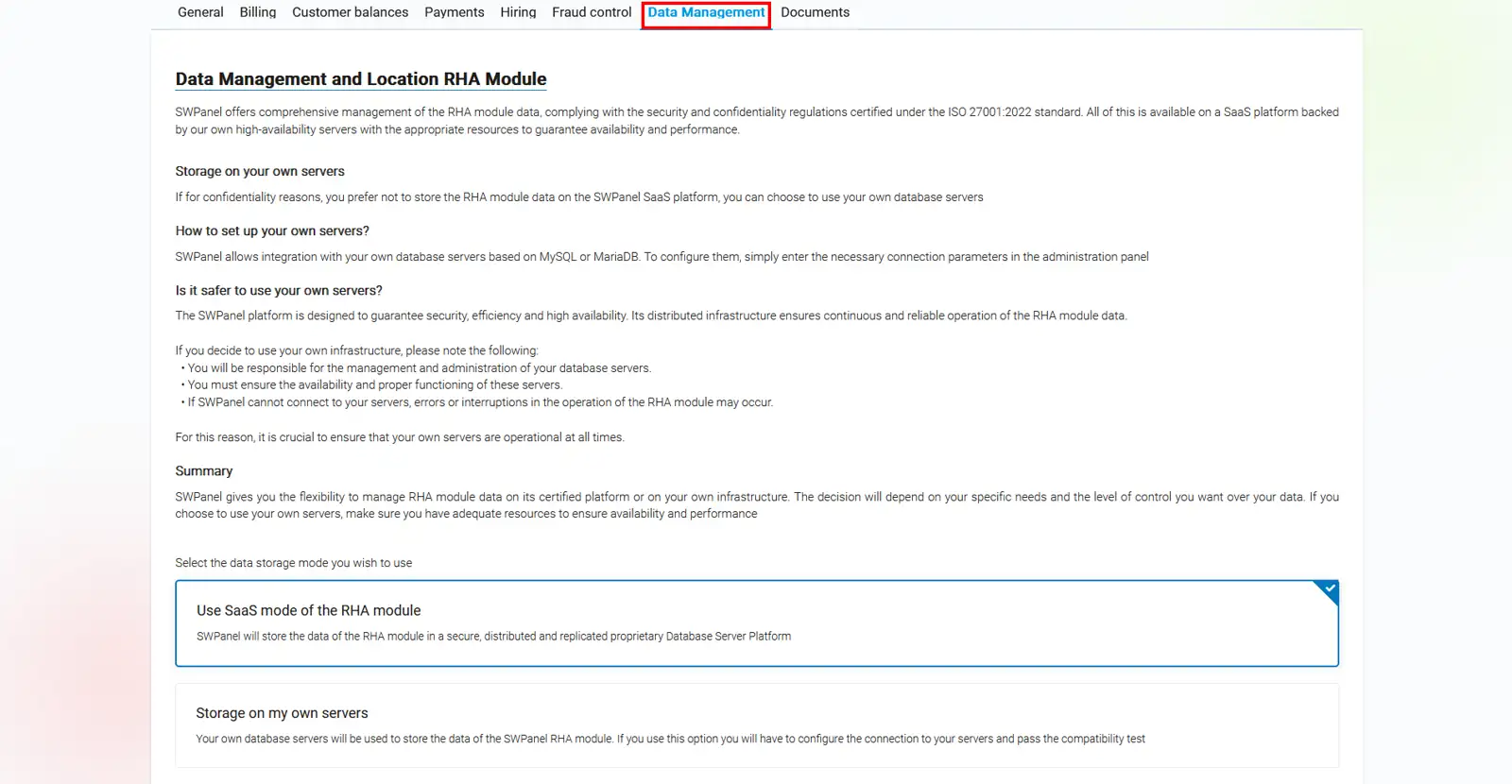
The RHA module stores all data on the SWPanel SaaS platform by default, complying with security and confidentiality regulations certified under ISO 27001:2022. The SWPanel platform is designed to ensure security, efficiency, and high availability. Its distributed infrastructure ensures continuous and reliable operation of the RHA module data.
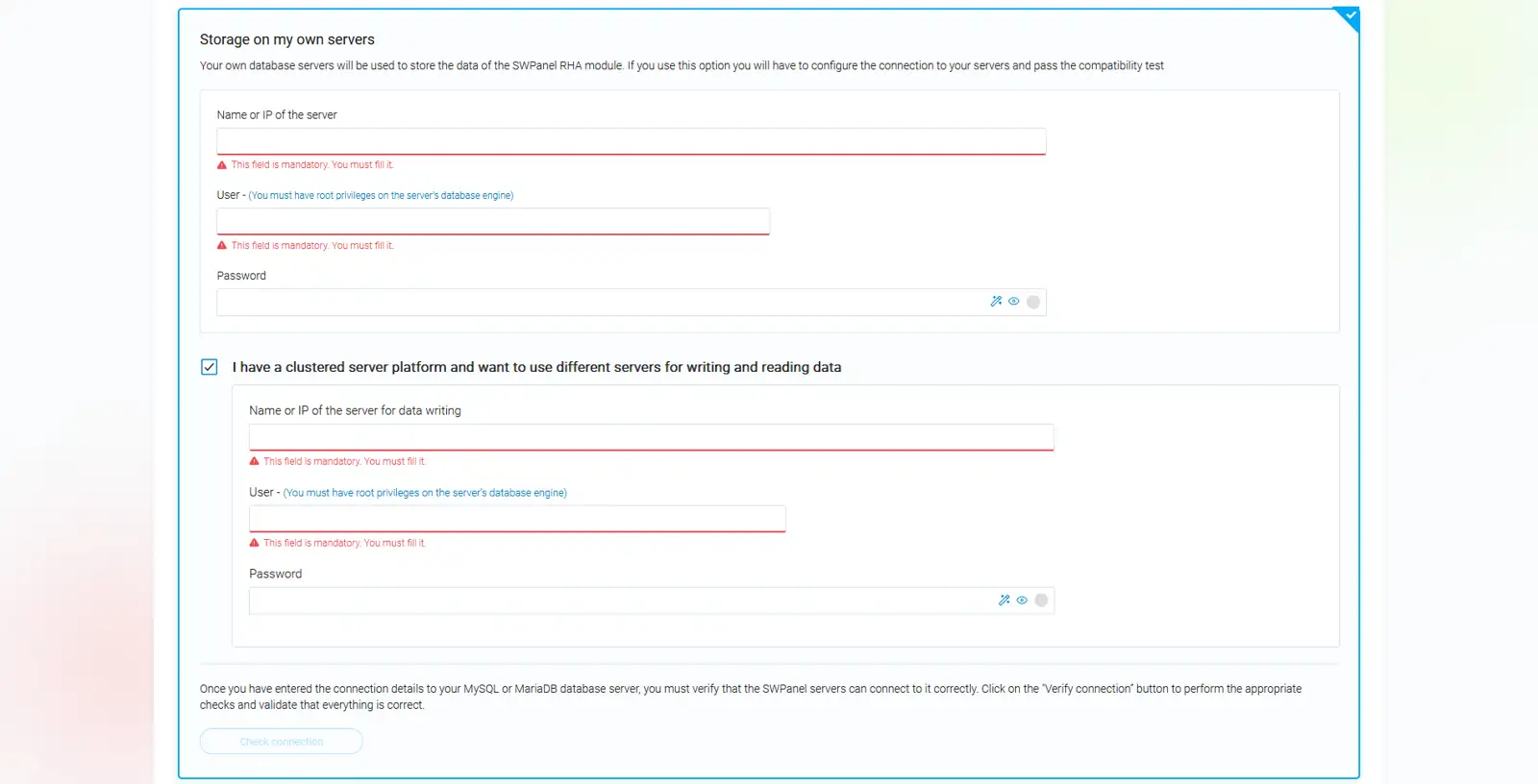
If, for confidentiality reasons, you prefer not to store RHA module data on the SWPanel SaaS platform, you can choose to use your own database servers, as SWPanel allows integration with your own MySQL or MariaDB-based database servers and even with your own database server cluster.
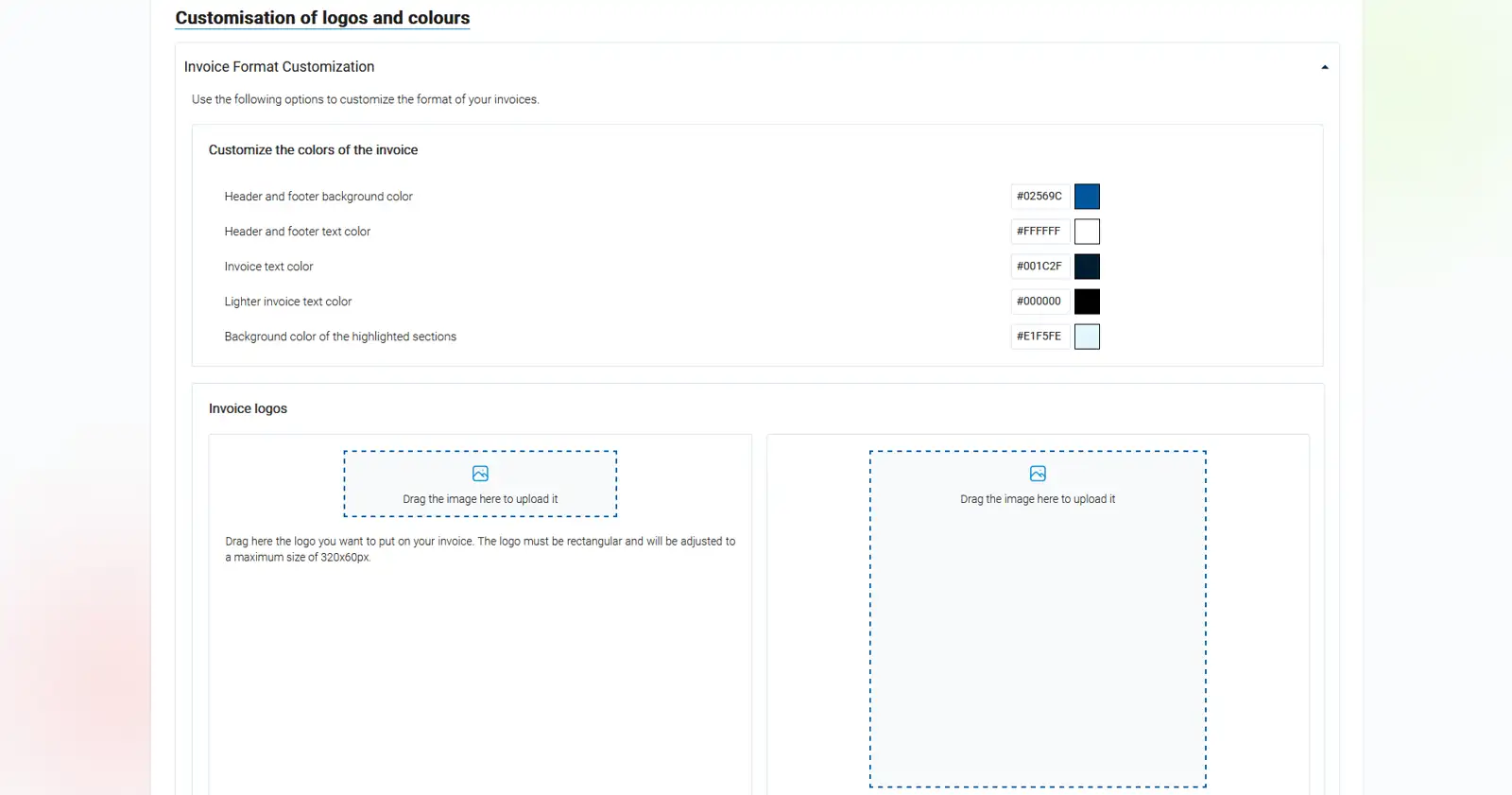
- Documents - Customisation of logos and colours: Allows you to customise the colours and logos on invoices and documents or certificates that SWPanel will issue to your customers.