How to change the default mailbox of your WordPress?
This manual explains how to modify the email account that is created by default in a WordPress installation from SWPanel. In addition to changing the account, such as updating the password or modifying the connection security.
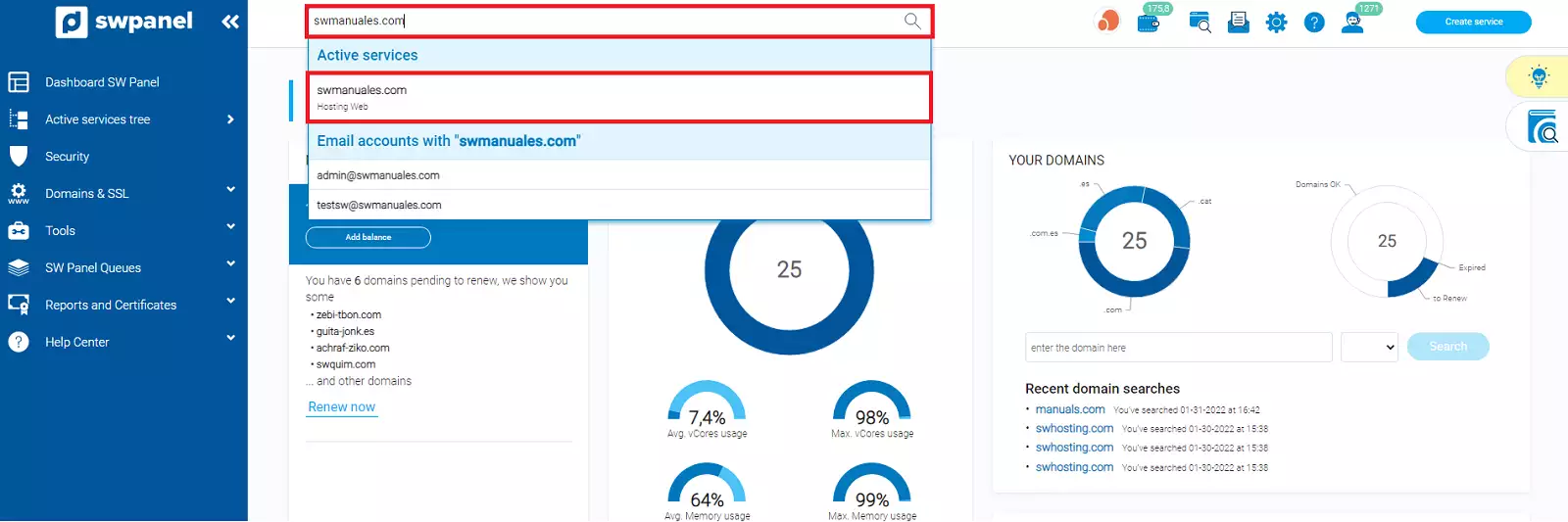
Using the browser of your SWPanel, access your WordPress hosting:
-
If your Hosting plan only allows one mailbox, you will need to delete your current mailbox and create a new one. To do this, you can follow this manual: 📃 Manual: E-mail address.
-
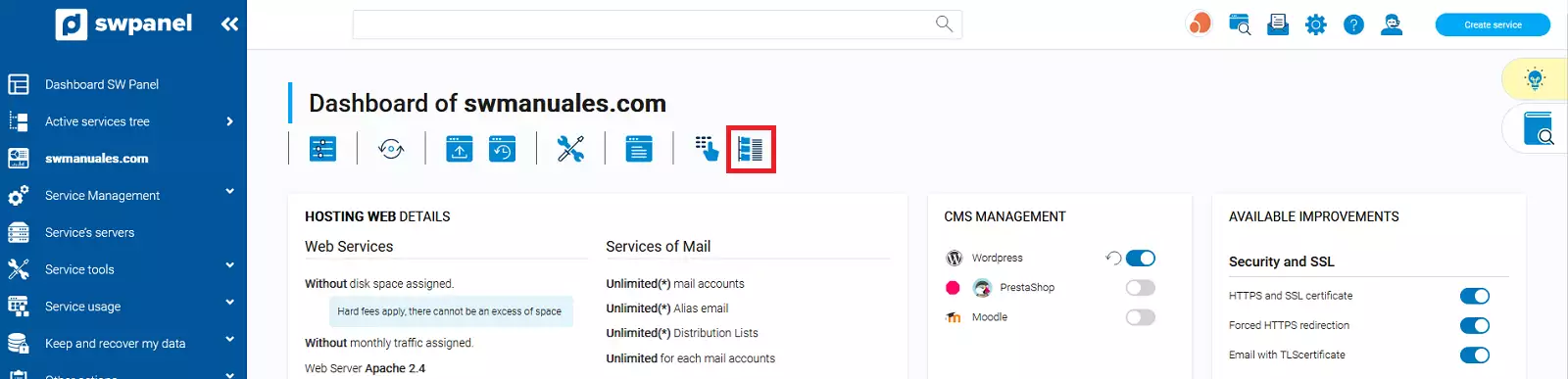
Next, you must access the file manager of your hosting:
-
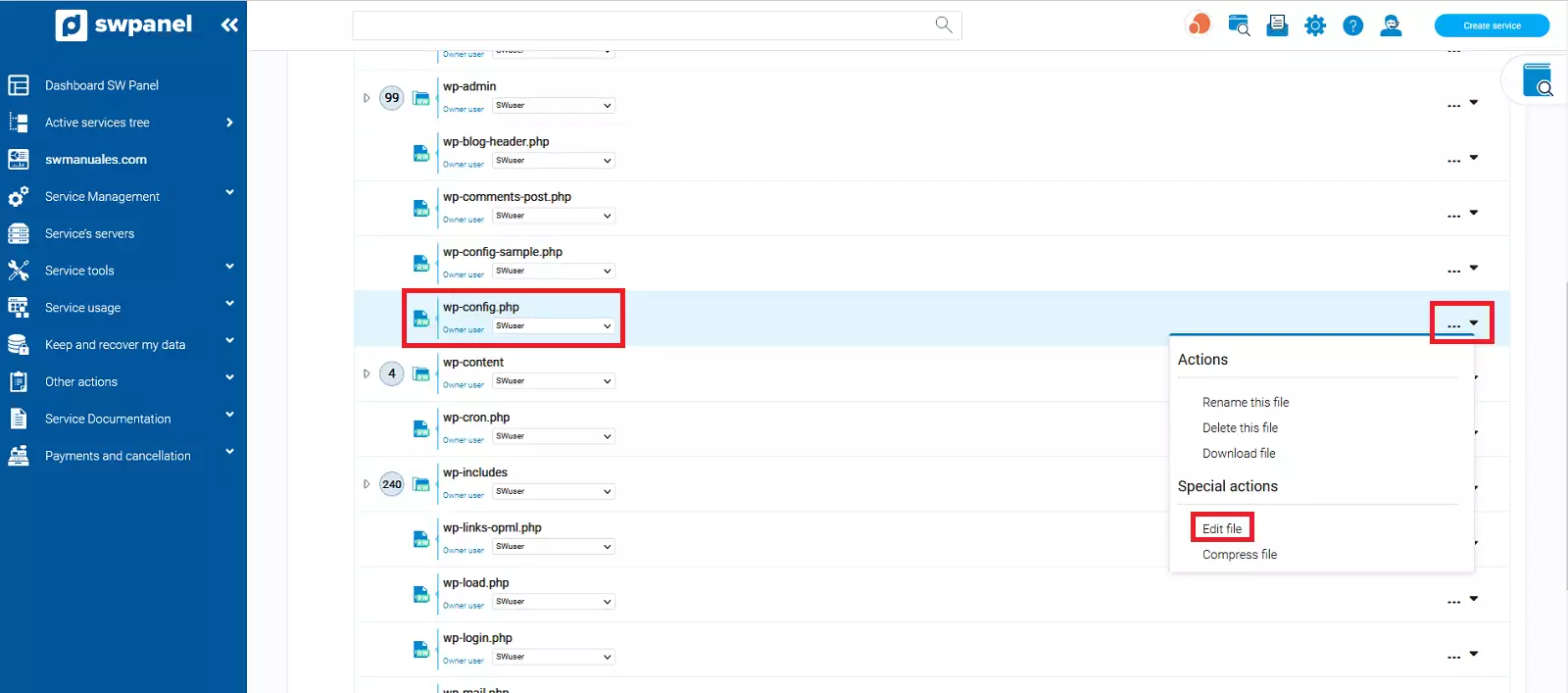
You will need to locate and edit the wp-config.php file, located in data/web/wp-config.php:
-
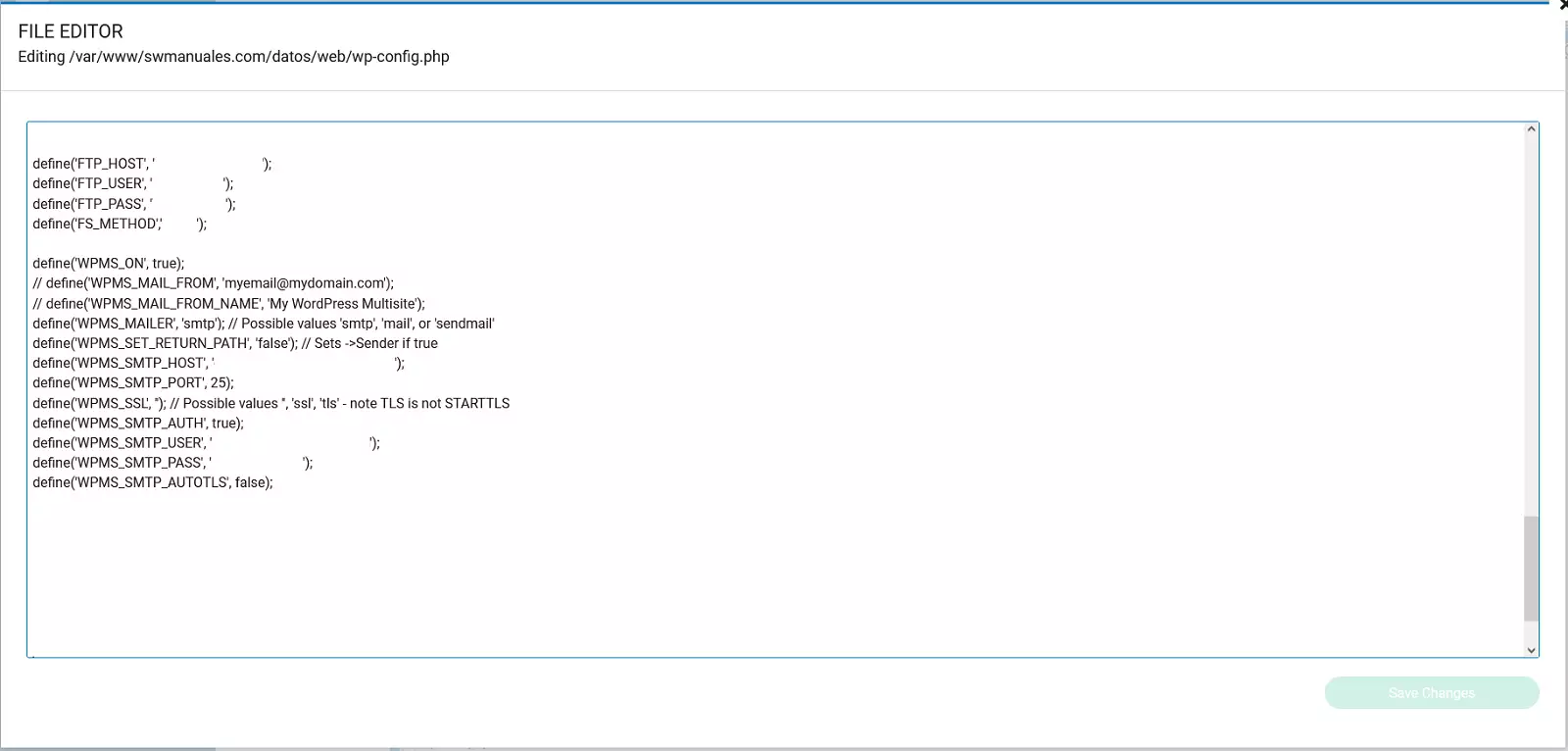
At the bottom of the file, you must locate the following section:
-
Here, you must modify the following sections with the parameters that you will find in the details of the account that you have created (📃 Manual: E-mail address):
Setup, if your mailbox has a security certificate (You can install it by guiding yourself with the following manual 📃 Manual: How to Enable TLS for my email using SWPanel.)
define('WPMS_SMTP_HOST', '**servidor_de_correo**');

define('WPMS_SMTP_PORT', **465**);

define('WPMS_SSL', '**ssl**');

define('WPMS_SMTP_USER', '**Correo**');

define('WPMS_SMTP_PASS', '**Contraseña**');
Configuration, if your mailbox does´´ NOT ´´have a security certificate
define('WPMS_SMTP_HOST', '**servidor_de_correo**');

define('WPMS_SMTP_PORT', **25**);

define('WPMS_SMTP_USER', '**Correo**');

define('WPMS_SMTP_PASS', '**Contraseña**');
-
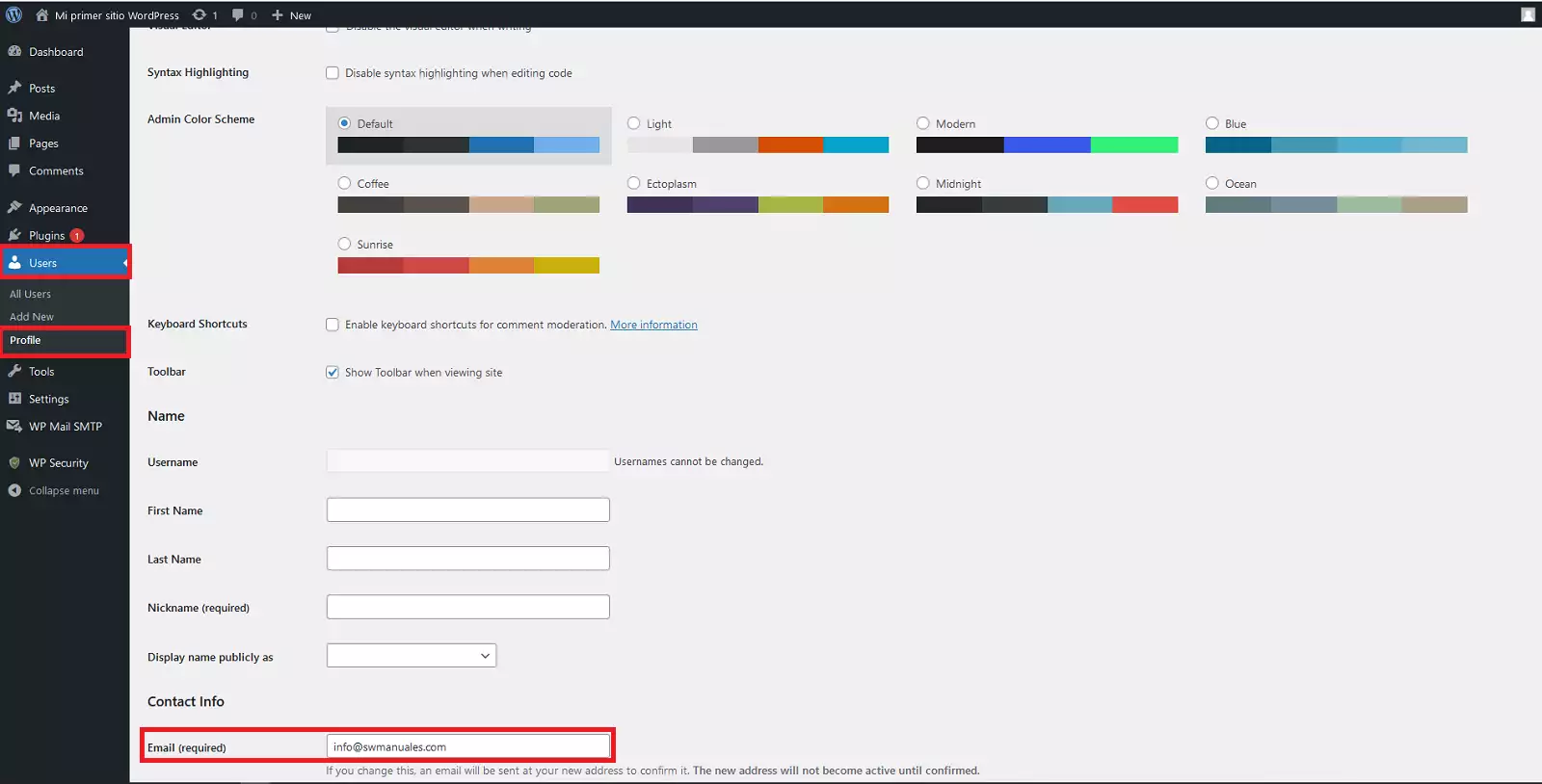
In order for WordPress notifications and password recovery email to reach your new account, you must log into your WordPress configuration panel and edit your user profile via the Users → Profile tab and modify the Email section and update it with your new email account:
-
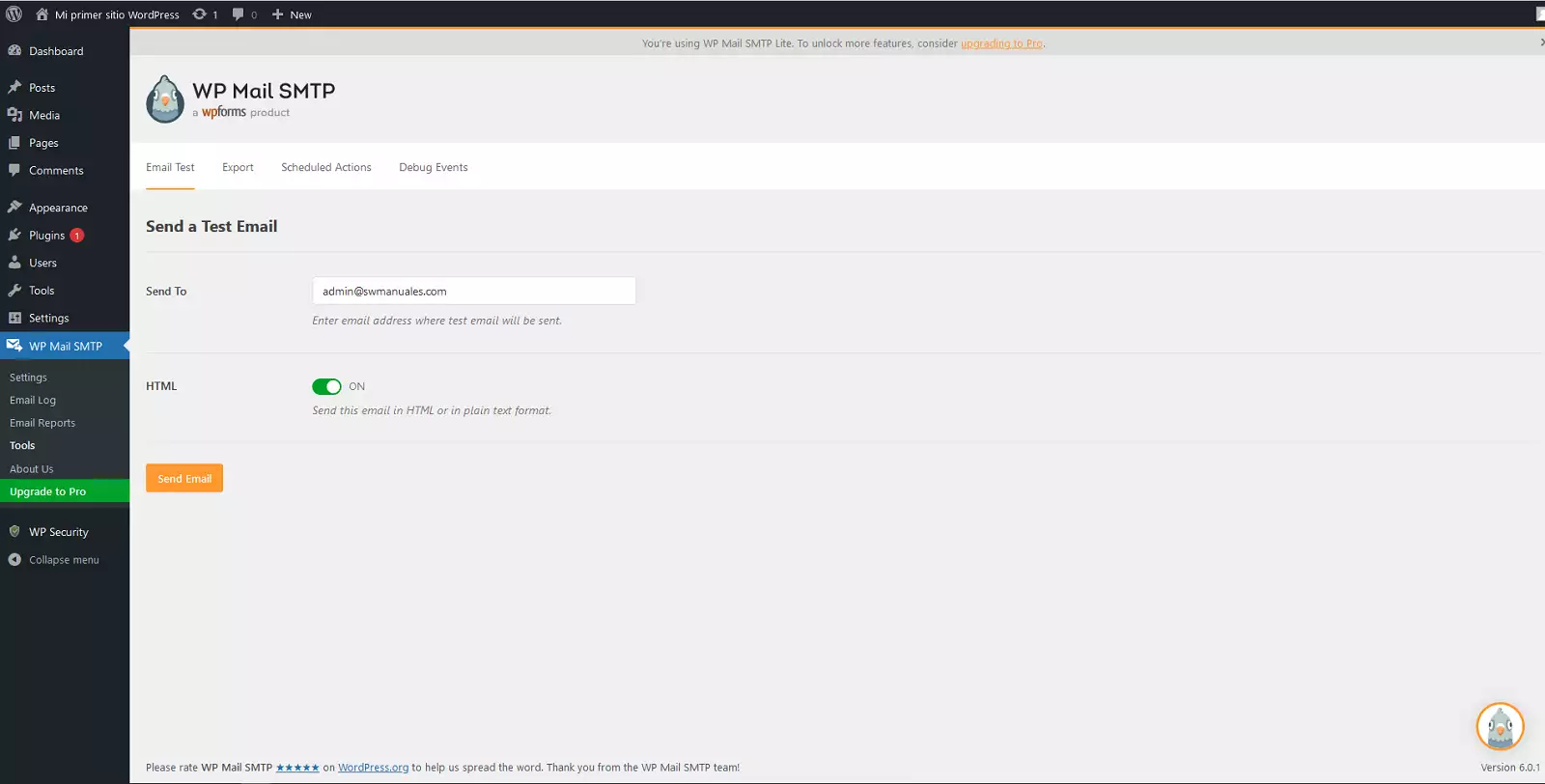
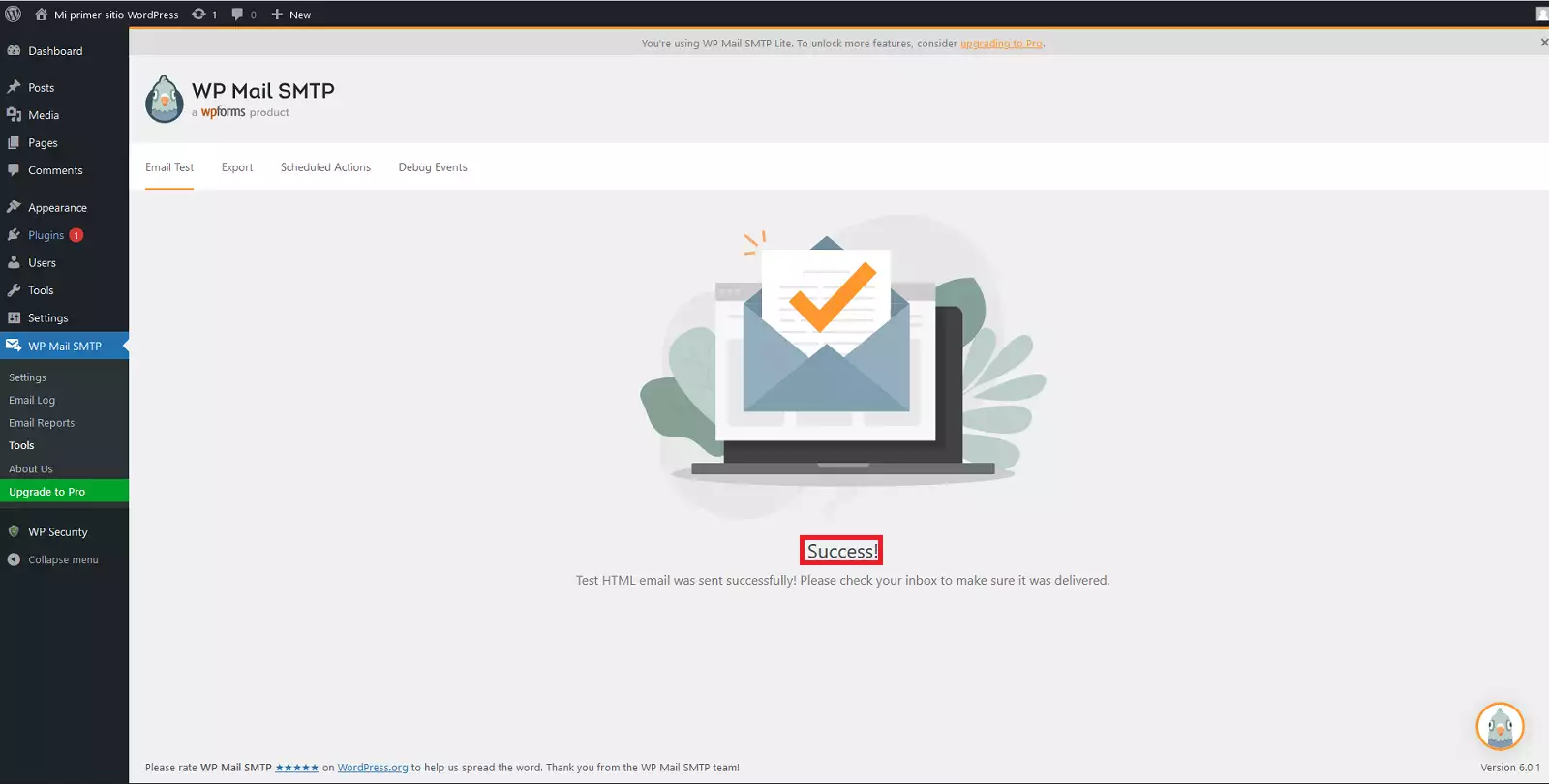
To check that the configuration is correct, you can do it by using the WP Mail SMTP plugin (installed automatically) using the Email Test function: