To create an administrative ticket, go to the top right corner of your SWPanel, click on the logo of your customer account -> "My account" -> Administrative tickets, which is located in the Administrative formalities section.
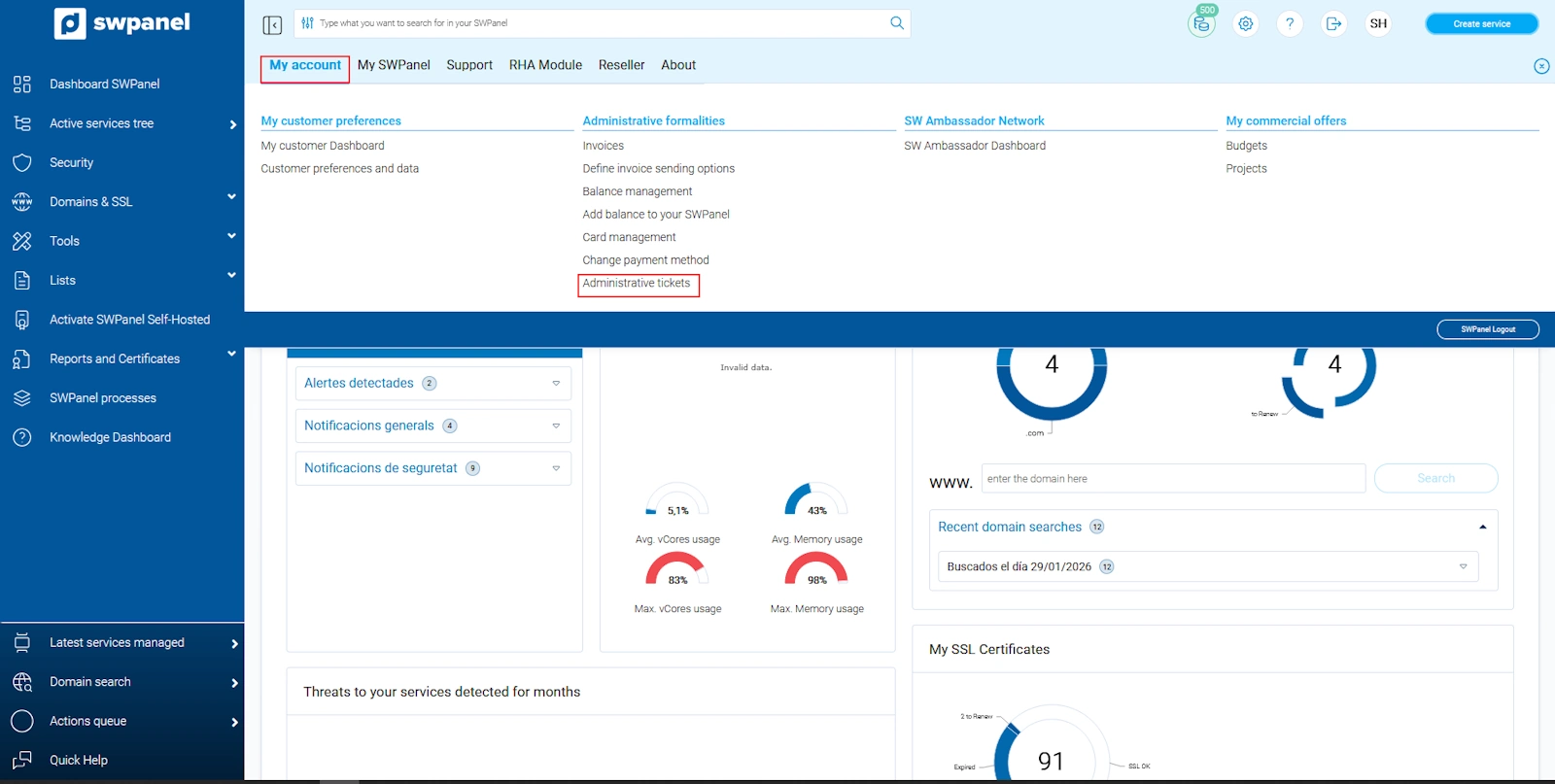
info_capture The screenshot is for illustrative purposes. It was taken on version 2025.004.0002 dated 22/05/2025. It may differ from what the current version of SWPanel shows
Once in the "Tickets" section, you must click on the blue button "Create ticket".
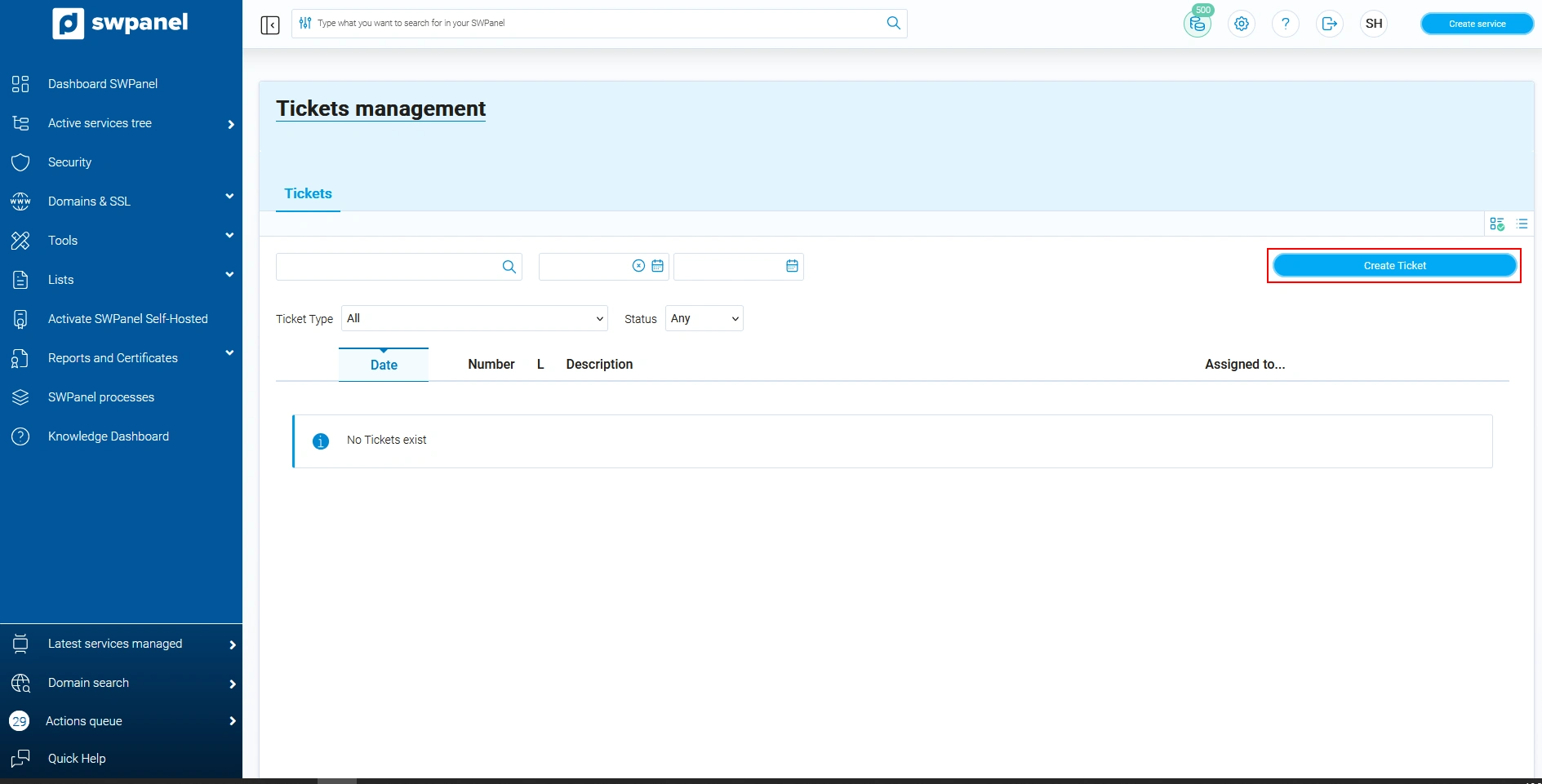
info_capture The screenshot is for illustrative purposes. It was taken on version 2025.004.0002 dated 22/05/2025. It may differ from what the current version of SWPanel shows
Indicate the type of ticket "Ticket to manage Administrative and Financial issues", and select Next.
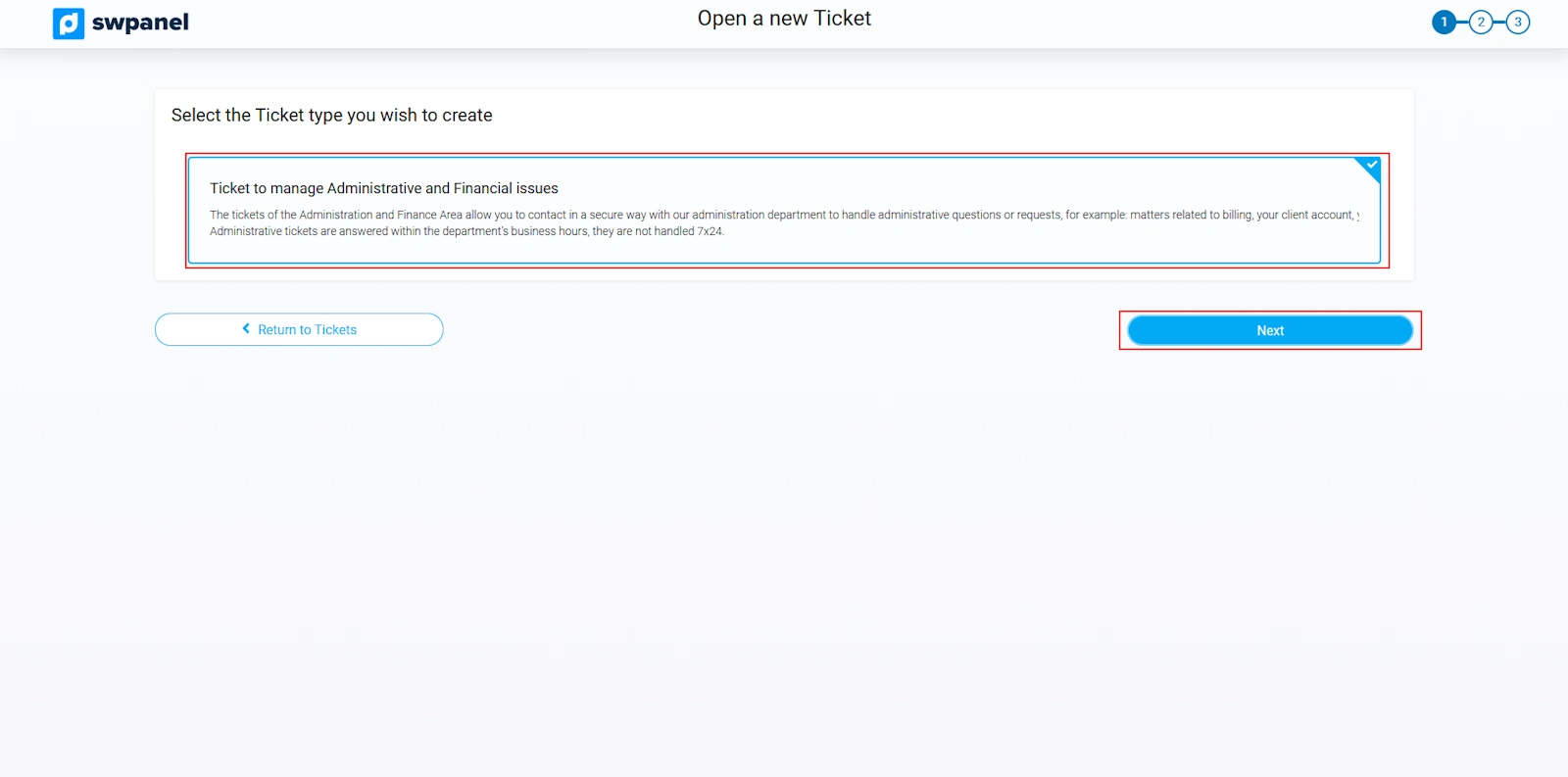
info_capture The screenshot is for illustrative purposes. It was taken on version 2025.004.0002 dated 22/05/2025. It may differ from what the current version of SWPanel shows
Next, you must indicate the incident or problem that you are reporting. You can attach files to facilitate the understanding of the incident and you must provide us with some contact information, so that in case of doubt, we can contact you.
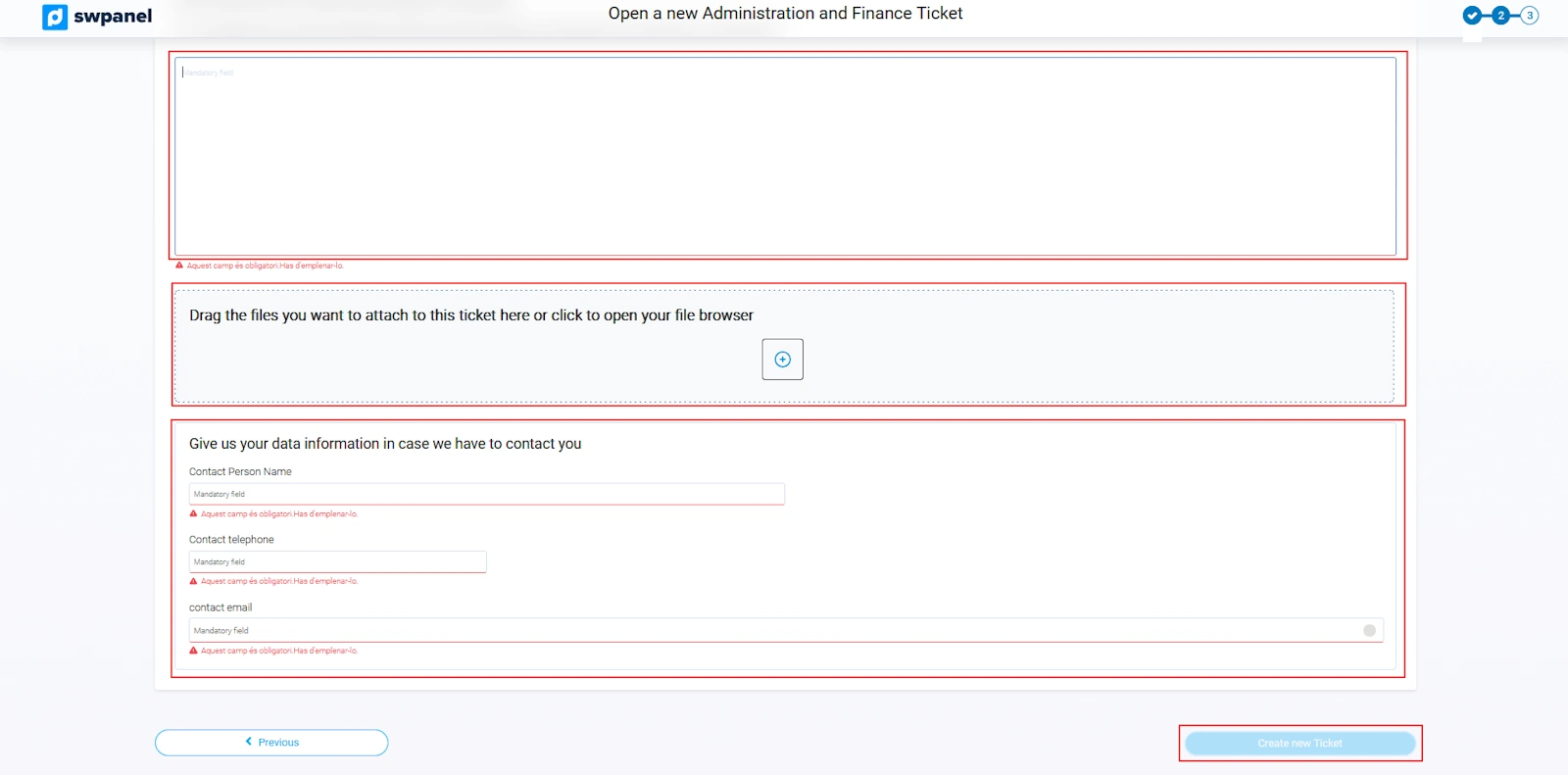
info_capture The screenshot is for illustrative purposes. It was taken on version 2025.004.0002 dated 22/05/2025. It may differ from what the current version of SWPanel shows
Discover the most powerful and flexible way to manage your servers. Leave us your email and we'll send you the steps to get started in minutes.
Already have an account? Log In