How to customize a hosting plan to expand email accounts
To increase the number of email accounts of a hosting plan, first, you must locate from the "Tree of active services" the service where you want to add it, or you can use the general search engine of the SWPanel to find it:
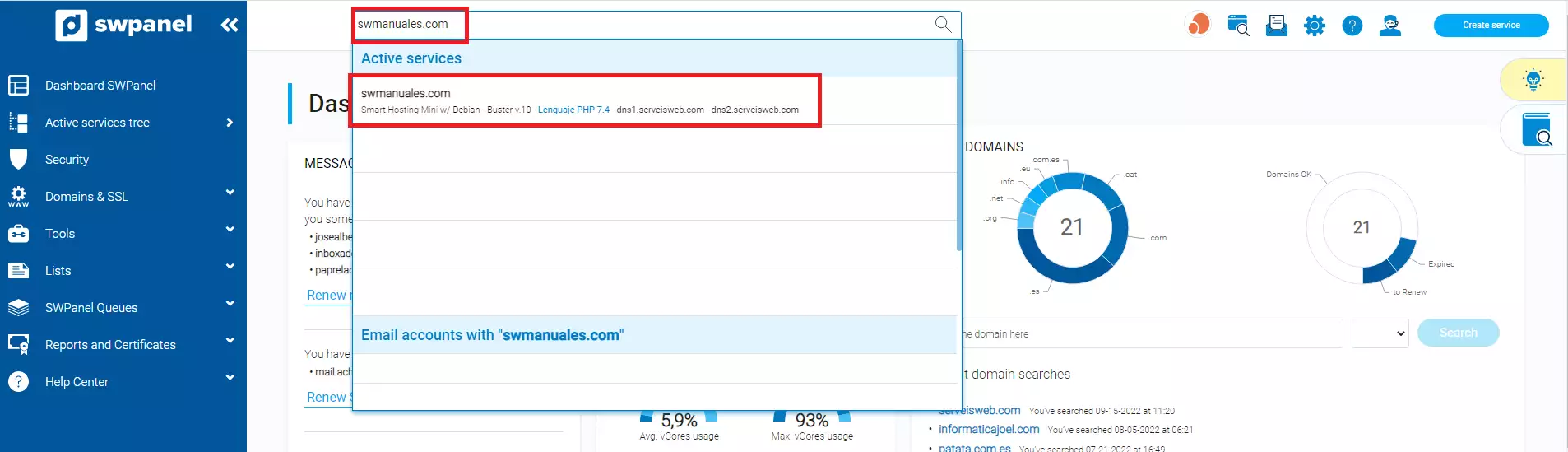
info_capture The screenshot is for reference only. It was taken from version 2025.02.0002 on 11/03/2025. It may differ from what the current version of SWPanel displays.
Once in the Dashboard of the service, you must click on the icon "Adjust the parameters and add-ons of your hosting plan":
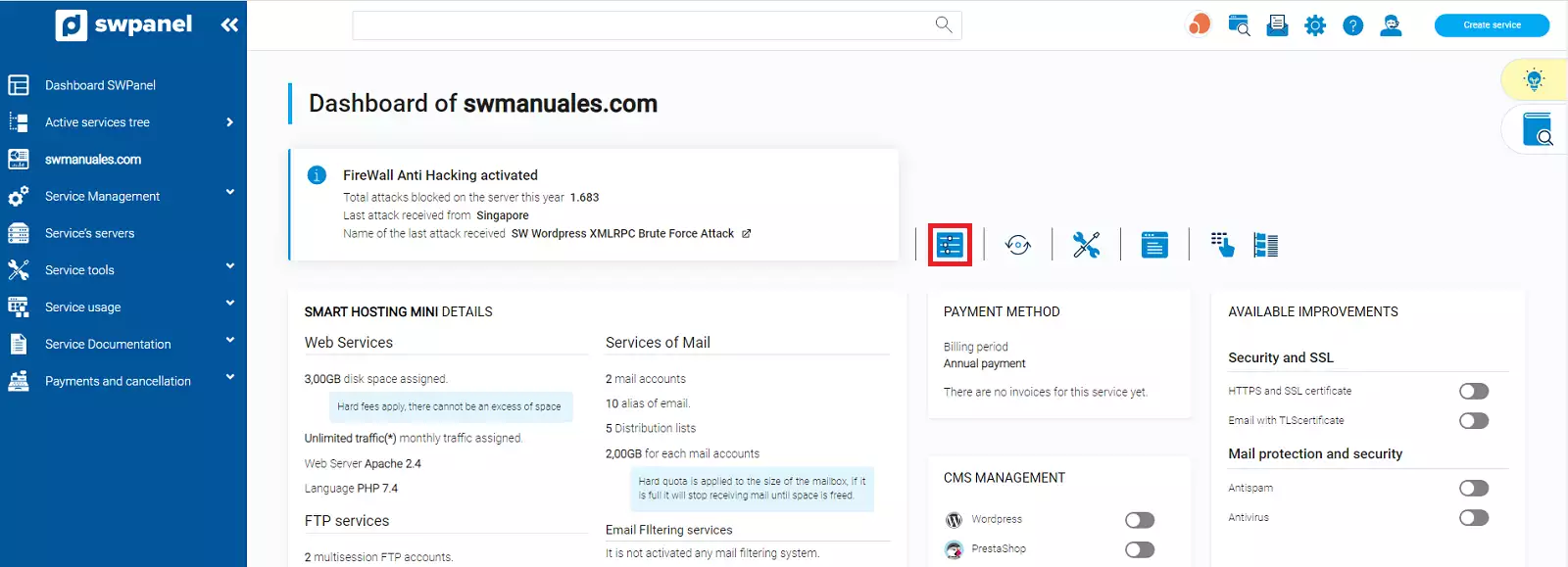
info_capture The screenshot is for reference only. It was taken from version 2025.02.0002 on 11/03/2025. It may differ from what the current version of SWPanel displays.
You will have to add the number of email accounts you want. Also, you can extend the number of mail Aliases and Distribution Lists that you have in your hosting:
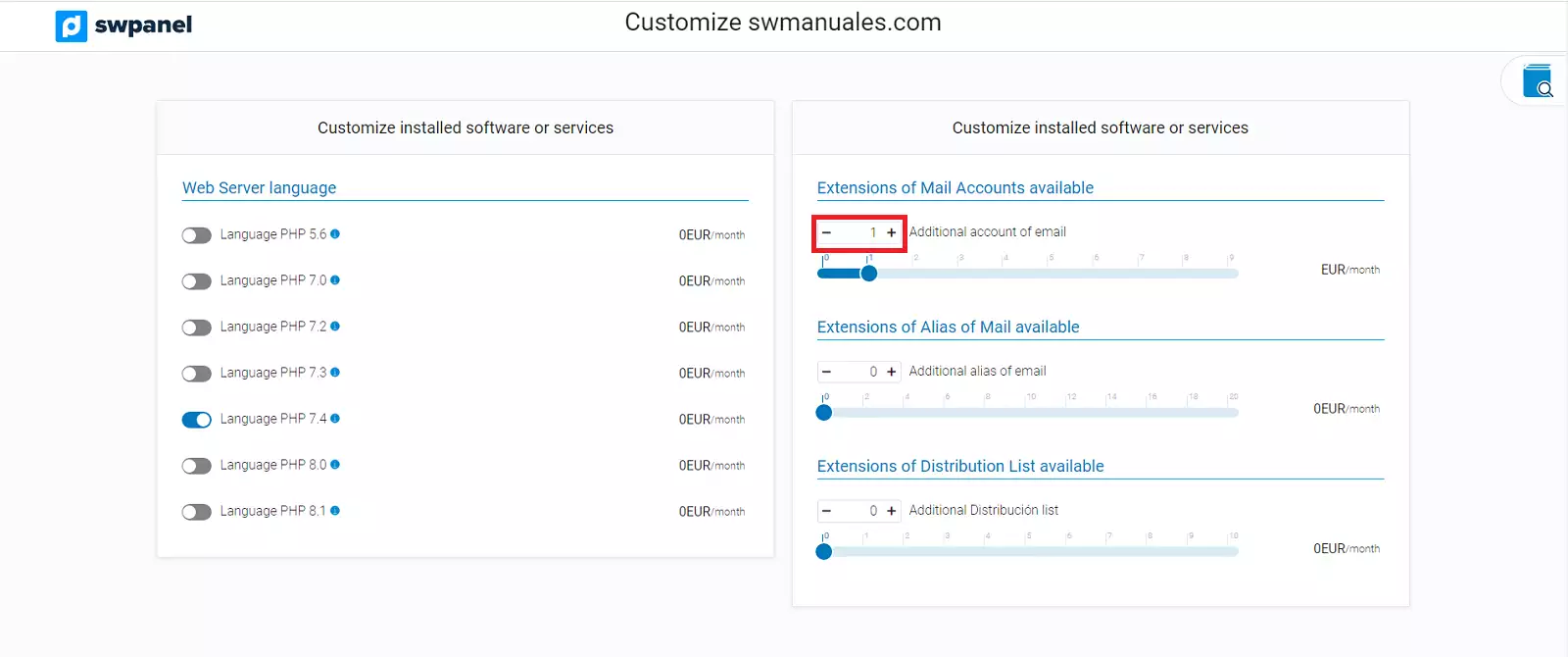
info_capture The screenshot is for reference only. It was taken from version 2025.02.0002 on 11/03/2025. It may differ from what the current version of SWPanel displays.
Once added, you must accept and formalize the cost of the service:
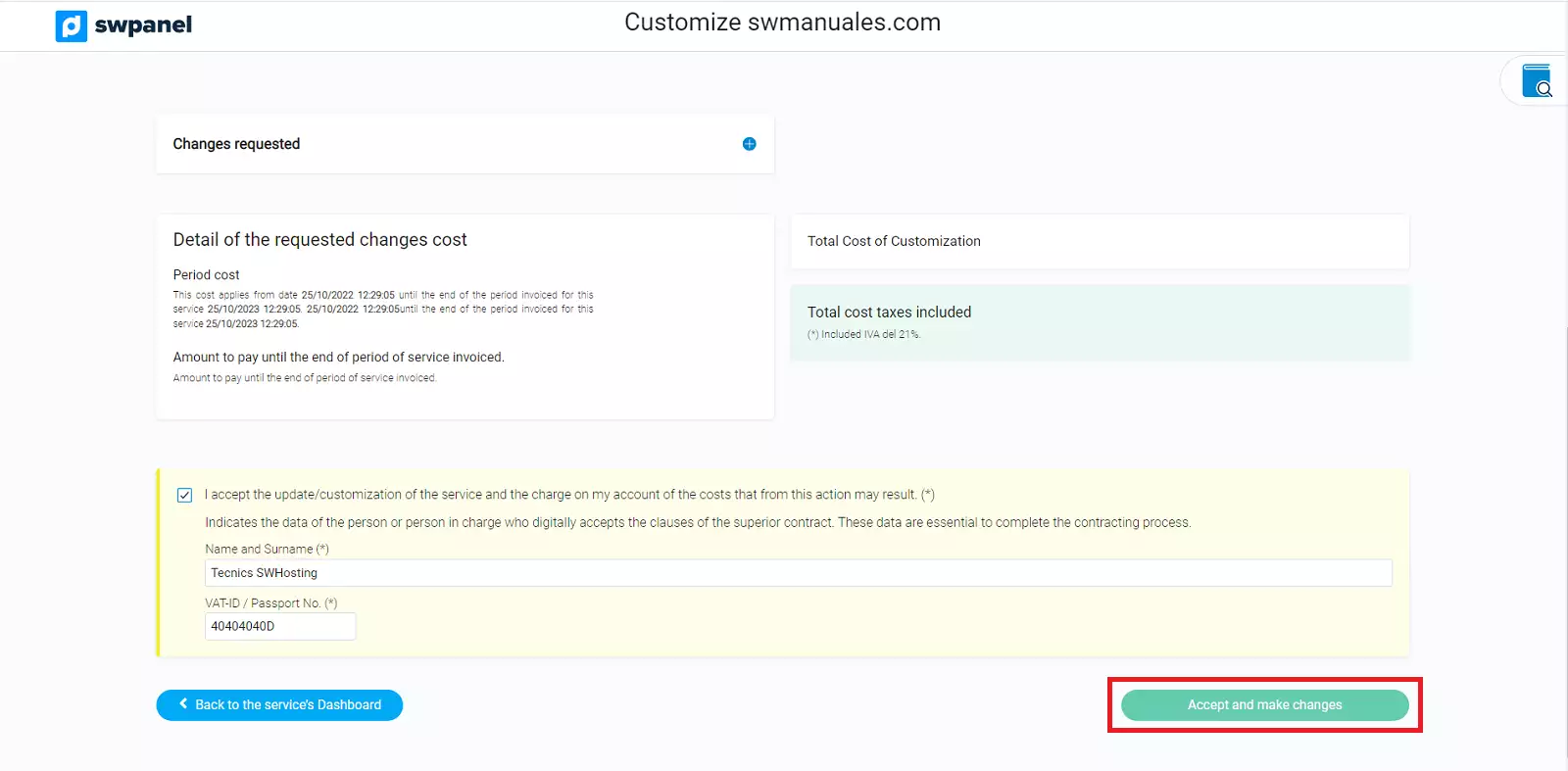
info_capture The screenshot is for reference only. It was taken from version 2025.02.0002 on 11/03/2025. It may differ from what the current version of SWPanel displays.