How to reinstall a WordPress CMS
In this manual we will explain how to reinstall a WordPress installation. You must keep in mind that all your web files will be deleted as well as the database. So it is recommended that you make a backup copy of the data in case you need it in the future.
1.Using the search engine of your SWPanel access your WordPress hosting:
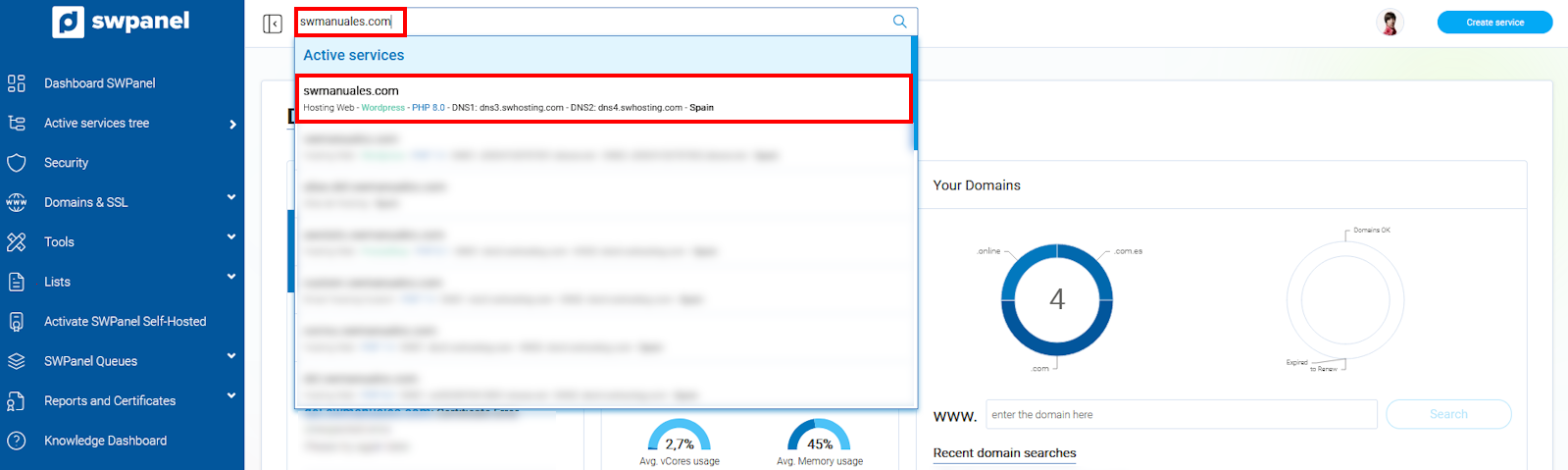
info_capture The screenshot is for guidance only. It was taken on version 2025.00.0017 with date 15/12/2024. It may differ from what the current version of SWPanel displays.
- Click on the button to reinstall WordPress from the "CMS Management" section:
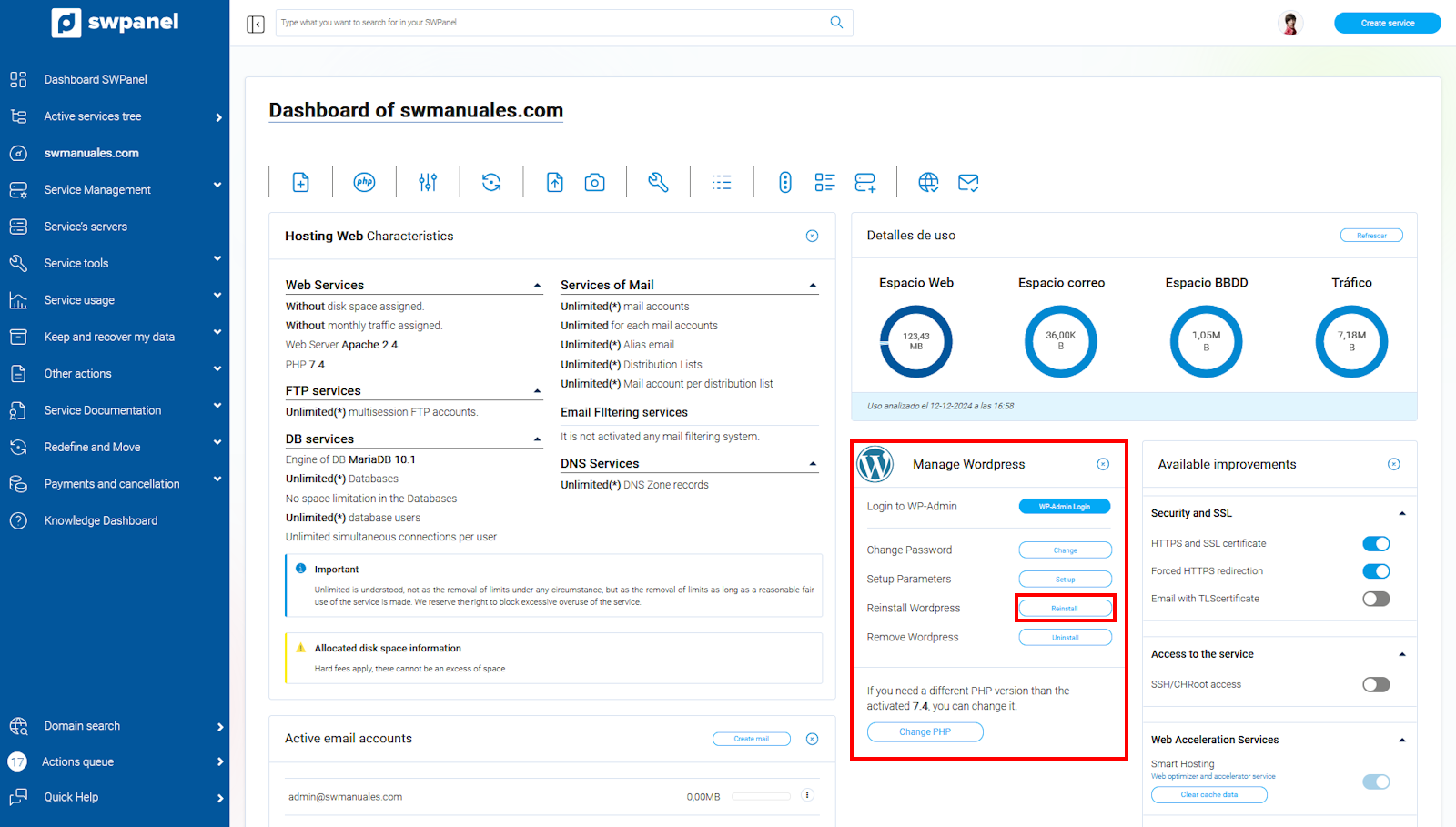
info_capture The screenshot is for guidance only. It was taken on version 2025.00.0017 with date 15/12/2024. It may differ from what the current version of SWPanel displays.
- You must confirm that you want to reinstall WordPress and agree to delete the content of your website:
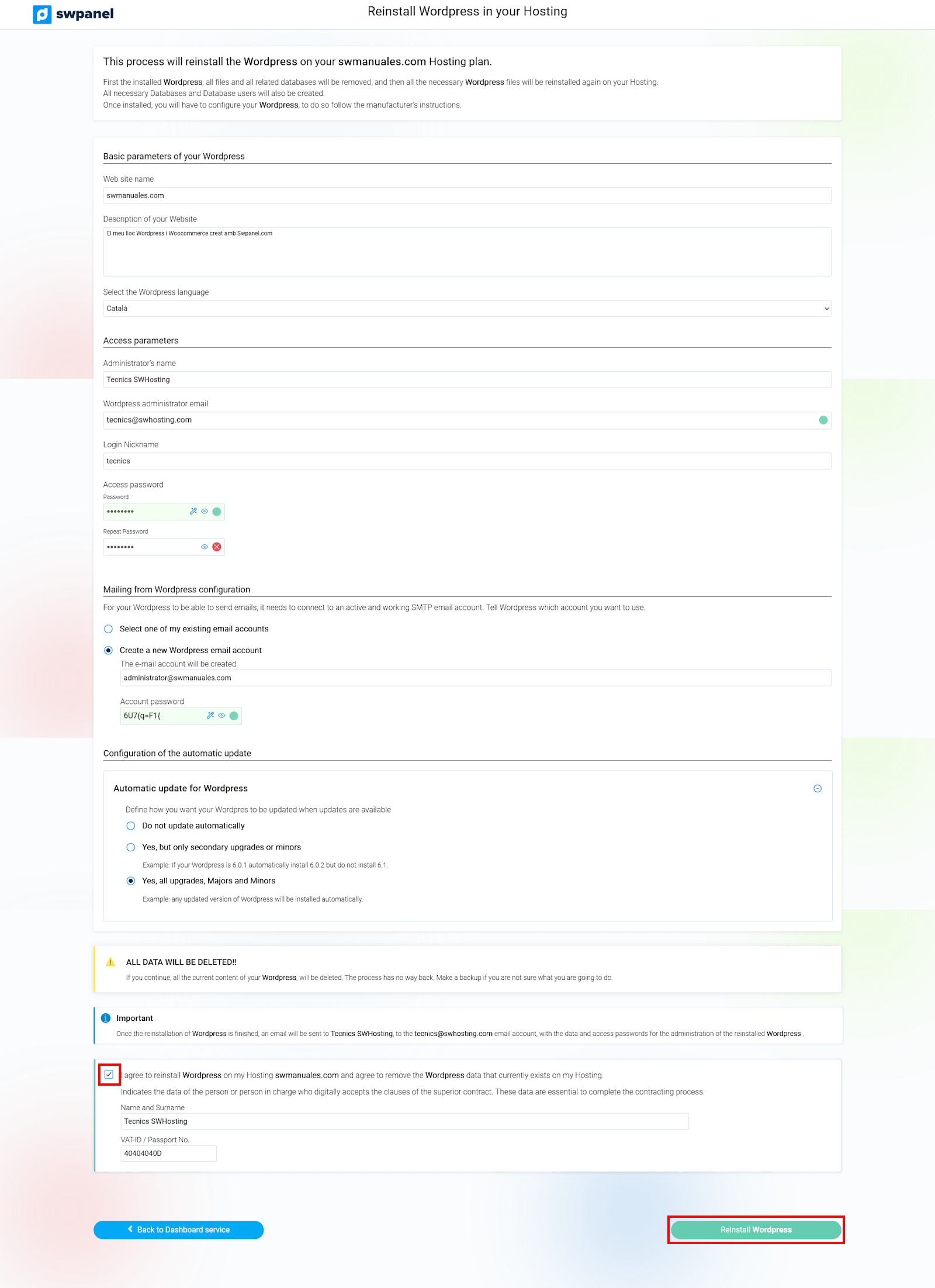
info_capture The screenshot is for guidance only. It was taken on version 2025.00.0017 with date 15/12/2024. It may differ from what the current version of SWPanel displays.
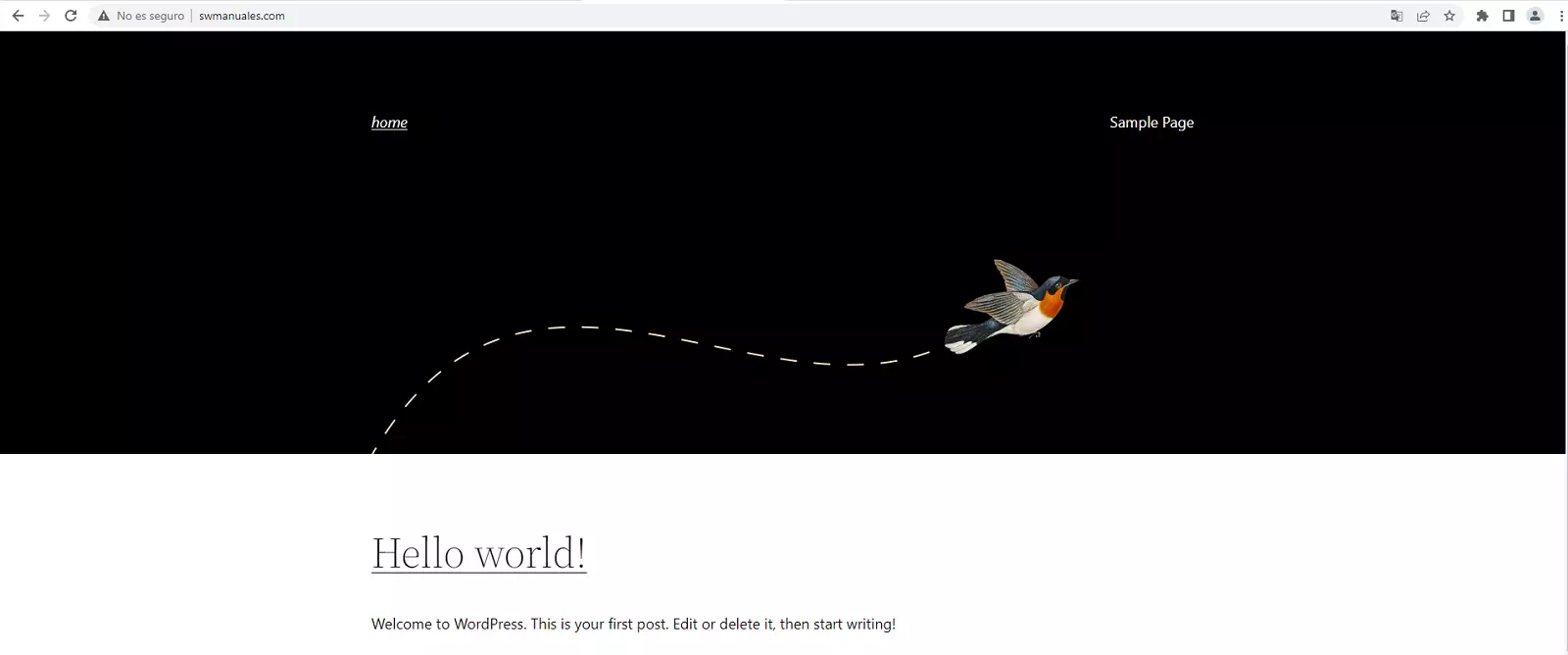
- Once the process is complete, you will be able to access a clean WordPress installation: